

An exit intent pop-up is a targeted on-site message that triggers exactly when a visitor’s behavior indicates they are about to leave your website. By detecting cursor movement, scroll velocity, or back-button presses, it presents a final offer to capture a lead or save a sale before the visitor bounces.
And while it may feel like a desperate attempt, when implemented well, these pop-ups are incredibly effective. Data from our tracked experiments shows that rule-targeted exit pop-ups (ones that trigger based on specific page context and user behavior) perform 4-5x better than generic, site-wide popups.
I see many site owners struggle with high bounce rates and cart abandonment. You spend money and time getting traffic, only to watch people leave empty-handed. But capturing an abandoning visitor requires more than just throwing a generic “Subscribe to our newsletter” form at them. It requires understanding their intent – as well as the hurdle – and offering immediate, specific value.
What is an exit-intent pop-up and how does it work?
An exit-intent pop-up is a modal window that appears when a user signals they are leaving a webpage, using JavaScript to track their behavior. On a desktop, it triggers when the mouse cursor rapidly moves toward the browser boundary or address bar. On a mobile device, it triggers based on rapid upward scrolling, tab switching, or back-button presses.
The technology behind this is relatively straightforward, but the implementation is where most marketers fail. You are interrupting someone who has already made the decision to leave. If you do not offer something highly relevant to what they were just reading or buying, you will just annoy them.
Why generic exit pop-ups fail (and what to do instead)
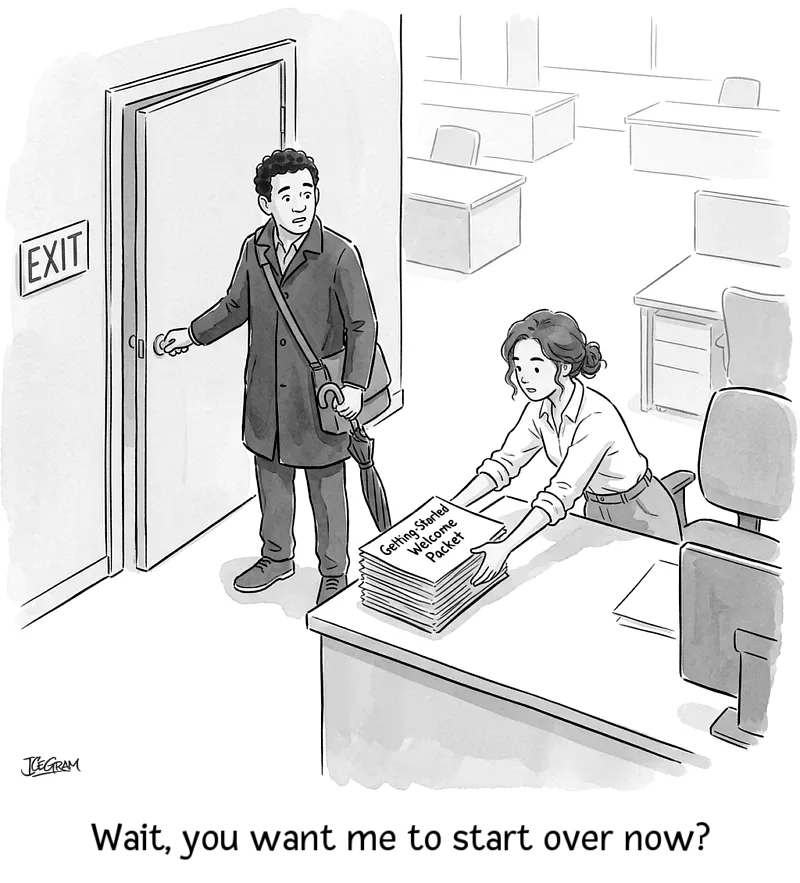
Generic exit pop-ups, the kind that ask you to “Join our newsletter for updates” on every single page, undermine your website’s credibility. They feel intrusive because they lack context.
Generic cart abandonment recovery attempts – “Don’t leave – you have items in your cart” – are also losing their effectiveness now. Because we’ve all seen too many of them.
The lesson? When you use cliché marketing language or simple opt-in bribes, you train your visitors to instinctively click the close button.
Instead, you need to use specific loss-framing or self-deprecating humor. If a user is leaving a checkout page, they are abandoning a specific cart. The pop-up should address that cart. If they are leaving a deeply technical blog post, the pop-up should acknowledge that they might want a simplified summary.
A light-hearted tone (“You didn’t find this interesting, did you?”) often outperforms pushy sales jargon. It acknowledges the user’s sentiment and treats them like a human being.
5 high-impact exit intent strategies that convert
If you want to see that 5x performance lift, you need to move beyond basic setups. Here are the five strategies that consistently outperform.
1. High-flow cart recovery
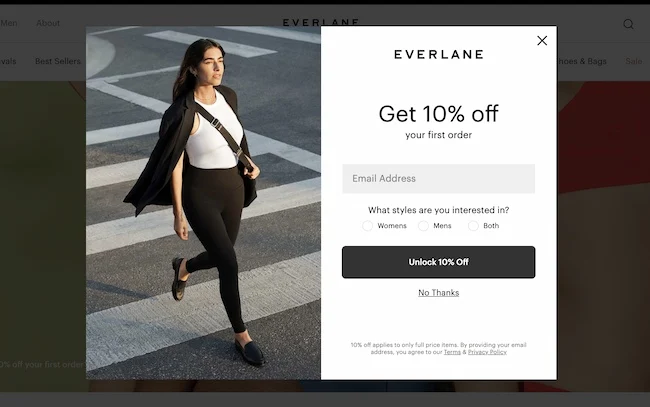
When an e-commerce client of ours saw a 68% cart abandonment rate, they added a simple “15% off your order” exit pop-up specifically in the checkout flow. This single change cut cart abandonment by 14% overnight.
Cart recovery is the highest-impact place to use exit intent. The visitor already demonstrated high buying intent. Offering a small, immediate discount or free shipping at the exact moment they try to leave is often all it takes to save the sale. Make sure to combine this with copywriting style that works for your audience though.
2. Specific loss driven framing
Instead of focusing on what the user gets, focus on what they are about to lose.
If they are leaving a pricing page, remind them to assess price-vs-value. Or that a limited-time offer is expiring. If they are leaving a resource page, remind them that they are missing out on the exact template that solves their problem. Clearly state the specific benefit they lose by closing the tab.
3. Self-deprecating humor and tone
People are blind to standard marketing copy. Using humor breaks that pattern.
Imagine seeing an exit pop-up that says, “Wow, leaving so soon? Was it something we said?” or “Okay, you drive a hard bargain. Here is 15% off”. How would that make you feel? If you’re like me, it will feel like a human interaction – not a corporate trap.
If you want people to actually read the offer, don’t be afraid to experiment with this.
4. Rule-based page targeting
A pop-up offering a discount on shoes should not appear when someone is reading your return policy.
Precisely targeted exit intents (based on specific URLs, time on page, or whether the user is a first-time or returning visitor) always outperform generic messages. Tailor the offer to the exact context of the page the user is abandoning.
5. Dual-touch on-site and email nudge
Exit intent is fundamentally about capturing an abandoned journey. The most effective strategy combines an on-site pop-up with an automated email sequence.
If a user abandons a flow, you first trigger an on-site pop-up (using a tool like Icegram Engage). If they still leave, but you already have their email address from a previous interaction, you trigger a follow-up win-back email (using a tool like Icegram Express). This multi-channel approach dramatically improves your recovery rate.
Desktop vs. mobile exit intent: key technical differences
You cannot treat mobile and desktop traffic the same way when it comes to exit intent.
Desktop triggers:
- Cursor tracking: The most common method. The script tracks the velocity and direction of the mouse cursor. When it breaks the top plane of the browser window, the pop-up triggers.
Mobile triggers:
- Scroll velocity: Mobile devices do not have cursors. Instead, mobile exit intent tracks how fast a user scrolls up the page, which often indicates they are trying to reach the address bar to leave.
- Back-button interception: Triggers when the user taps the hardware or software back button.
- Tab switching: Detects when the browser loses focus.
Mobile pop-ups also face stricter UX rules from Google. They cannot cover the entire screen or obscure the main content immediately upon page load. They must be easily dismissible and take up a reasonable amount of screen real estate.
How to set up targeted exit-intent pop-ups in WordPress
Setting this up does not require custom coding. You can use Icegram Engage to handle the display rules and triggers. Note that exit intent targeting is available on the Pro plan ($129/year) and above, not included in the free Starter plan.
- Install and activate Icegram Engage. It is available in the WordPress plugins repository. If you are on the free plan, upgrade to Pro to unlock exit intent targeting.
- Create a new campaign. Choose the “Popup” message type.
- Design your offer. Keep the copy brief, use a clear headline, and ensure the form only asks for essential information (usually just an email address).
- Set the display rules. This is the critical step. Under the “Where” settings, select the specific pages or flows where this pop-up should appear (e.g., only on
/checkout/). - Set the trigger. Under the “When” settings, check the “Exit Intent” box. This option is only visible if you are on the Pro plan or above.
- Publish and test. Always test your pop-up in an incognito window to ensure it triggers correctly when you try to leave the page.
What should you do next?
Stop showing the same generic newsletter pop-up to every person who tries to leave your site.
Pick your highest-converting page: a checkout flow, a pricing page, or your most popular blog post. Create one targeted exit-intent pop-up specifically for that page. Use a clear, loss-framed offer, set the display rules to trigger only on exit, and measure the difference in conversion rate over the next two weeks.
If you want an easy way to build and target these pop-ups in WordPress, install Icegram Engage today.
FAQ
Can exit-intent pop-ups be used on mobile devices?
Yes, but they use different triggers. Since mobile devices do not have a mouse cursor to track, mobile exit intent relies on detecting rapid upward scrolling, tab switching, or back-button presses to determine when a user is leaving.
Do exit-intent pop-ups slow down a website?
When properly optimized, exit-intent scripts have a minimal impact on site speed. Using a well-coded plugin that loads scripts asynchronously ensures that your page performance remains stable.
How often should I show an exit pop-up to the same user?
You should use frequency capping to avoid annoying your visitors. A best practice is to show the exit pop-up only once per session, or even once every 15 to 30 days for returning visitors, depending on the aggressiveness of your offer.