

How to Install and Activate Icegram Premium Plugins
Step-by-step guide on downloading premium zip files from your Icegram account and activating licenses on your WordPress website.
Installing premium Icegram plugins takes only a couple of minutes.
Steps to Install
-
Download the plugin zip file: You can obtain your plugin file through three convenient options:
- On the order confirmation page immediately after checkout.
- From your Icegram Account Downloads page.
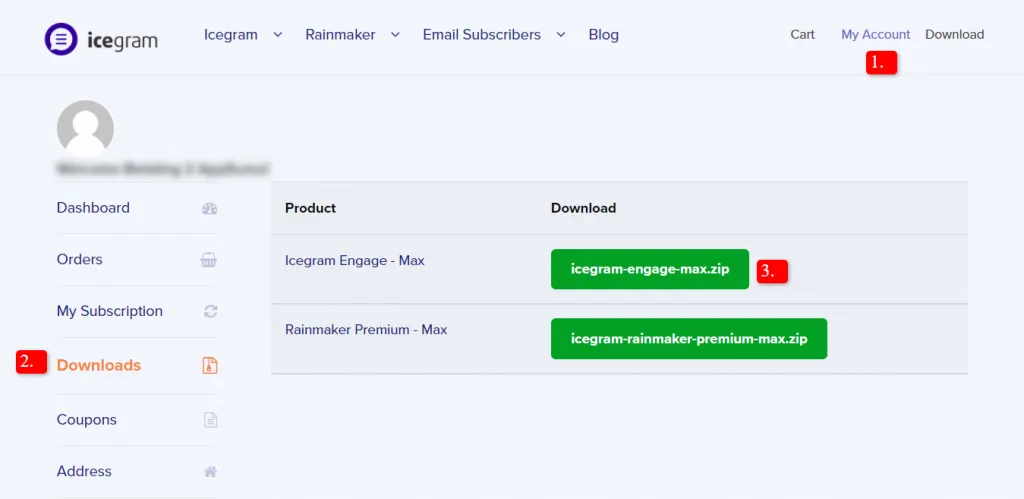
- From the download link provided in your Order Complete email receipt.
-
Log in to your WordPress website: Navigate to
WordPress Dashboard→Plugins→Add New. -
Click the Upload Plugin button at the top of the page.
-
Click Choose File, select the
.zipfile from your computer, and click Install Now. -
Once the upload finishes, click Activate Plugin.
-
Connect your store to activate your license and enable automatic updates.