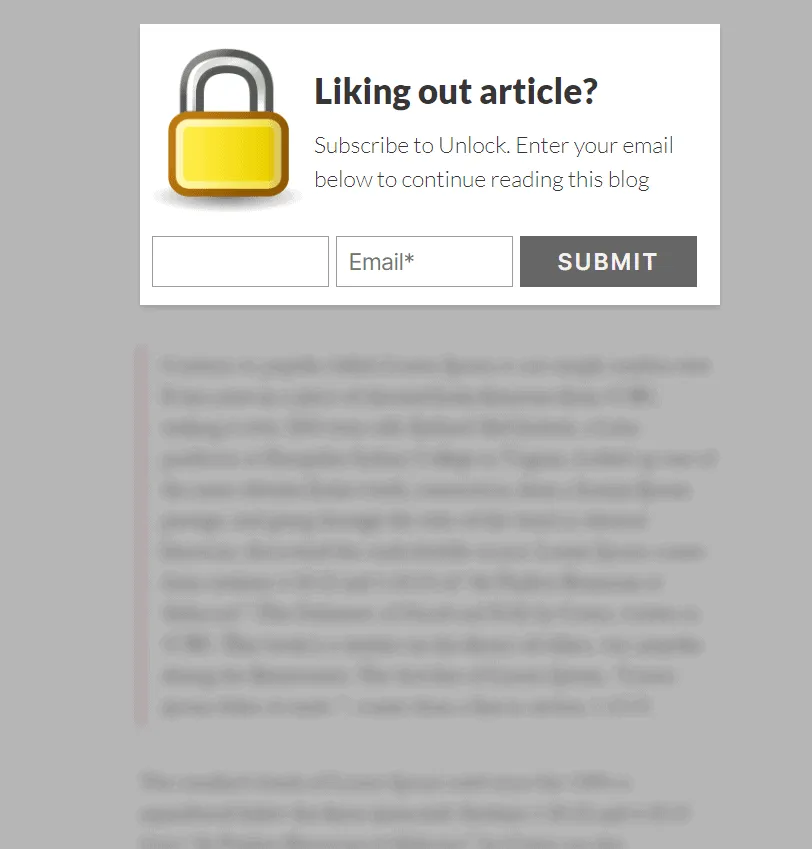
How to Lock Page Content Until Visitors Subscribe (Content Locker)
ProGate premium blog posts, downloads, or guides behind an opt-in form using the Icegram Engage content locking feature.
A Content Locker restricts access to valuable parts of your page (such as full articles, download links, or video tutorials) until the visitor performs an action—typically submitting an email opt-in form or sharing on social media.
Steps to Configure Content Locking
-
In your WordPress dashboard, go to
Icegram Engage→Campaignsand create or edit a campaign. -
Ensure your message contains an opt-in subscription form.
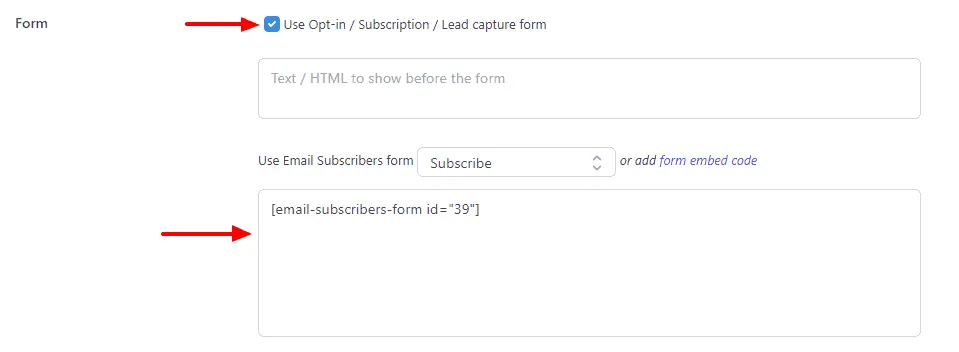
-
In the message settings, enable the Lock Content toggle option.
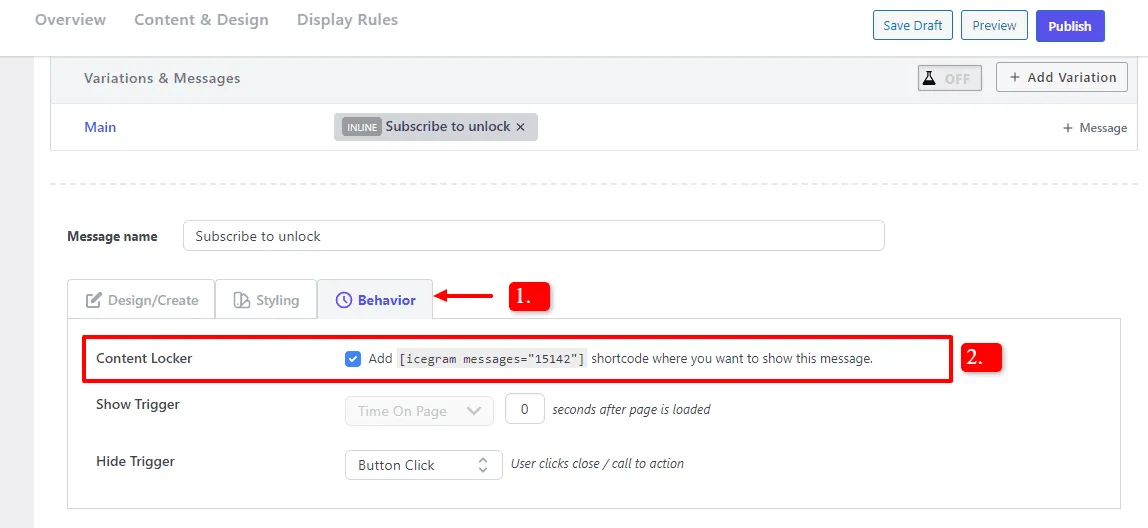
-
Wrap the protected portion of your article in your post editor using the content lock shortcode:
[icegram-lock id="CAMPAIGN_ID"]
This premium content is revealed only after the visitor subscribes!
[/icegram-lock]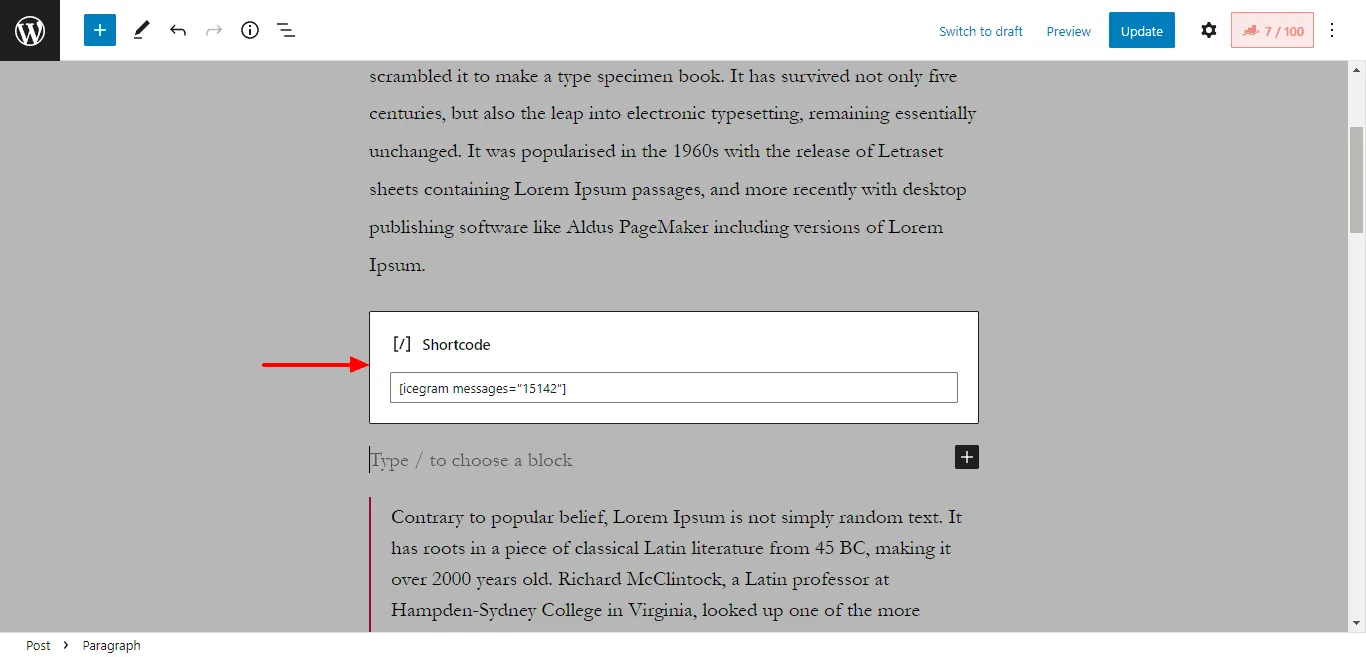
-
Save and publish your post.
When unauthenticated visitors land on the post, the protected content is blurred or hidden behind the opt-in message.