

How to Change Featured Image Size in Post Notifications
Change the display dimensions and resolution of the featured blog post image in Icegram Express notification emails.
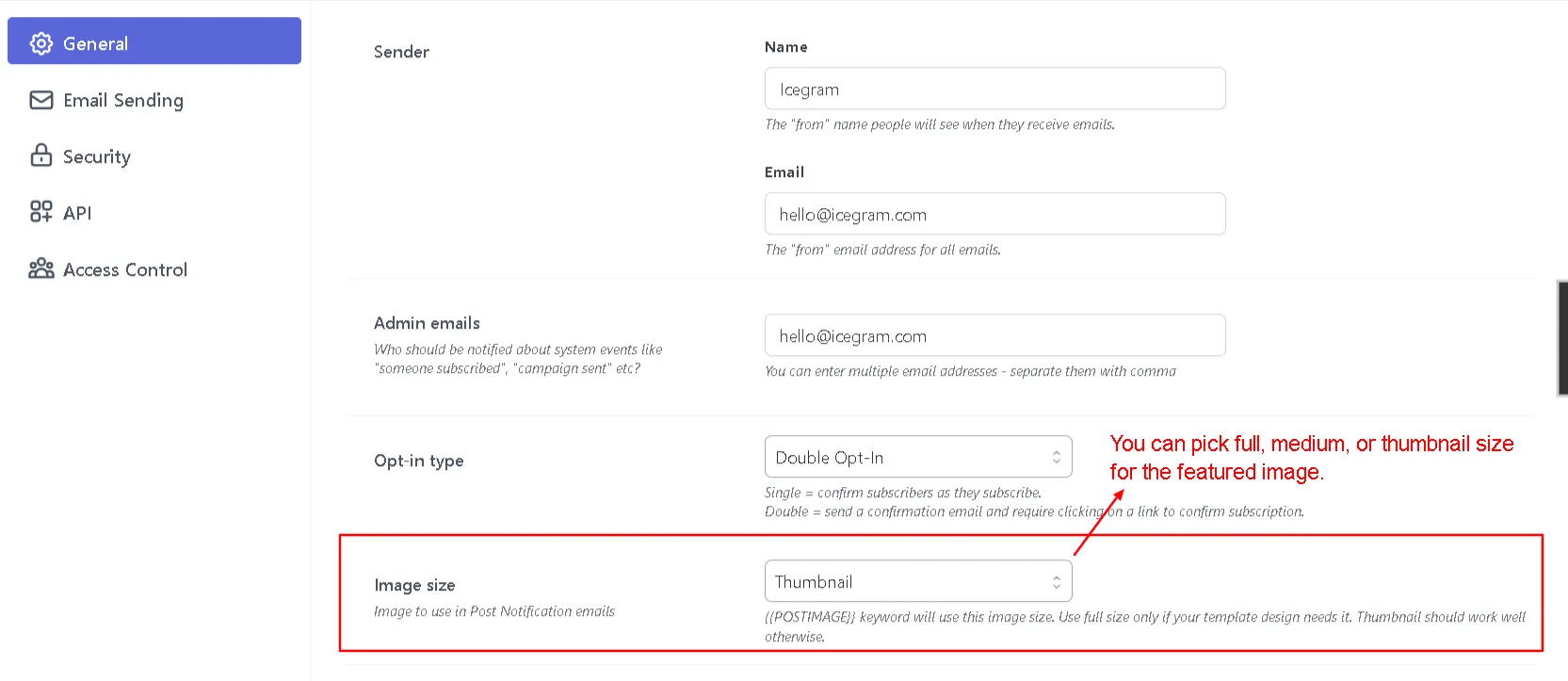
When using the {{POSTIMAGE}} merge tag in post notifications, Icegram Express embeds the featured image of the newly published blog post. You can set the default image size and resolution.
Steps to Change Image Size
-
In your WordPress admin, go to Icegram Express > Settings > General.
-
Locate the Image Size option.
-
Select your desired image dimension from the dropdown:
- Thumbnail (default WordPress thumbnail, e.g., 150×150 px)
- Medium (medium resolution, e.g., 300×300 px)
- Full Size (original uploaded resolution)
-
Click Save Settings.