

How to Enable CAPTCHA in Your Icegram Express Subscription Forms
StarterProtect your Icegram Express newsletter signup forms from bot attacks, fake signups, and spam registrations with CAPTCHA.
Spam bots often target unprotected newsletter signup forms with fake submissions, cluttering your contact lists and damaging your sender reputation. Icegram Express includes built-in CAPTCHA support to ensure only human visitors can submit your forms.
Steps to Enable CAPTCHA on a Form
-
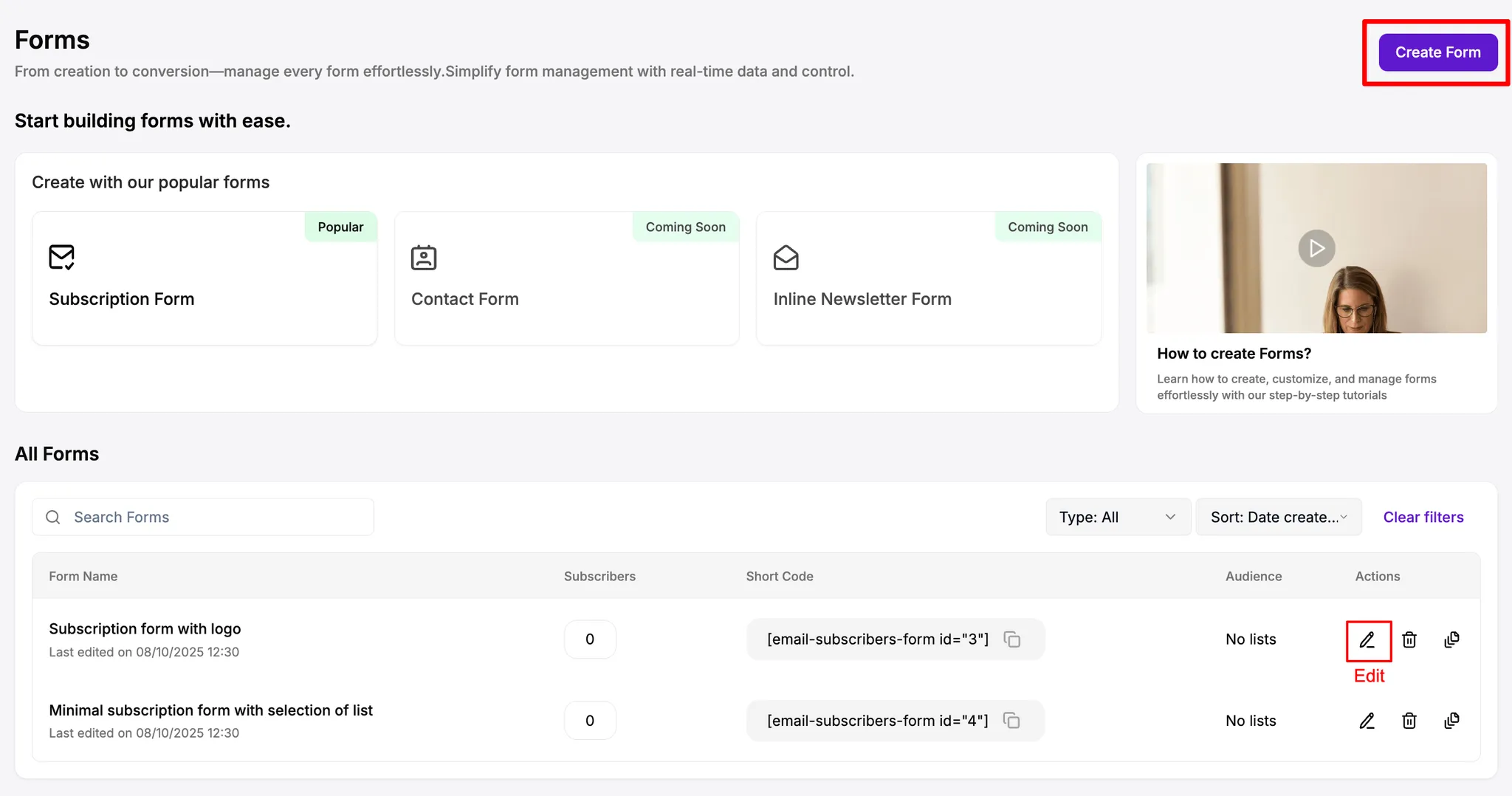
In your WordPress admin dashboard, navigate to
Icegram Express→Forms. -
Click Edit on an existing subscription form, or click Add New to create a new form.
-
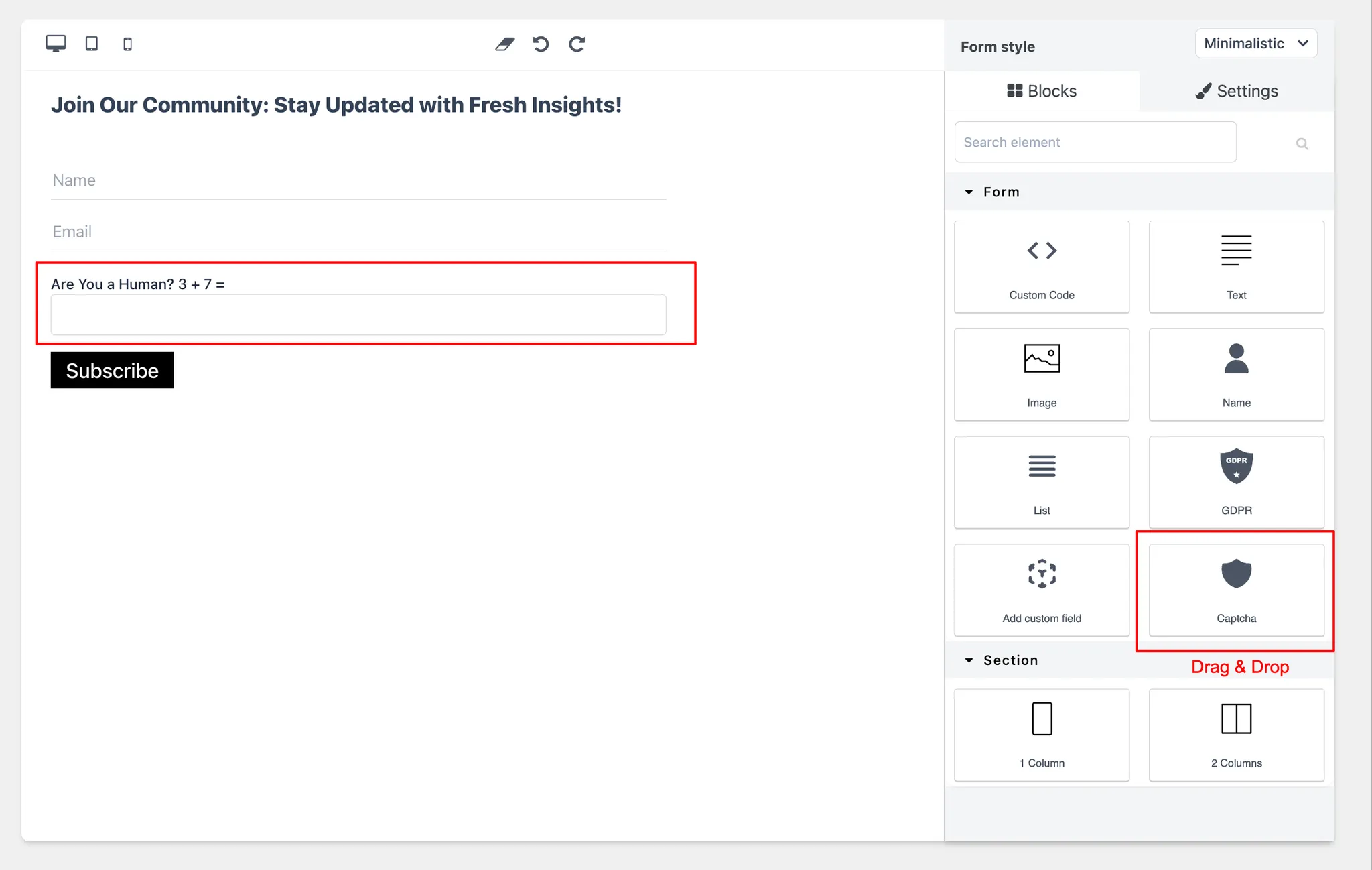
In the form editor canvas, locate the Captcha block in the left elements panel.
-
Drag and drop the Captcha block into your form layout where you want the security challenge to appear.
-
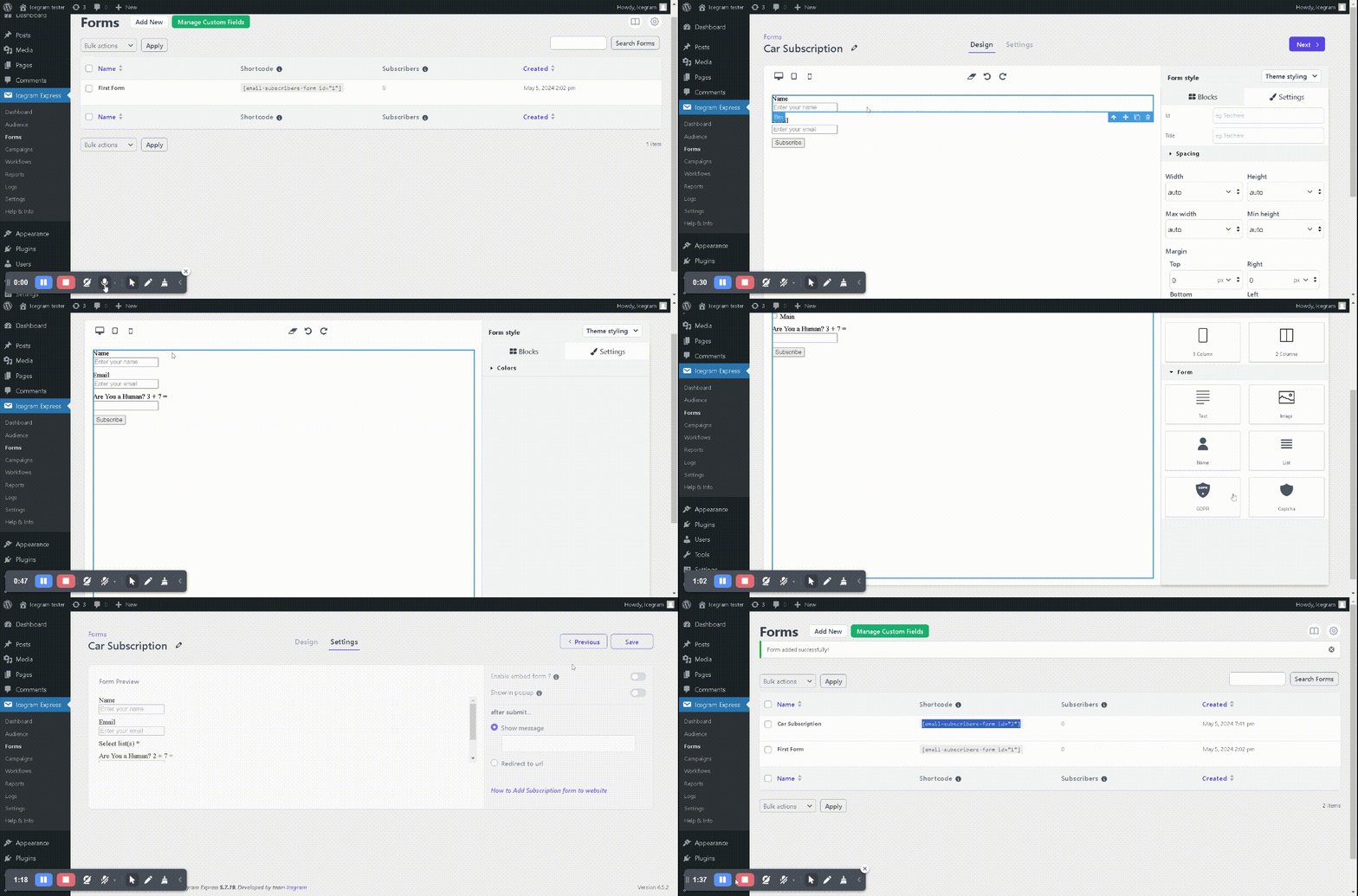
Customize styling (fonts, colors, and layout) if desired.
-
Click Next and Save Form.
Once saved, visitors will be required to pass the CAPTCHA check before their subscription is submitted. Additional security settings (such as honeypots and blacklists) can be configured under Icegram Express → Settings → Security.