

Embed Icegram Express Forms in Engage Messages
Connect Icegram Express subscription forms with Icegram Engage popups and action bars to grow your email list automatically.
Connecting Icegram Express with Icegram Engage allows you to build eye-catching lightbox opt-in popups, top notification bars, and exit-intent modals that automatically sync subscribers to your Icegram Express lists.
Steps to Integrate Express Forms
-
Ensure both Icegram Engage and Icegram Express are installed and activated on your WordPress site.
-
In your dashboard, go to
Icegram Engage→Campaignsand edit or create a campaign. -
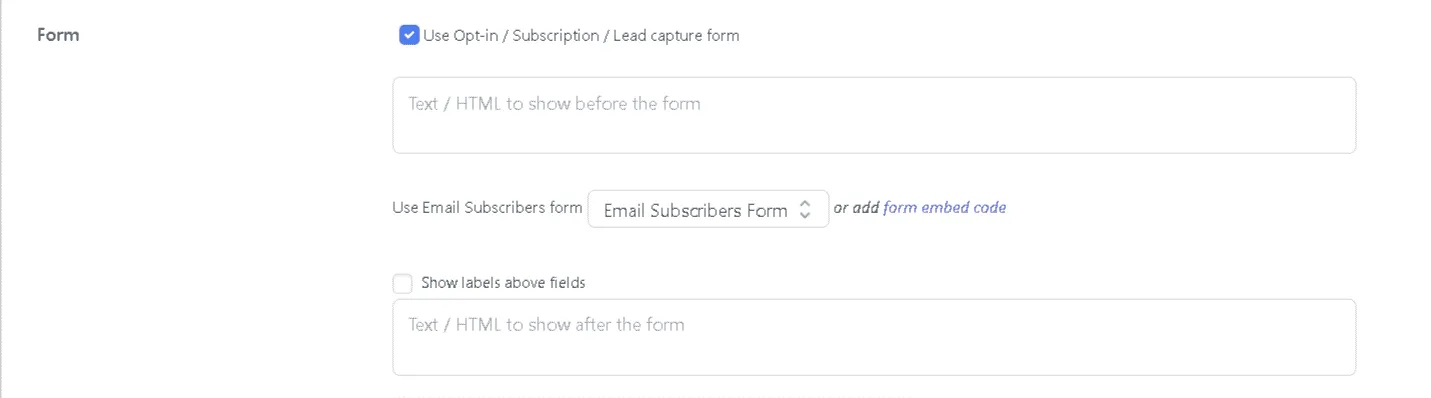
In the message settings panel, scroll to the Form section.
-
Set Form Type to Icegram Express.
-
Choose your target subscription form and list from the dropdown options.
-
Configure any campaign targeting rules (such as exit intent or scroll depth) and click Publish.