

Show Icegram Engage Messages Based on Scroll Depth
ProTrigger popups or slide-in notifications when a visitor scrolls through a specific percentage or reaches a targeted element on the page.
The Scroll Position trigger displays messages when visitors demonstrate active interest by scrolling down your page. This timing feels natural and ensures you target engaged readers.
Steps to Configure Scroll Depth Triggers
-
In your WordPress dashboard, navigate to
Icegram Engage→Campaignsand edit your campaign. -
In the campaign editor, go to the When (Display Rules) section.
-
Under the Show Trigger dropdown, select Scroll Position.
-
Choose your trigger threshold:
- Middle of the page (50%): Great for mid-article related recommendations.
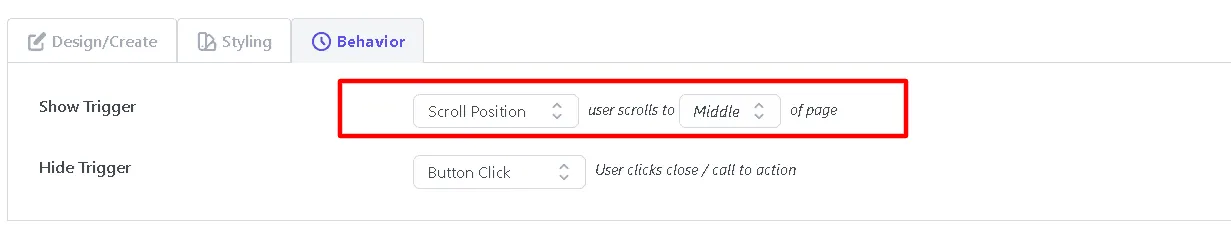
- End of the page (100%): Perfect for post-read feedback surveys or next-step newsletter signups.
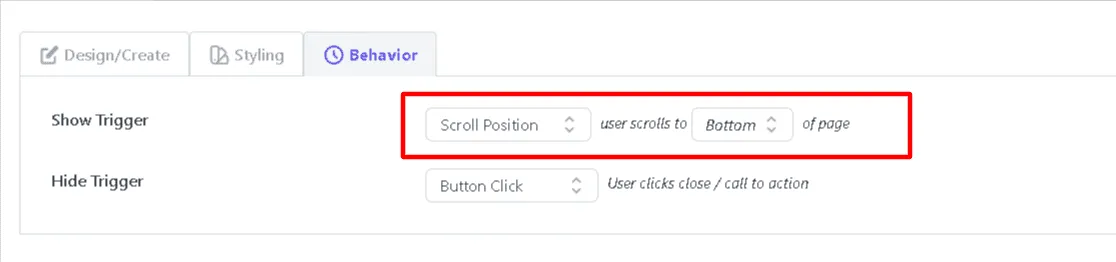
- Middle of the page (50%): Great for mid-article related recommendations.
-
Save and publish your campaign.