How to Allow Subscribers to Choose Lists When Unsubscribing
MaxAllow contacts to choose specific email lists to leave rather than unsubscribing from all communications entirely using Icegram Express for WordPress.
Your contacts may be subscribed to multiple email lists (e.g., Product Updates, Weekly Newsletter, and Promotions). Rather than losing a subscriber completely when they click unsubscribe, you can give them the choice to opt out of only specific lists while remaining subscribed to others.
Steps to Enable List Selection on Unsubscribe
-
In your WordPress admin dashboard, navigate to
Icegram Express→Settings→General.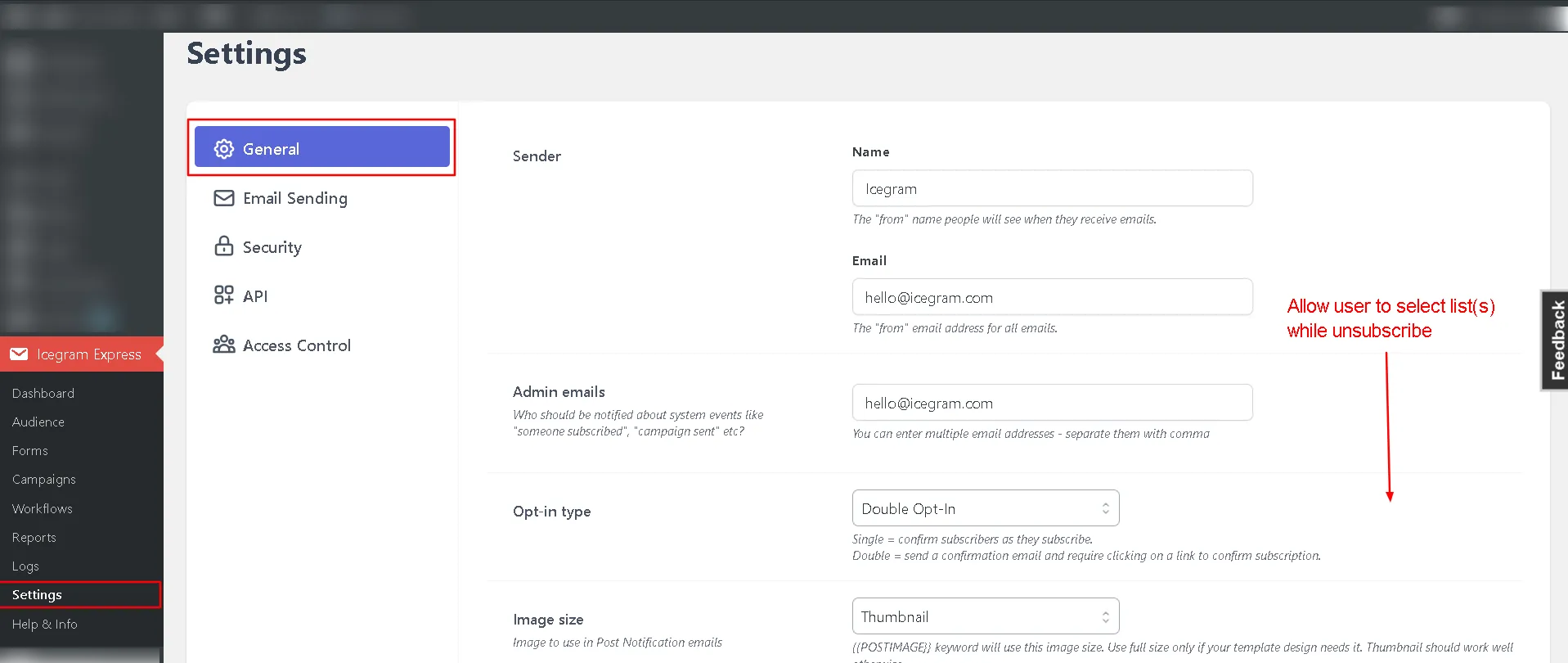
Icegram Express General Settings -
Scroll down to the unsubscribe section and toggle on the option Allow user to select list(s) while unsubscribe.

Toggle allow user to select lists while unsubscribe -
Click Save Settings.
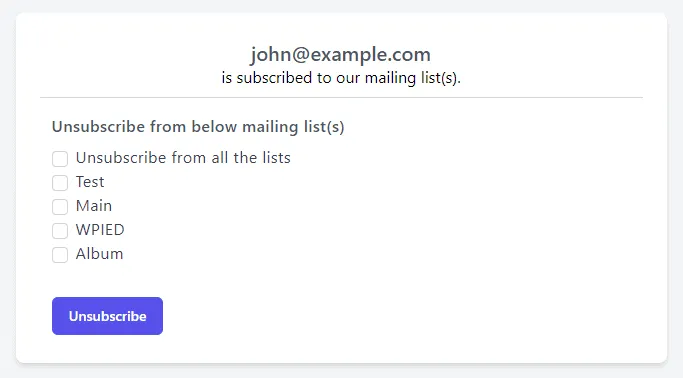
Subscriber Experience
When a subscriber clicks the unsubscribe link in an email, they are directed to an intermediate preference page showing all lists they belong to. They can choose precisely which lists to leave and which to keep.