

How to Customize the Confirmation Email in Icegram Express
Customize the double opt-in confirmation email subject line, content, and verification link in Icegram Express to ensure high deliverability and...
When Double Opt-In is enabled, newly registered contacts receive an automated verification email containing a confirmation link. You can fully customize this email’s subject line, brand copy, and styling.
Steps to Customize the Confirmation Email
-
In your WordPress admin, navigate to Icegram Express > Workflows.
-
Locate and edit the pre-configured workflow titled Send confirmation email.
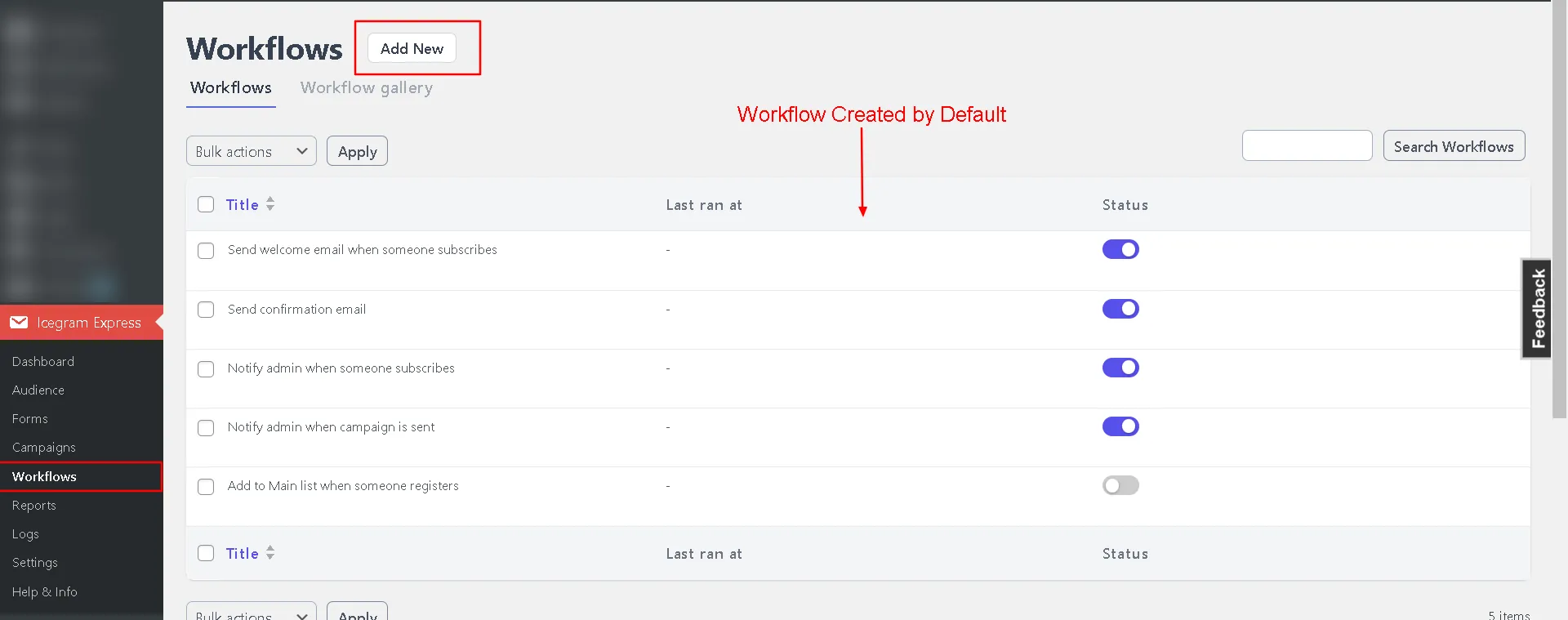
Select and edit workflow screen in Icegram Express -
Under the Send Email action block, enter your custom Subject and Content.
-
Ensure the
{{SUBSCRIBE-LINK}}merge tag is included in the body, as this generates the unique confirmation link for each contact: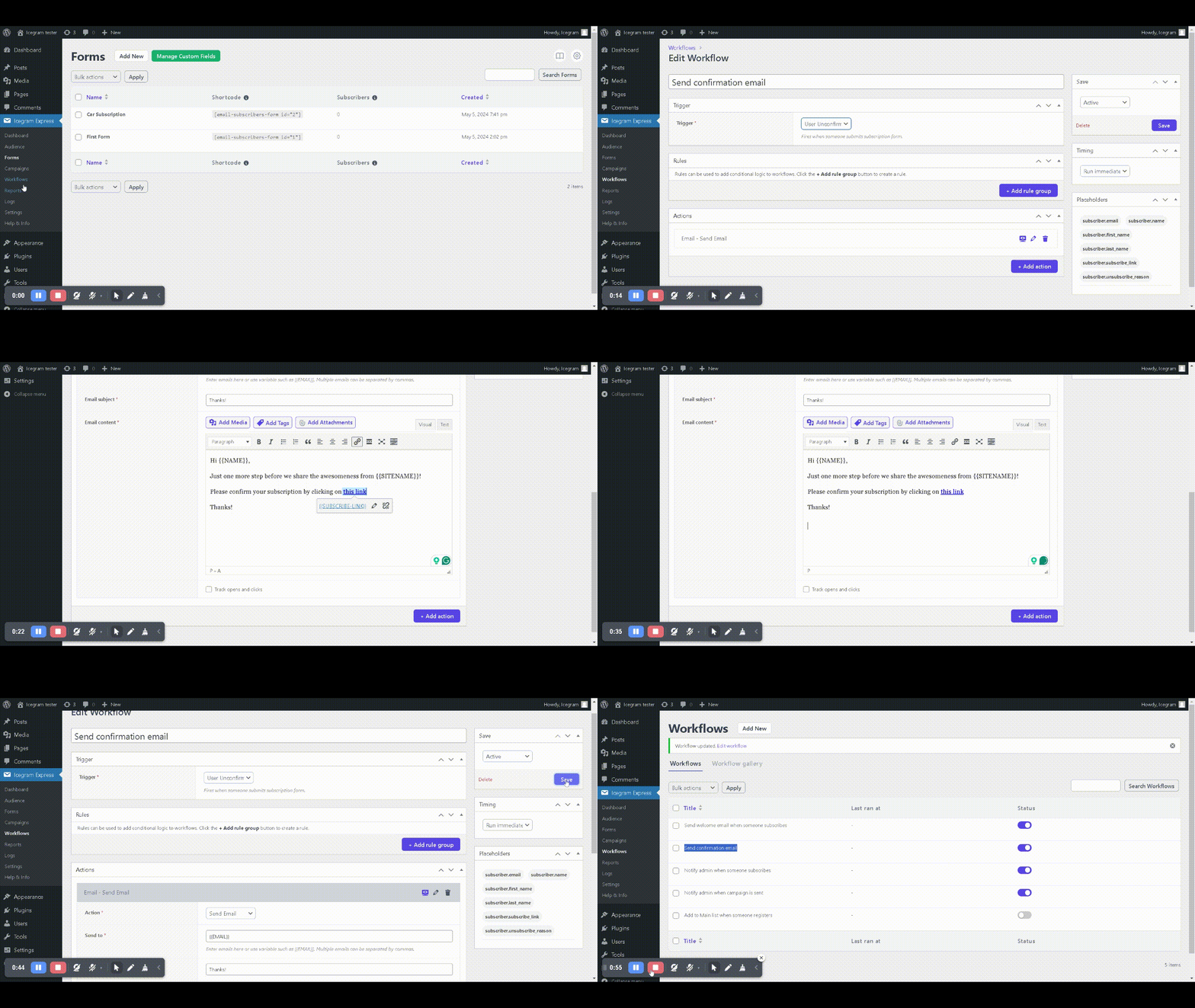
-
Click Active & Save.