

How to Automatically Delete Unconfirmed Contacts
Automatically purge old unconfirmed subscribers from your WordPress database to keep your audience list clean using Icegram Express for WordPress.
When using double opt-in, some users may sign up with mistyped email addresses or never click the verification link. Over time, unconfirmed contacts accumulate in your database, consuming storage and cluttering your audience list.
Icegram Express includes an automatic cleanup setting that automatically purges unconfirmed contacts that are older than one month.
Steps to Enable Automatic Deletion
-
In your WordPress admin dashboard, navigate to
Icegram Express→Settings→General. -
Scroll down to the Delete Unconfirmed Contacts option.
-
Toggle the option on to activate automatic deletion.
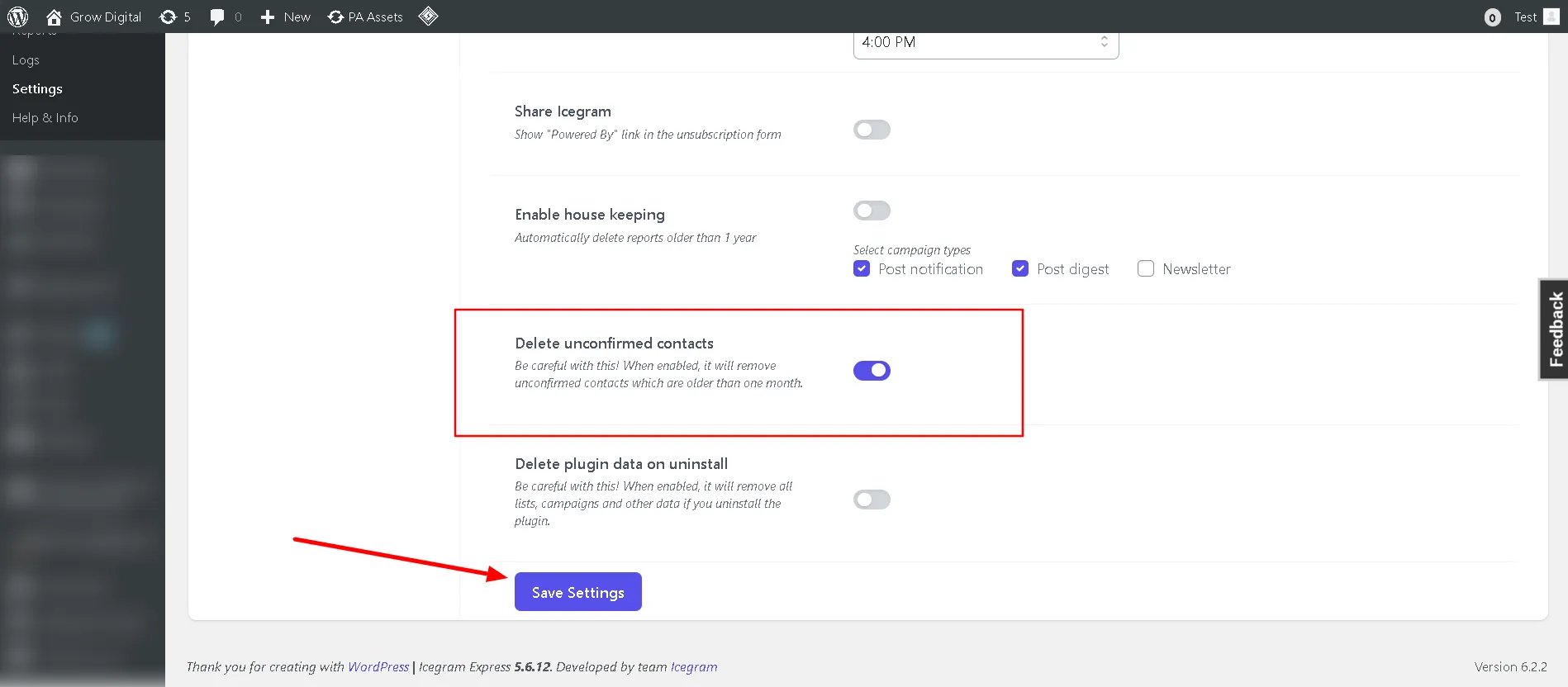
Delete Unconfirmed Contacts toggle in General settings -
Click Save Settings at the bottom of the page.
Once enabled, Icegram Express will automatically remove unconfirmed contacts older than 30 days during its routine maintenance cycle.