What is an Email Preheader and How to Use It?
MaxConfigure custom email preheaders (preview text) in Icegram Express Max to boost inbox open rates to ensure high deliverability and subscriber engagement.
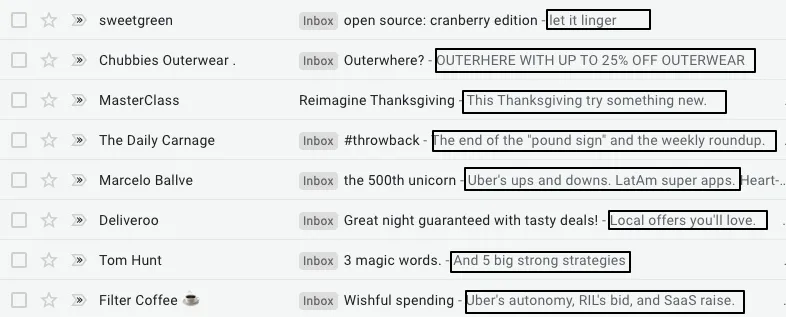
An email preheader (also known as preview text) is the short snippet of text displayed next to or directly below the subject line in an email client’s inbox view (Gmail, Apple Mail, Outlook).
A well-crafted preheader acts as a secondary hook that complements your subject line, giving recipients context and significantly improving open rates.
How to Set an Email Preheader
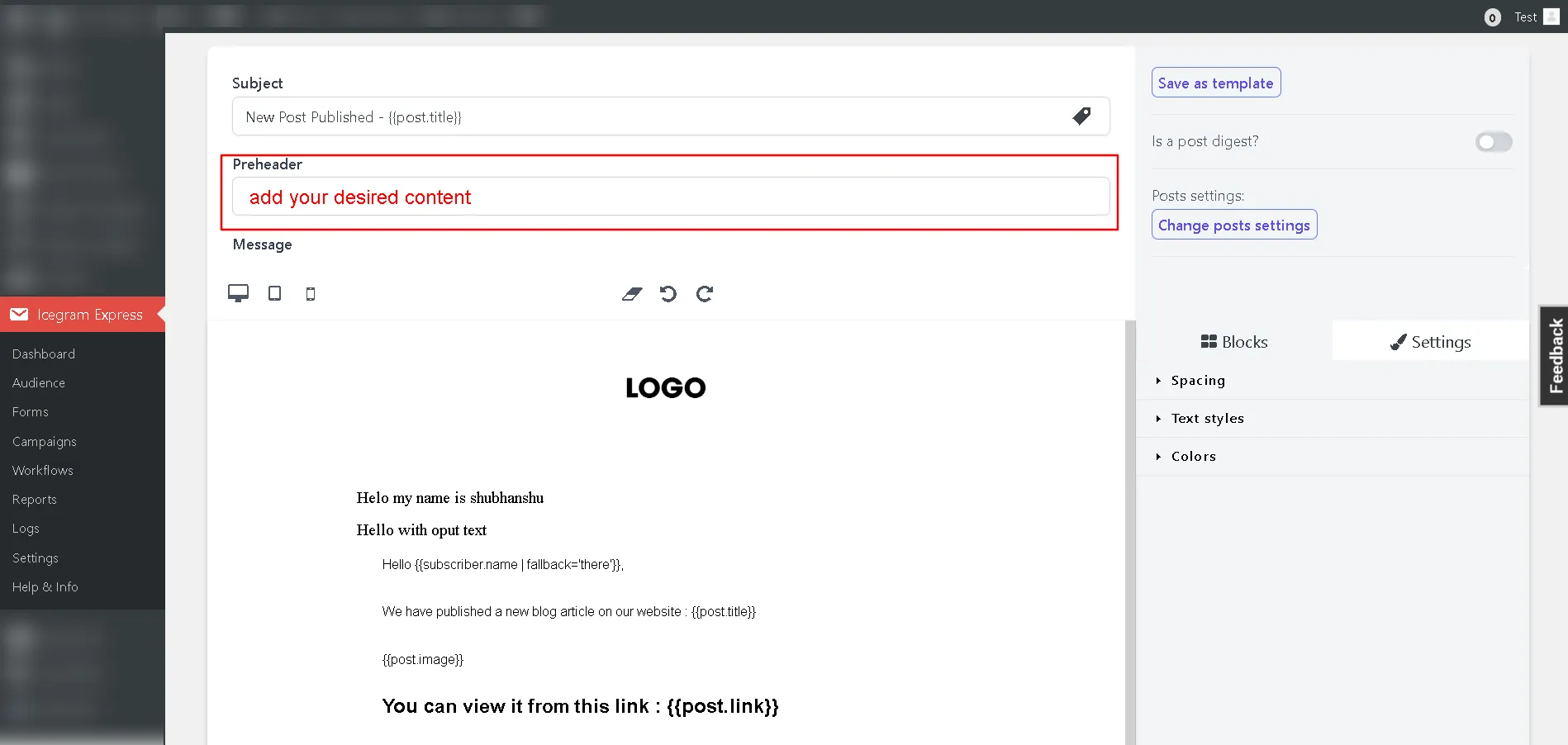
- In your WordPress admin, go to Icegram Express > Campaigns and create or edit a campaign.
- Under the campaign header configuration, locate the Preheader input field.
- Enter a concise, engaging summary sentence (recommended: 40–90 characters).
- Complete your email content and styling.
- Click Save Settings or activate the campaign.