Send Birthday and Anniversary Emails with Icegram Express
MaxAutomatically send personalized birthday greetings and anniversary discounts to subscribers with Icegram Express Max to ensure high deliverability and...
Sending automated birthday and anniversary greetings fosters strong customer loyalty and generates high conversion rates through personalized celebratory discounts.
How to Set Up an Automated Birthday Sequence
- Ensure your subscriber list captures the contact’s birthdate using custom fields.
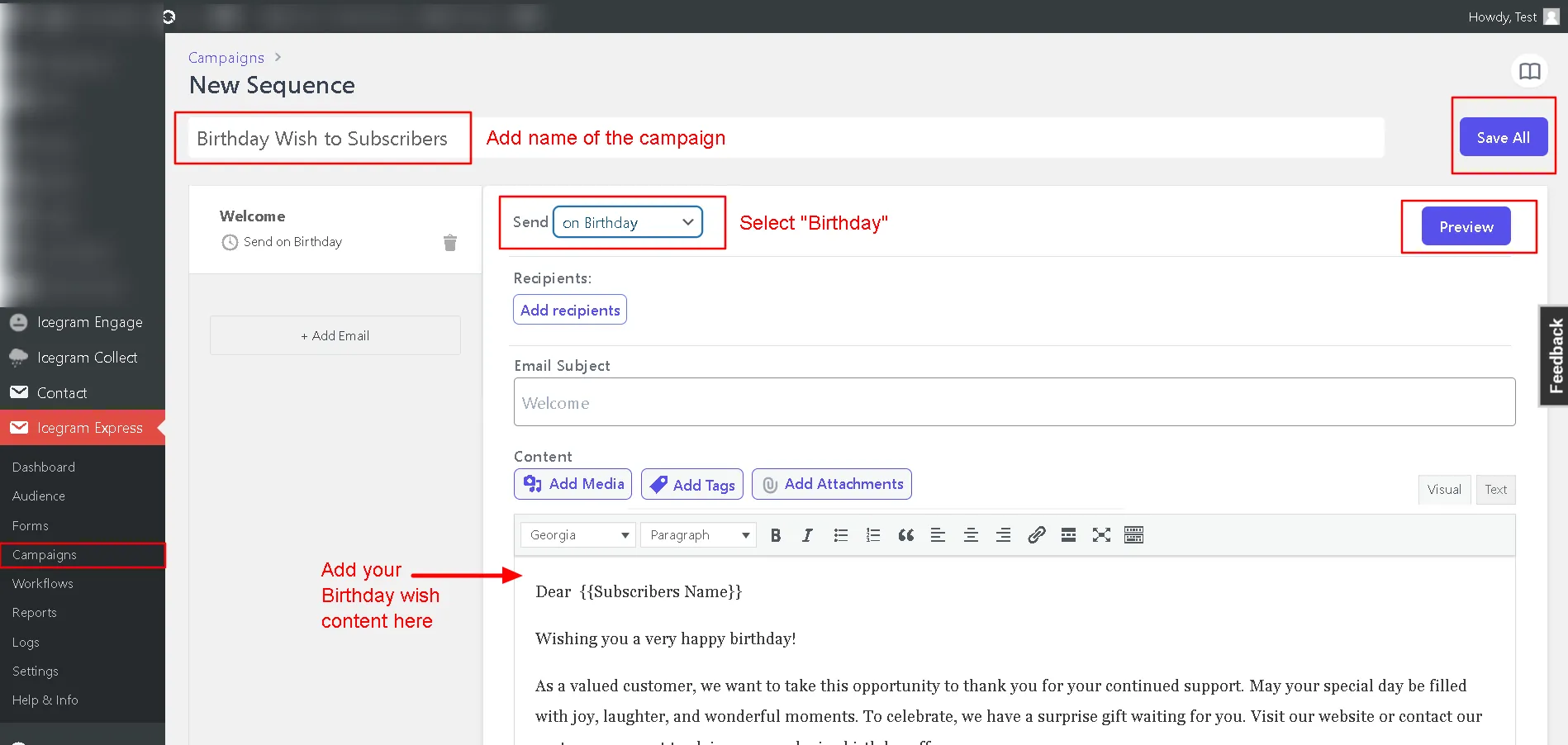
- In your WordPress admin, go to Icegram Express > Campaigns and click Create Sequence.
- Enter a campaign title (e.g., “Customer Birthday Surprise”).
- Under the Send trigger dropdown, select Birthday.
- Select whether to send on the exact day of the birthday or a few days before.
- Design your message template with your greeting, personalized merge tags, and promotional coupon code.
- Preview the email and click Save Changes to activate the sequence.