

How to Add Google Analytics UTM Parameters in Icegram Express
MaxAutomatically append Google Analytics UTM tracking tags to links in Icegram Express emails to monitor campaign revenue and traffic.
UTM parameters are query tags appended to links in your emails. When a subscriber clicks a link, Google Analytics attributes the session, pageviews, and eCommerce conversions to that specific campaign.
Icegram Express automatically configures:
utm_source=es(identifying Icegram Express)utm_medium=emailutm_campaign=[Your Campaign Name]
Steps to Enable UTM Tracking
- In your WordPress admin, go to Icegram Express > Settings.
- Stay on the General tab and scroll to Google Analytics UTM tracking.
- Toggle the option on.
- Save your settings.
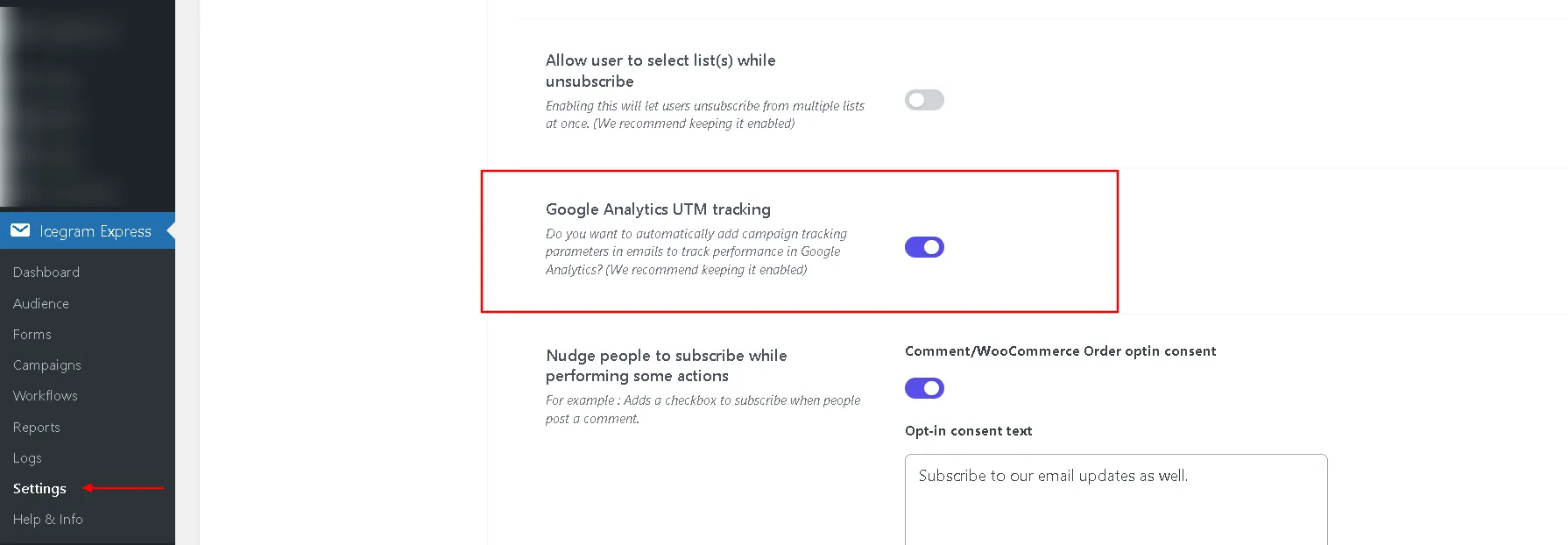
Once enabled, every link included in your outgoing broadcasts, post notifications, and automated workflows will automatically include tracking tags.