

How to Keep a Toast Notification Message Visible for Longer
ProAdjust auto-hide timers in Icegram Engage to keep toast messages on screen for custom durations.
A Toast message is a brief notification that automatically fades away after a few seconds. If your toast contains important information or a call to action that requires more reading time, you can extend or disable the auto-hide timer.
Steps to Extend Toast Display Duration
-
In your WordPress dashboard, navigate to
Icegram Engage→Campaignsand edit your toast campaign. -
In the campaign settings panel, locate the Hide Trigger setting.
-
By default, toast notifications may be set to hide automatically after 5 to 10 seconds. Adjust the Hide after X seconds field to a higher value (e.g.,
20or30seconds).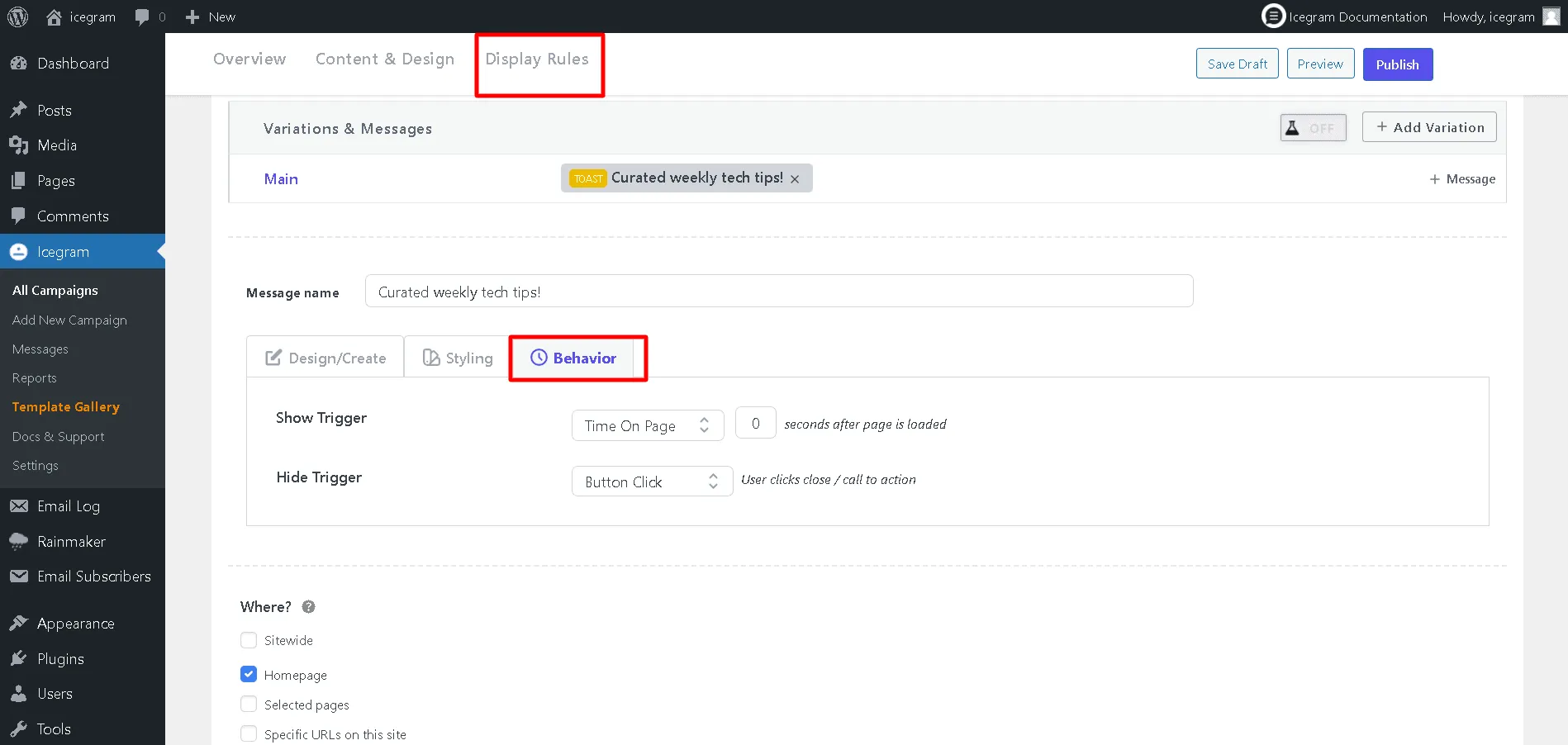
-
If you want the message to remain on screen until the visitor explicitly clicks the close button, select Never hide automatically (or set Hide Trigger to Manual close).
-
Click Update to save your changes.