How to Create Clickable Tabs in Icegram Engage
MaxAdd discrete tab triggers anchored to screen edges that expand into full popups, opt-in forms, or messengers when clicked.
A Tab is a small clickable label that sits pinned to the edge of the browser screen. When clicked, it smoothly expands into a full message or form, offering a polite, on-demand visitor experience.
Steps to Create a Tab
-
In your WordPress dashboard, go to
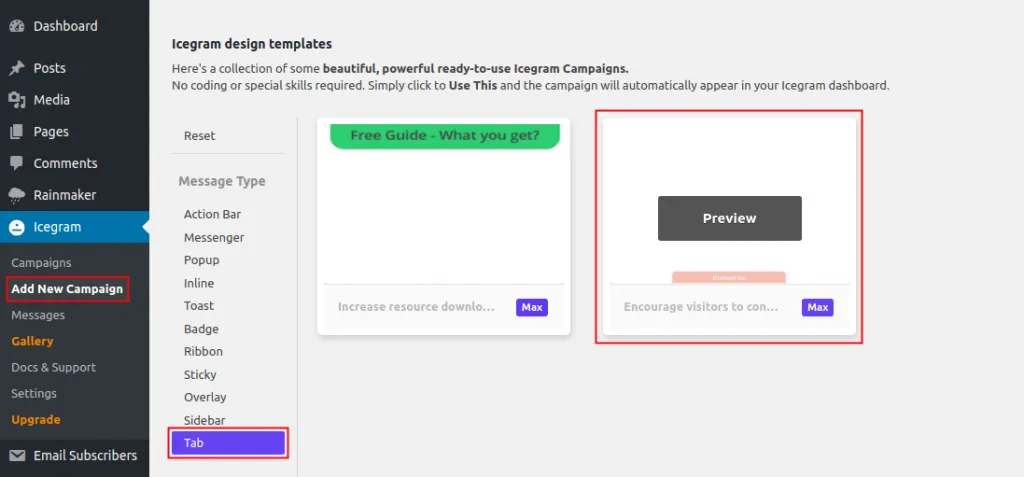
Icegram Engage→Campaigns→Add New Campaign. -
Filter the template gallery by Tab.
-
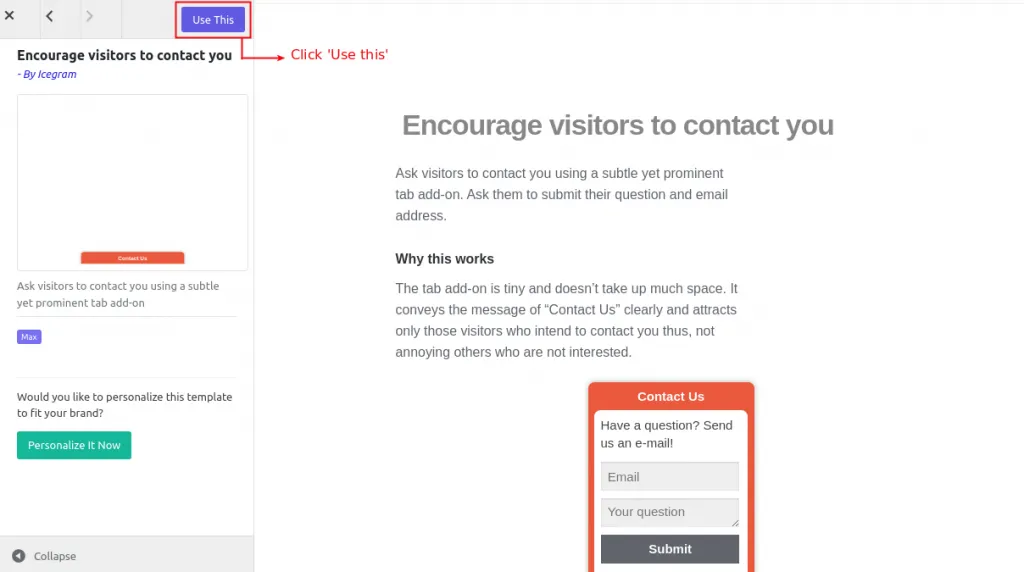
Click Use This on your preferred template.
-
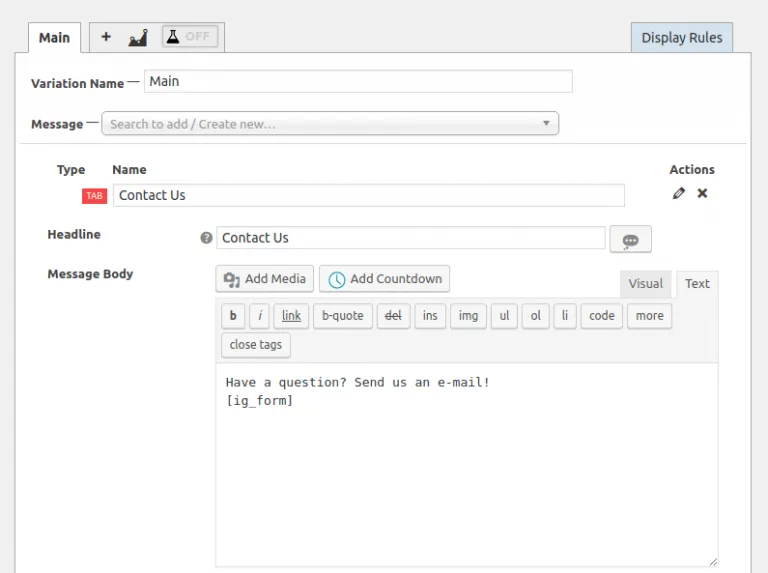
Customize the tab label text (e.g., “Special Offer” or “Feedback”) and the expanded message content.
-
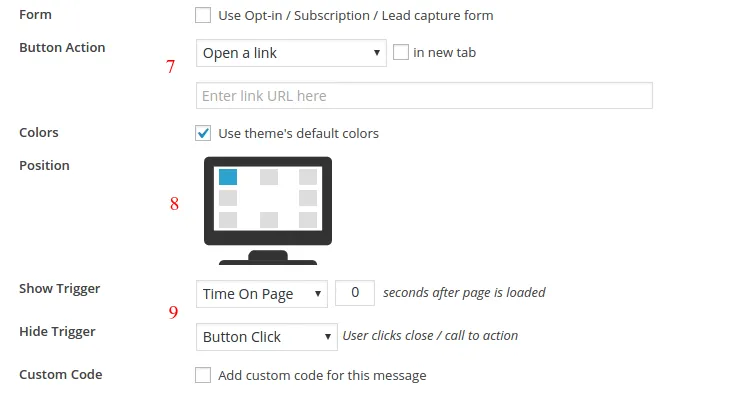
Choose which edge the tab anchors to (bottom, top, left, or right).
-
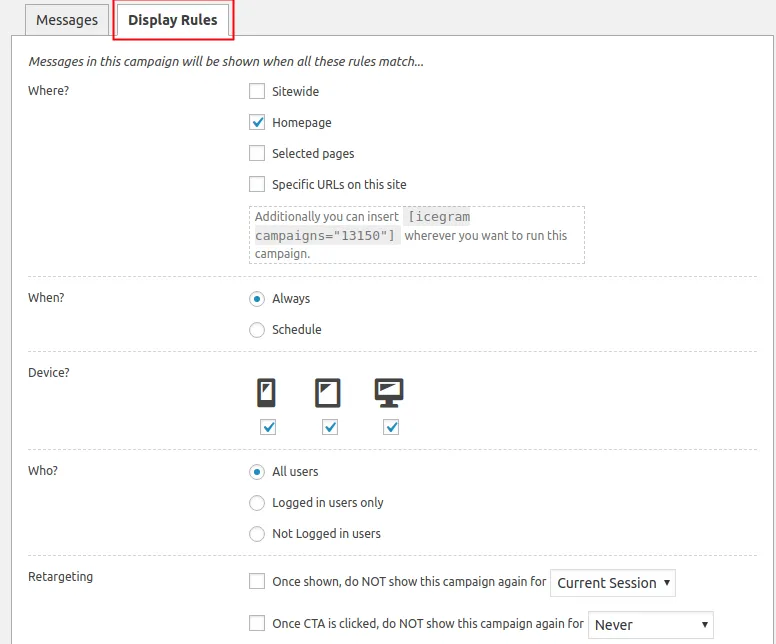
Set display targeting rules and click Publish.