

How to Create and Send Broadcast Newsletters in Icegram Express
Create, compose, and send broadcast newsletter campaigns to your subscribers in Icegram Express.
Broadcasts are standalone newsletter campaigns sent on specific dates or occasions—such as product announcements, holiday sales, or monthly company digests—to a chosen segment of your audience.
Steps to Create a Broadcast
-
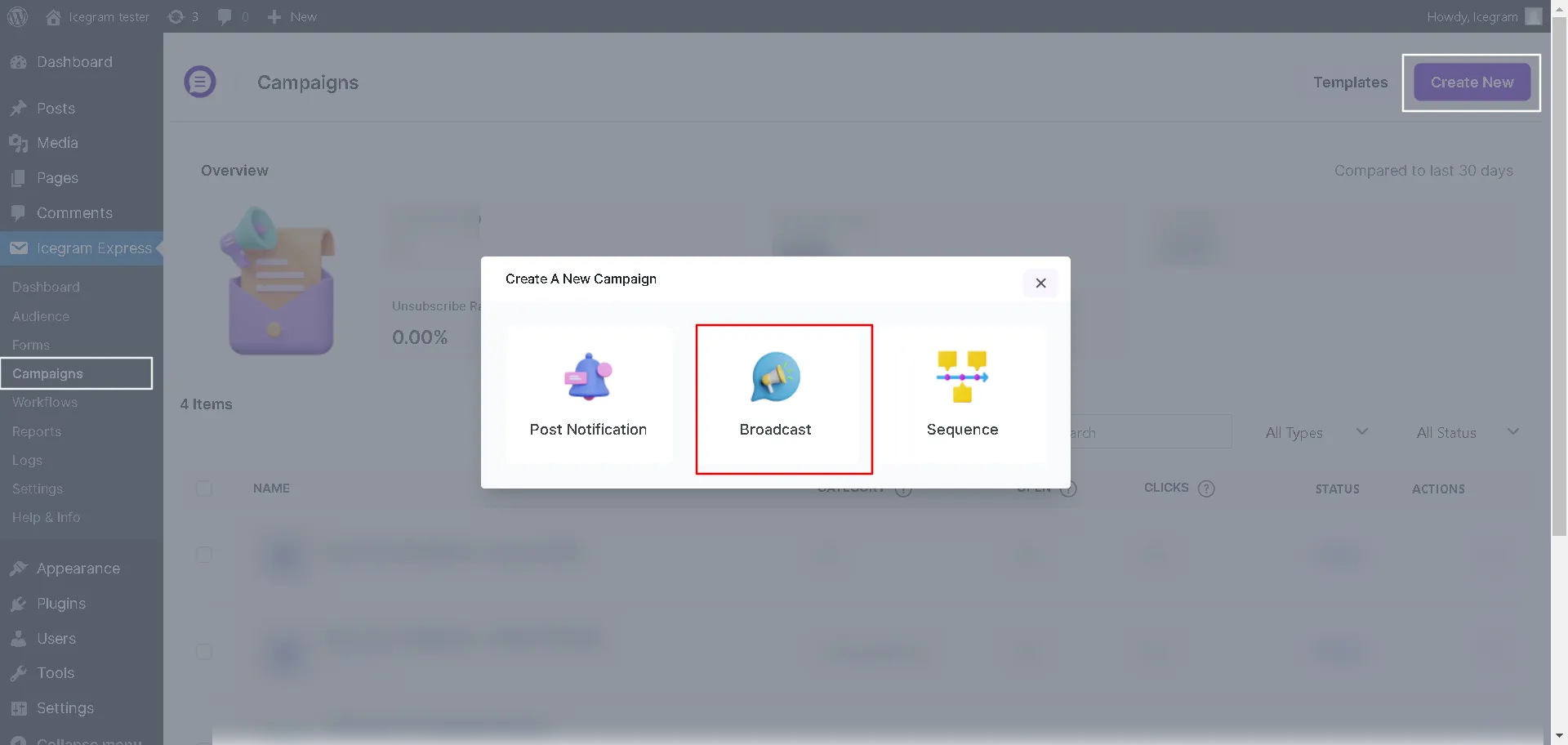
In your WordPress admin, go to Icegram Express > Campaigns and click Create Campaign.
-
Select Broadcast.
-
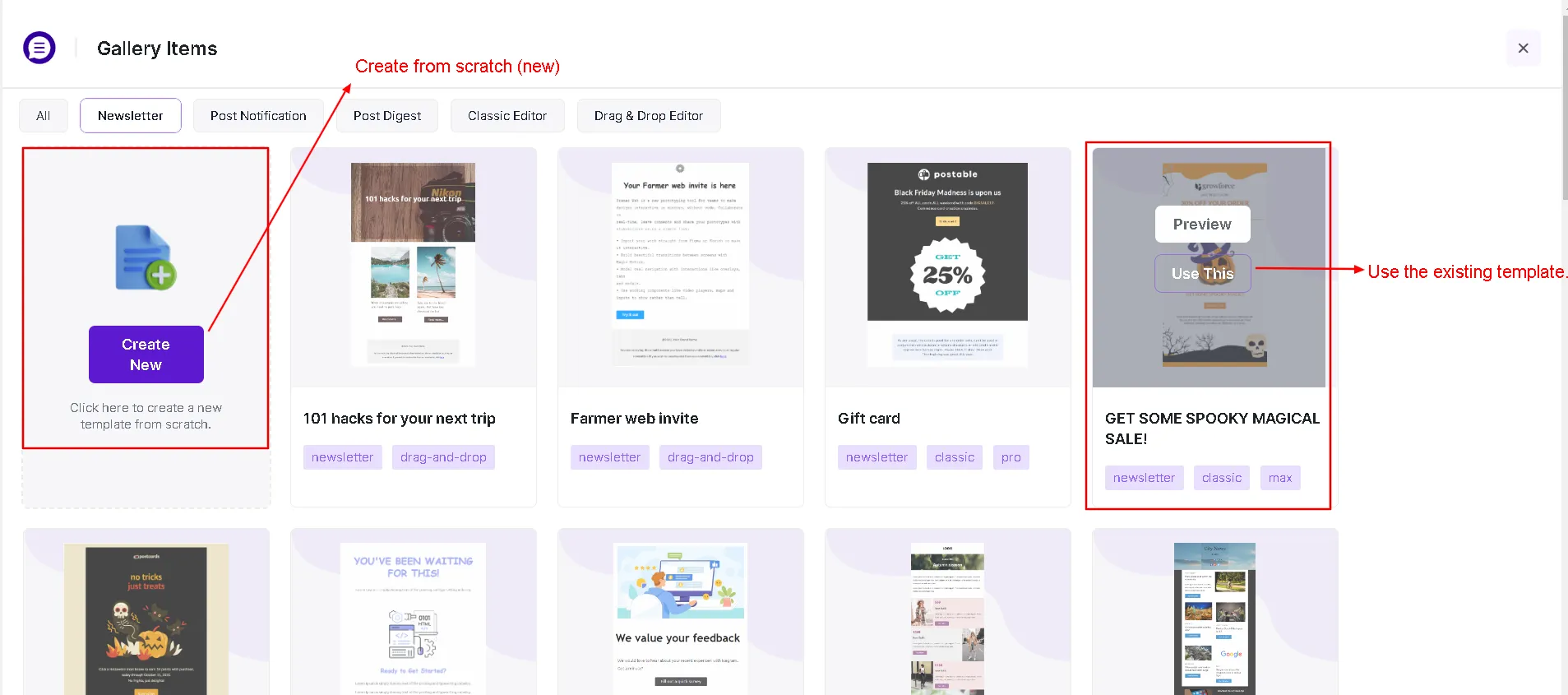
Choose a pre-made design template from the template gallery or start with a blank layout. See email templates.
-
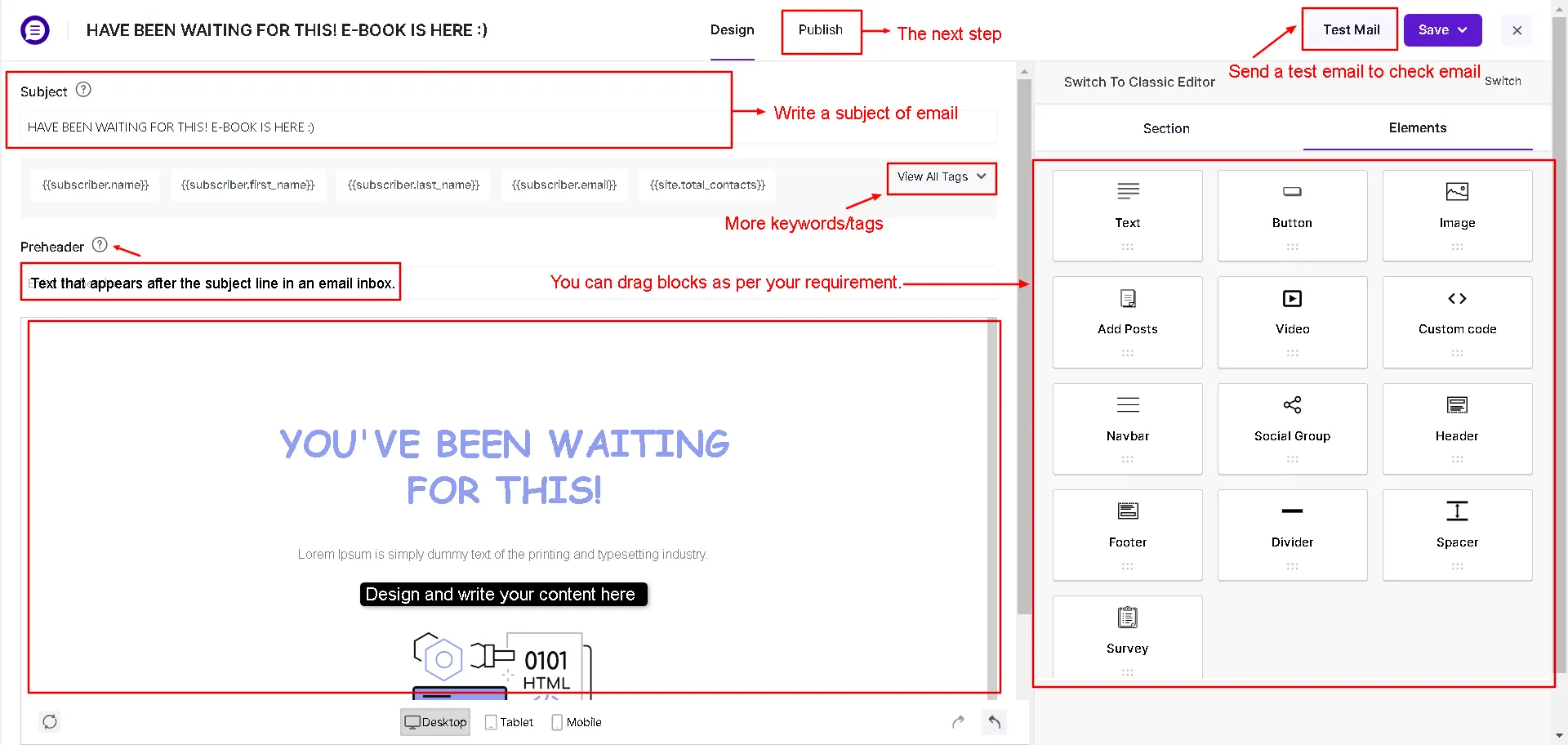
Under the Design tab, compose your newsletter using the Drag & Drop editor. Add text blocks, featured images, and call-to-action buttons.
-
Set your Subject Line and optional Preheader (see email preheaders).
-
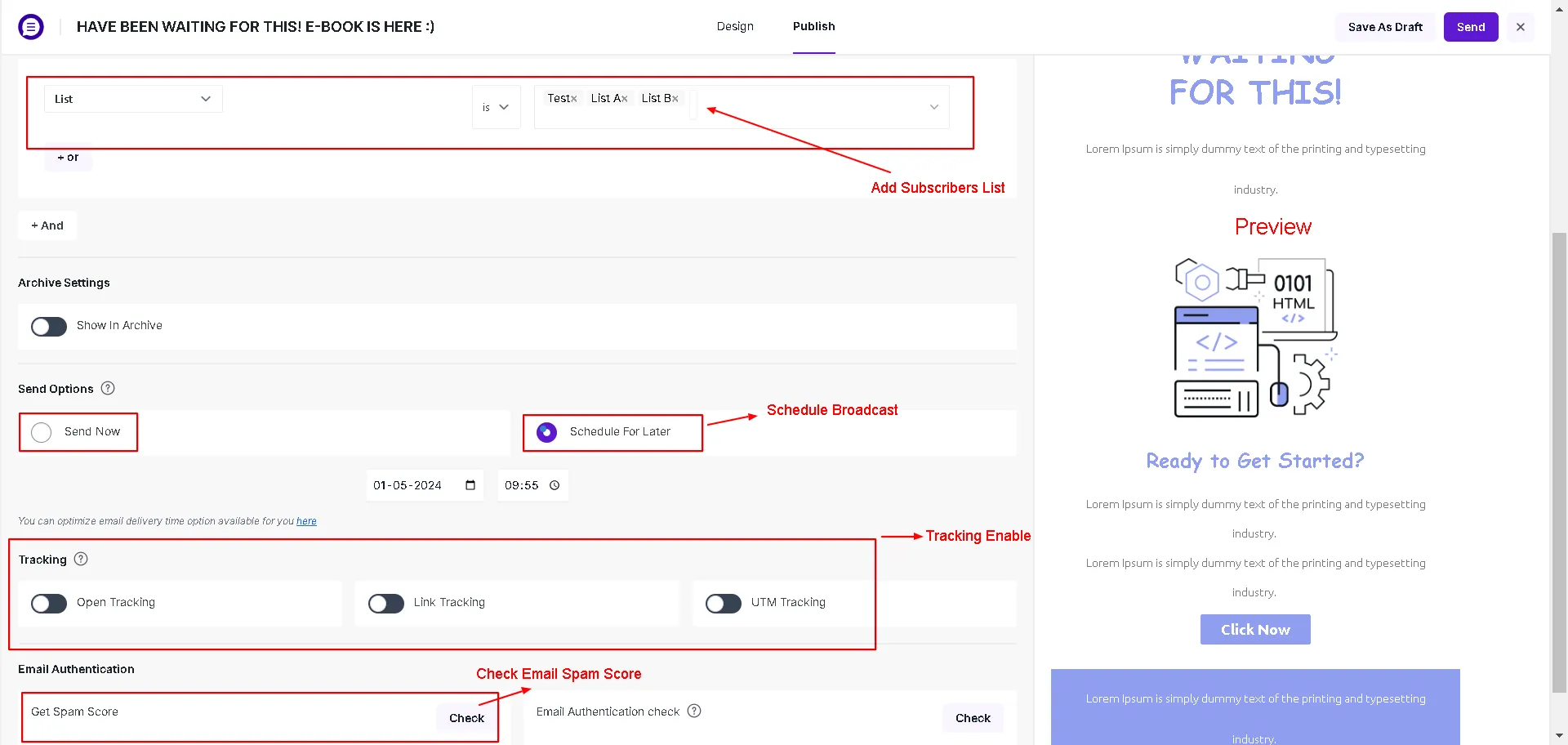
Switch to the Publish tab. Set the Sender Name, From Email, and target recipient lists.
-
Use the Send Test Email button to verify formatting in your personal inbox.
-
Choose to send immediately or schedule delivery for a future date and time.
-
Click Send / Schedule.