

Deploy an Icegram Collect Form on Your Website
Embed Icegram Collect lead capture forms into pages, posts, widget areas, or theme templates using WordPress shortcodes.
Once your form is designed, you can display it anywhere on your WordPress site using its shortcode.
Steps to Deploy a Form
-
In your WordPress dashboard, navigate to
Icegram Collect→Forms. -
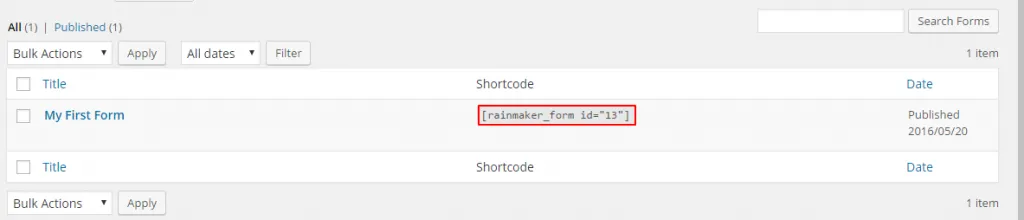
In the forms table, locate the shortcode column next to your form name. The shortcode format is:
[rainmaker_form id="1"](replace1with your actual form ID)
-
Copy the shortcode snippet.
-
Open any page, post, or widget area in your WordPress editor:
- In the Block Editor (Gutenberg), add a Shortcode block and paste
[rainmaker_form id="..."]. - In the Classic Editor, paste the shortcode directly into your post content area.
- In the Block Editor (Gutenberg), add a Shortcode block and paste
-
Save or publish your page to display the live form on the front end.