

How to Install and Use Post / Page Duplicate by Icegram
Install, activate, and use Post and Page Duplicate by Icegram to clone WordPress posts, pages, and custom post types with one click.
Post and Page Duplicate by Icegram enables you to clone any post, page, or custom post type in WordPress with a single click. It is an essential productivity tool for editors and developers who want to duplicate complex layouts or page builders without recreating designs from scratch.
Installation & Activation
-
Log in to your WordPress admin dashboard.
-
Navigate to
Plugins→Add New. -
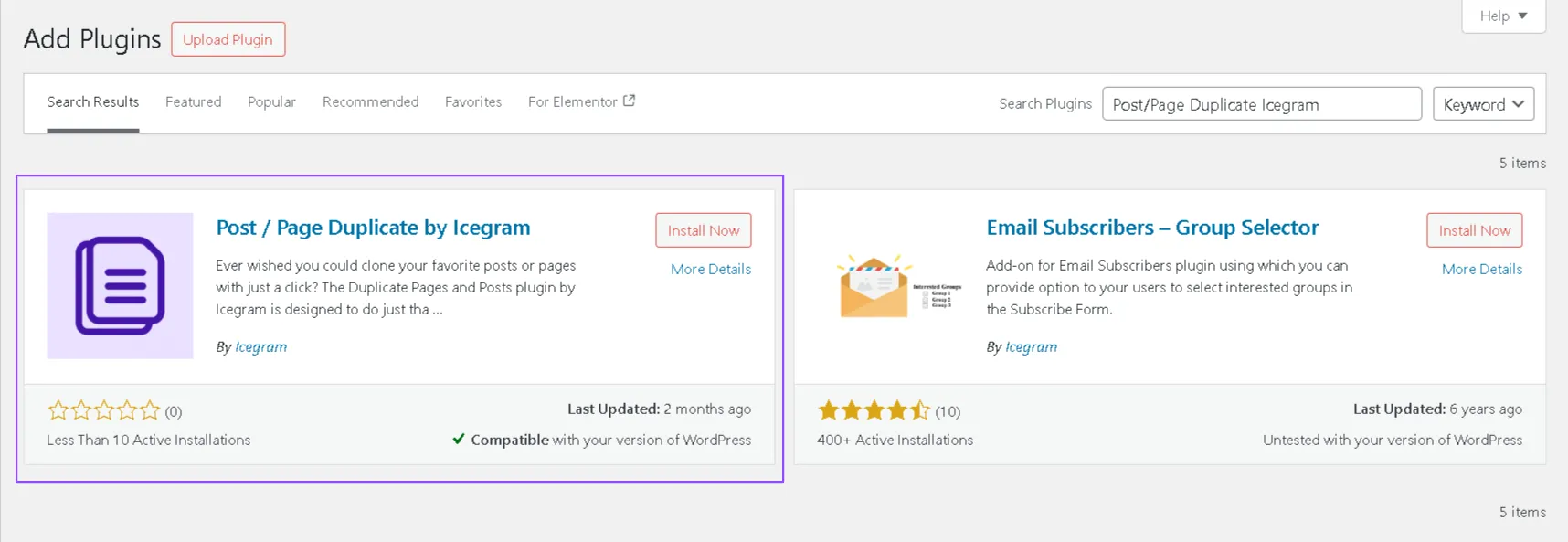
In the search box, search for Post/Page Duplicate by Icegram.
-
Click Install Now, then click Activate once installation completes.

How to Duplicate a Single Post or Page
Once activated, duplication functionality is available across all post, page, and custom post type tables automatically for users who have permission to edit or publish posts.
-
In your WordPress dashboard, navigate to
Posts→All Posts(orPages→All Pages, or any custom post type menu). -
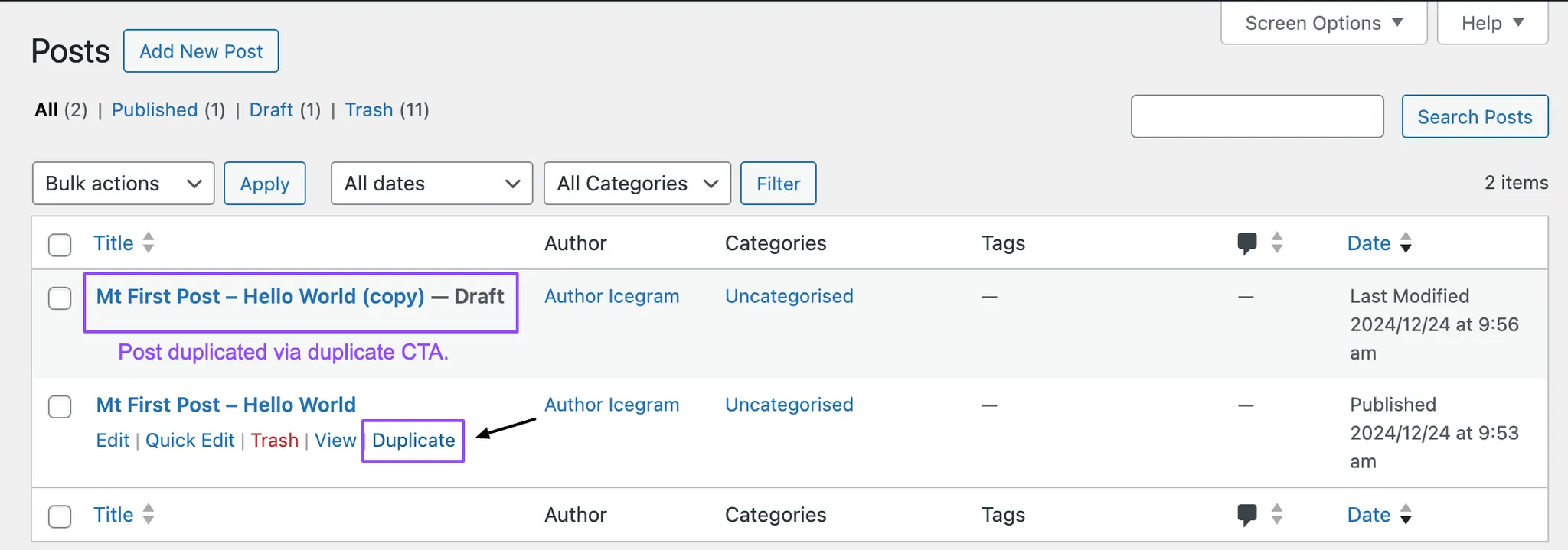
Hover your mouse over the title of the post or page you wish to clone.
-
Click the Duplicate action link.
-
A new post is created immediately with
(copy)appended to the title and saved as a draft according to your duplication settings. -
Open the cloned draft to make your edits, then click Publish.
How to Bulk Duplicate Multiple Posts or Pages
You can also clone several posts or pages simultaneously using standard WordPress bulk actions:
-
In
Posts→All PostsorPages→All Pages, select the checkboxes next to the items you wish to clone. -
Click the Bulk actions dropdown at the top or bottom of the table.
-
Select Duplicate and click Apply.
-
The plugin creates cloned copies for all selected items and refreshes the list with a confirmation notice.