

How to Adjust Sidebar Width in Icegram Engage
ProCustomize sliding sidebar and panel widths in pixels or percentages to fit your WordPress site theme layout using Icegram Engage.
Icegram Engage sidebar messages slide in smoothly from the left or right edge of the screen. You can customize the width of the sidebar panel to accommodate wider forms, product cards, or rich media.
Steps to Adjust Sidebar Width
-
In your WordPress dashboard, go to
Icegram Engage→Campaignsand edit your sidebar campaign. -
In the sidebar message editor, scroll down to the Custom Code section (or Custom CSS box).
-
Add the following CSS snippet, adjusting
350pxto your preferred width:.ig_sidebar { width: 350px !important; }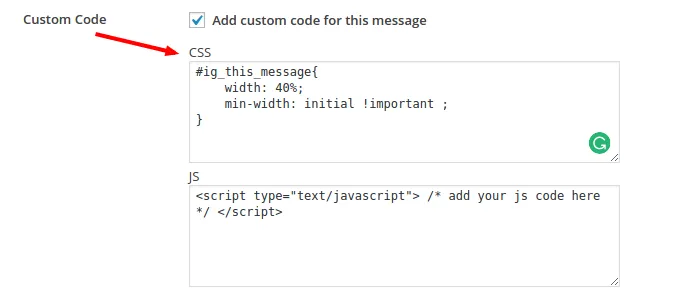
-
Click Update to save the campaign and preview the new width on your site.