

How to Create Full-Screen Overlays in Icegram Engage
MaxDesign high-impact full-screen overlay takeovers and modal popups to convert leaving visitors with compelling offers in Icegram Engage.
An Overlay (or Welcome Mat) covers the entire browser screen with an engaging, focused message. Because it commands 100% of the visitor’s attention, it is exceptionally effective for major announcements, flash sales, and high-priority lead generation.
Steps to Create an Overlay
-
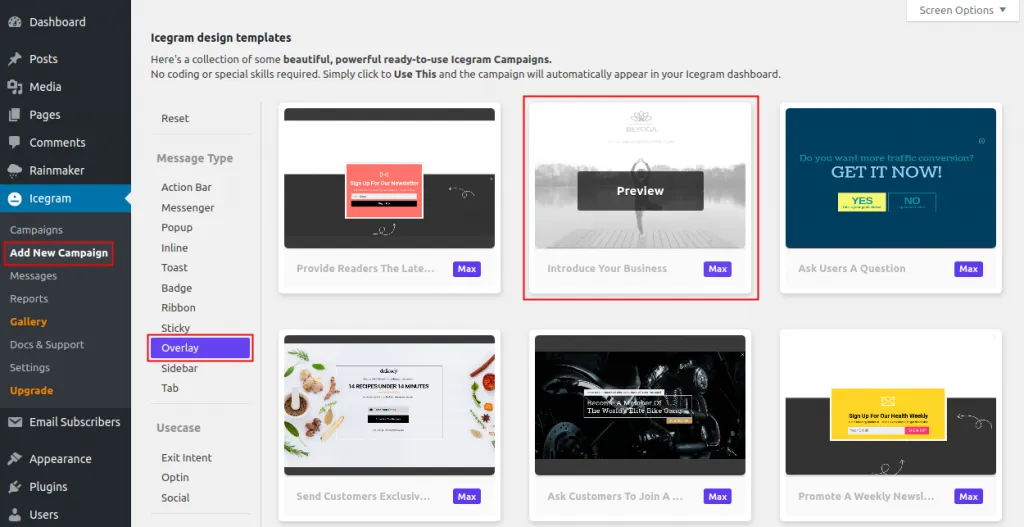
In your WordPress dashboard, navigate to
Icegram Engage→Campaignsand click Add New Campaign. -
In the message template picker, select Overlay.
-
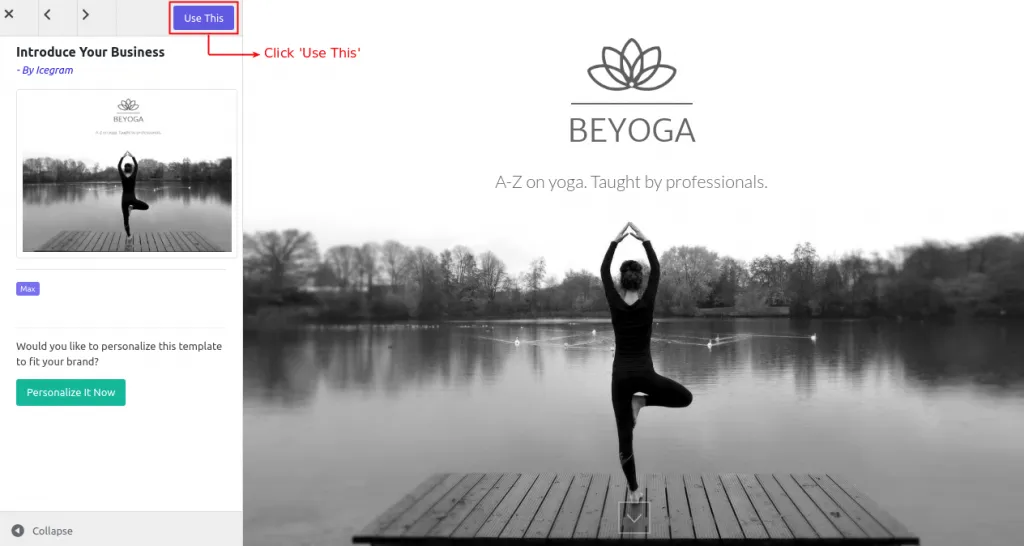
Click Use This on your chosen overlay design.
-
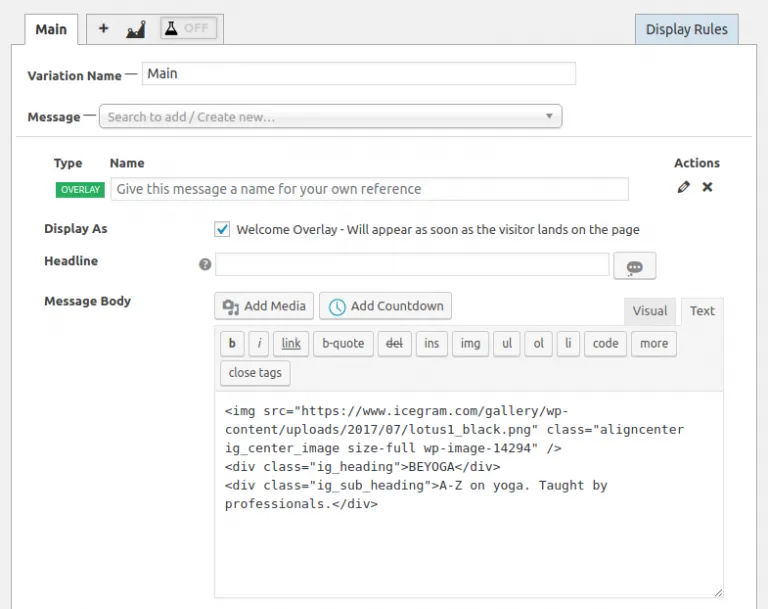
Customize your headline, background color or image, body copy, and button action.
-
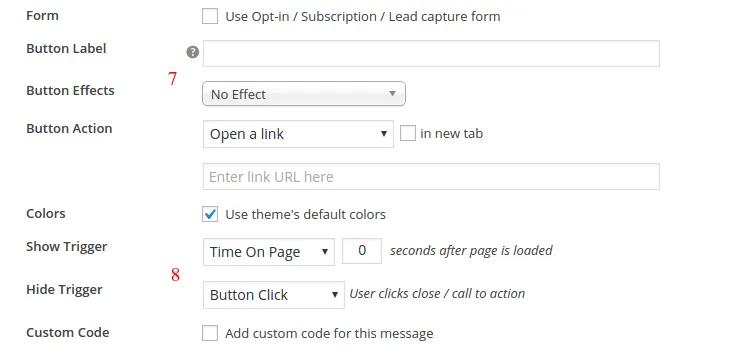
Set display triggers: choose whether the overlay appears immediately on page load, after a few seconds, or on exit intent.
-
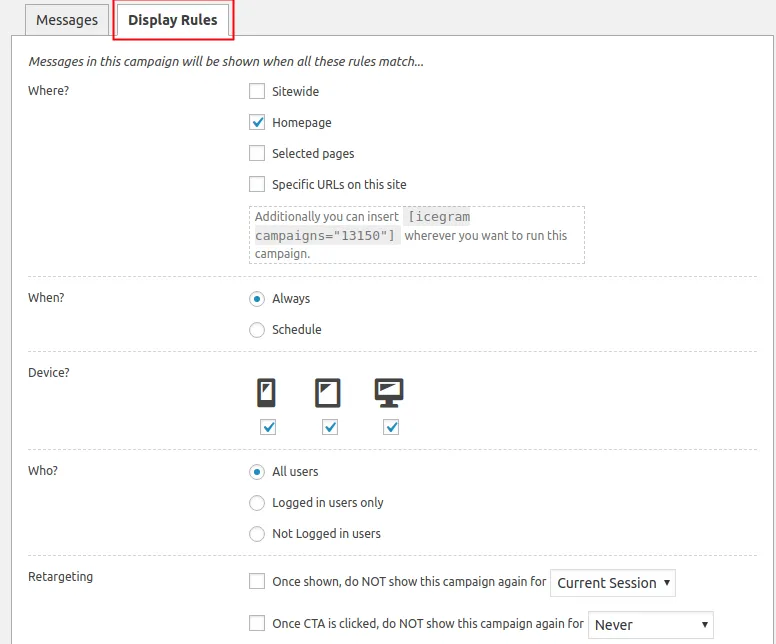
Under Display Rules, select which pages or visitor devices will see the overlay.
-
Publish your campaign.