How to Create Sticky Messages in Icegram Engage
ProCreate persistent floating bars and sticky notifications that remain visible in browser viewports as visitors scroll down your page.
A Sticky message is a persistent bar pinned to the bottom of the browser viewport. Because it stays anchored while visitors scroll through long articles, it is ideal for cookie consent notices, ongoing sale alerts, and newsletter signups.
Steps to Create a Sticky Message
-
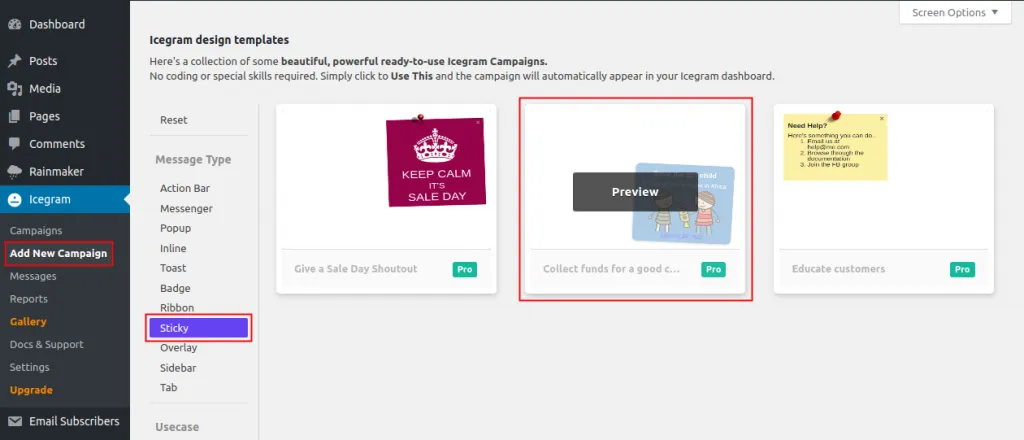
Navigate to
Icegram Engage→Campaigns→Add New Campaign. -
In the message template picker, select Sticky.
-
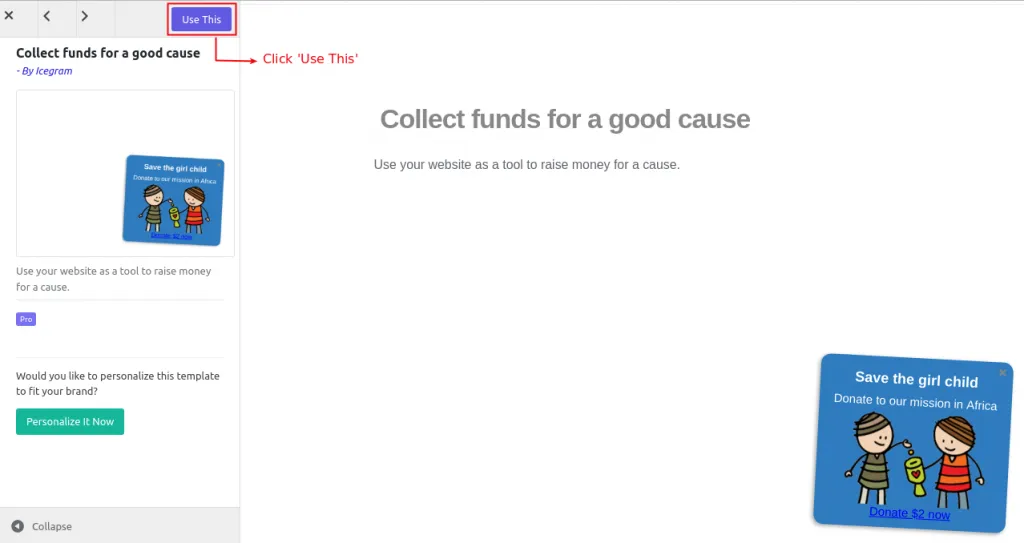
Click Use This to select your design.
-
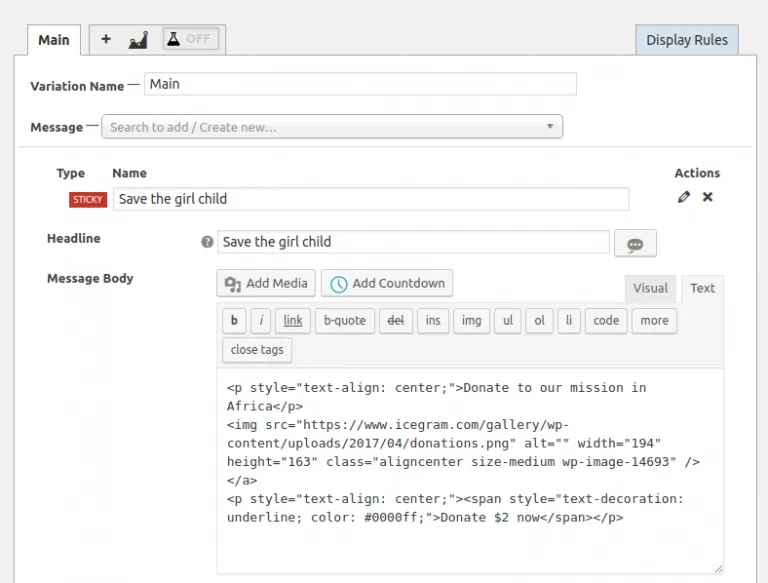
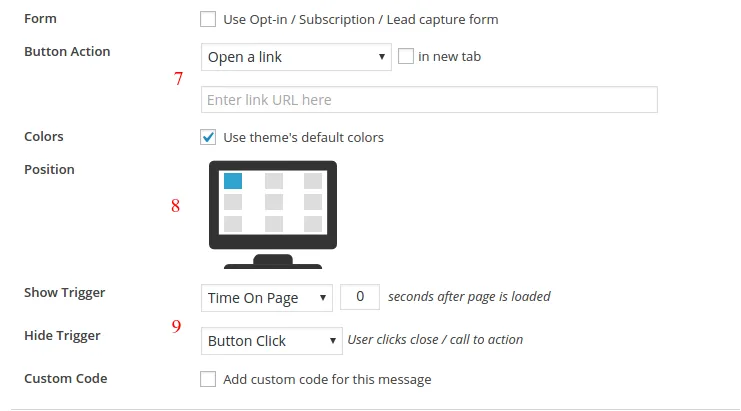
Enter your message headline, text, and button link.
-
Set color themes, close button behavior, and animation styles.
-
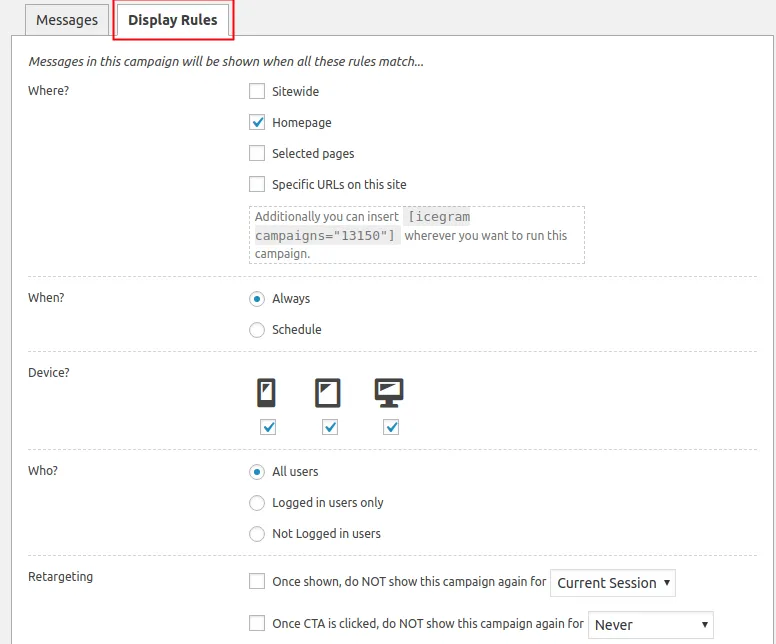
Configure display rules and click Publish.