

Target Engage Campaigns on Custom WordPress Post Types
ProTarget marketing popups and ribbons across custom WordPress post types like WooCommerce products, portfolio items, and events.
If your WordPress site uses custom post types (such as WooCommerce product, LearnDash course, or custom portfolio entries), you can target Icegram Engage campaigns specifically to those post types with a single click.
Steps to Target Custom Post Types
-
In your WordPress dashboard, go to
Icegram Engage→Campaignsand edit your campaign. -
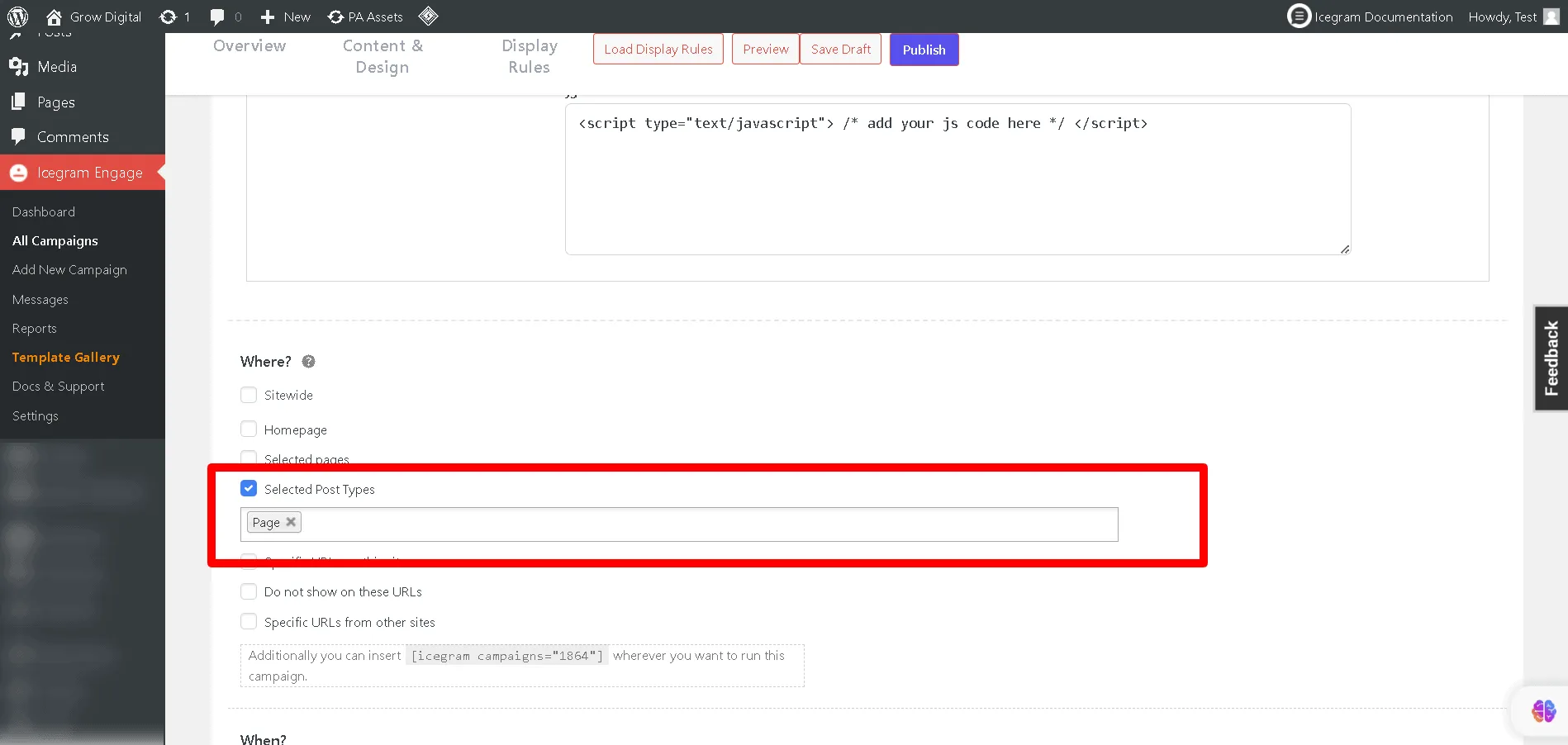
Scroll to the Where (Display Rules) section.
-
Under the page location dropdown, select Selected Post Types.
-
Check the specific post types where the campaign should display (e.g., Products, Lessons, Portfolios, or Landing Pages).
-
Click Update to save your campaign.