

How to Create a Post Digest in Icegram Express Max
MaxAutomatically bundle multiple recent blog posts into a single periodic newsletter digest with Icegram Express Max to ensure high deliverability and...
A Post Digest bundles multiple recently published blog posts into a single consolidated email newsletter sent on a scheduled recurrence (such as every Friday at 10:00 AM or once a month).
Post digests are ideal for content-heavy blogs and news publications whose subscribers prefer a weekly roundup over individual alerts for every new post.
Steps to Create a Post Digest
-
In your WordPress admin, go to Icegram Express > Campaigns and click Create Campaign.
-
Select Post Digest.
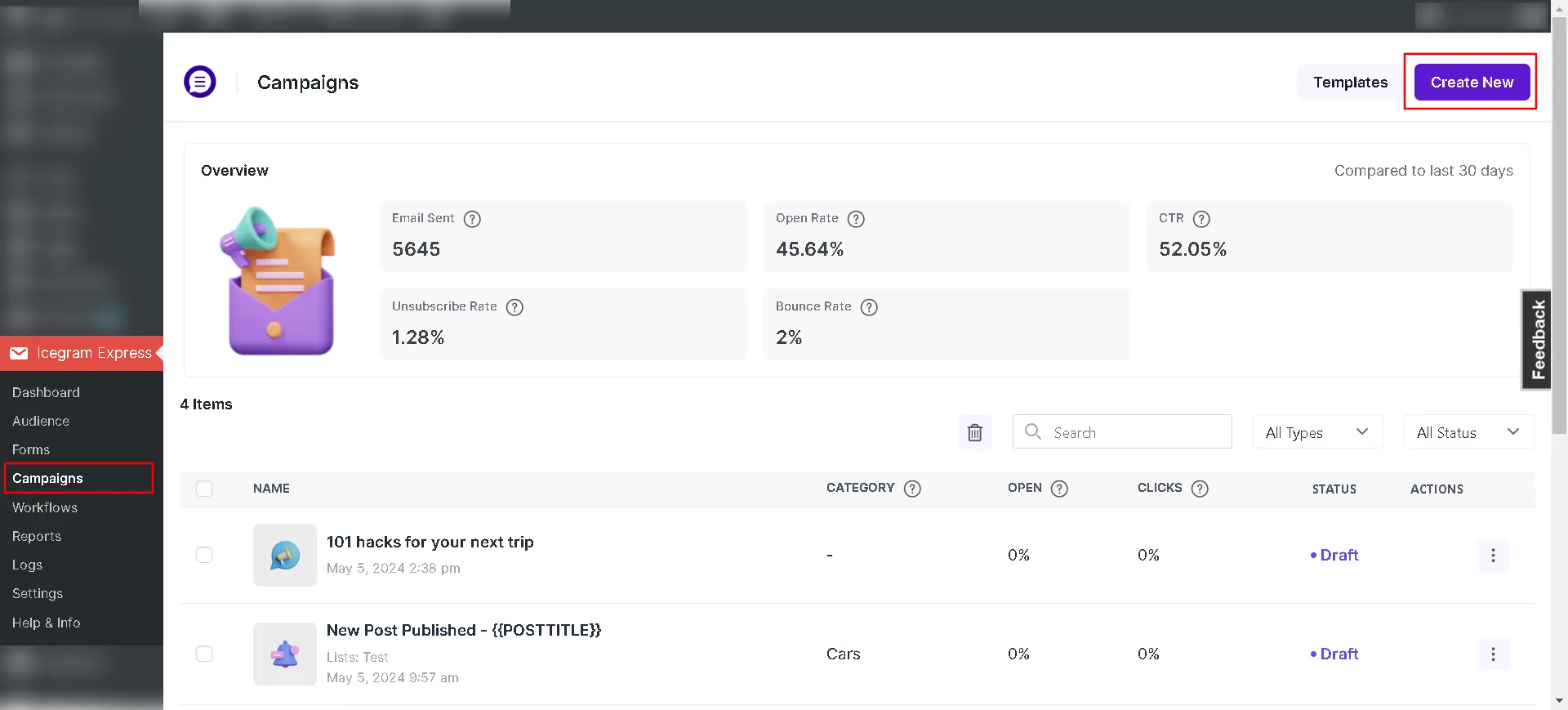
Select post notification campaign type -
In the campaign settings, specify the maximum number of recent posts to include in each digest (e.g., 5 posts).
-
Select the blog categories or Custom Post Types (CPT) to include.
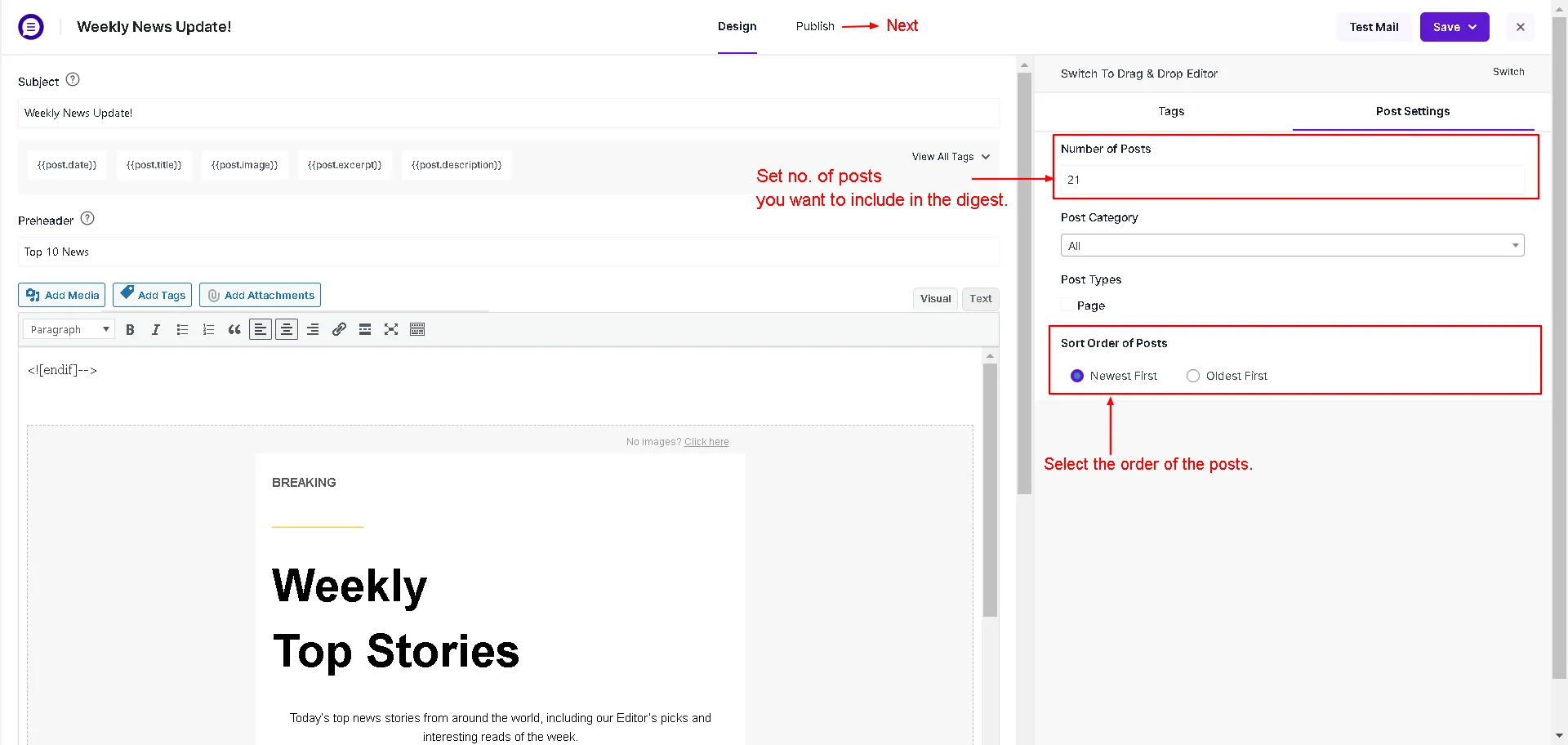
Configure post categories and count for digest -
Choose an existing digest email template or customize your layout using the Drag & Drop editor.
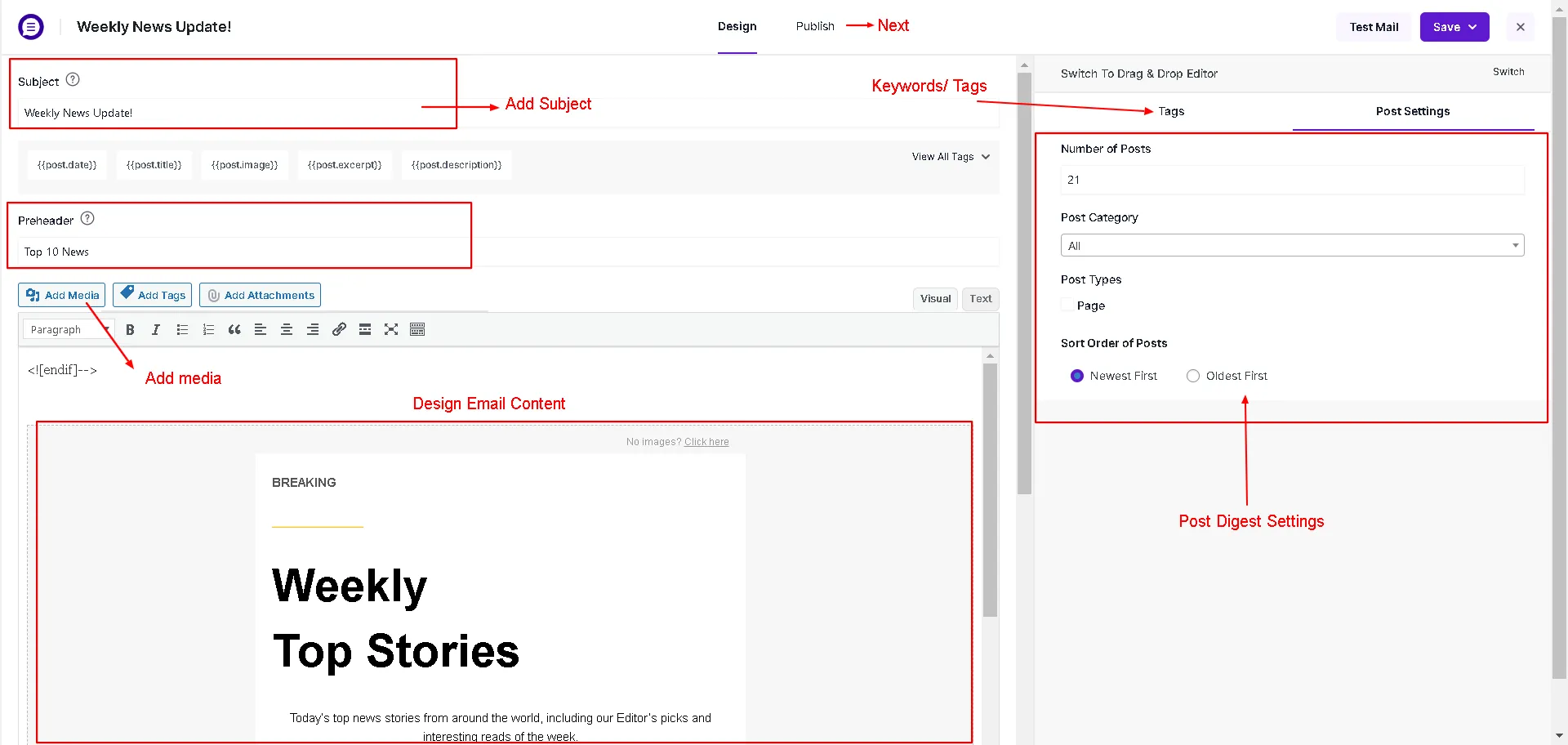
Select post digest visual template -
Under Recipients, select the subscriber lists targeted for this roundup.
-
Under Schedule, configure your recurrence pattern (e.g., Weekly on Friday at 9:00 AM).
-
Save and activate the campaign.