

How to Redirect Subscribers After They Unsubscribe
ProGuide departing contacts to a custom feedback survey or thank-you page after they unsubscribe in Icegram Express to ensure high deliverability and...
Instead of showing a default text confirmation, you can redirect contacts who unsubscribe to a custom WordPress page or external URL—such as an exit survey, feedback form, or alternative communication channels.
Steps to Configure Unsubscribe Redirection
-
In your WordPress admin dashboard, navigate to
Icegram Express→Settings→General. -
Scroll to the Unsubscribe Messages section.
-
Under Unsubscribe Success/Error Messages, select the custom WordPress page or enter the target URL where contacts should be redirected.
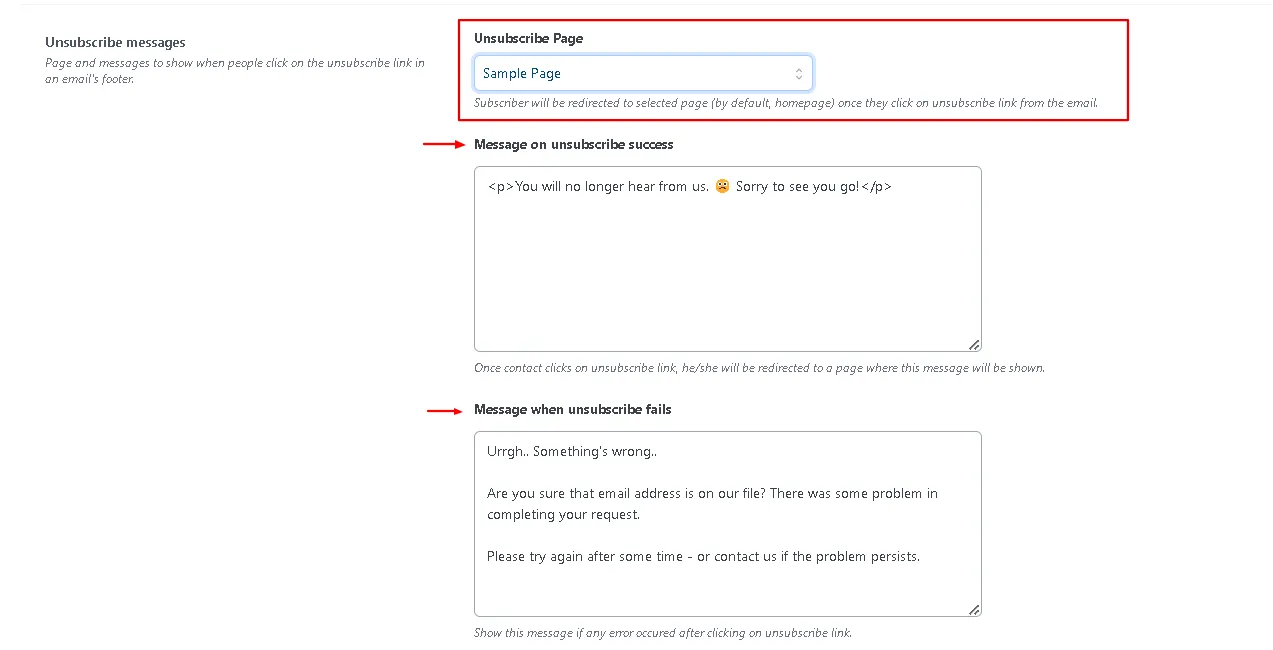
Unsubscribe redirection page setting in Icegram Express settings -
Click Save Settings at the bottom of the page.
Once configured, subscribers who click the unsubscribe link in any email campaign will be smoothly redirected to your designated landing page.