

Subscription Types: Double Opt-in vs Single Opt-in
Compare double opt-in and single opt-in subscription methods and learn how to switch between them in Icegram Express to ensure high deliverability and...
When collecting email subscribers on your website, choosing the right opt-in method balances audience growth speed against email list hygiene and deliverability. Icegram Express supports both Single Opt-in and Double Opt-in.
Single Opt-in
Single opt-in is a one-step subscription process. When a visitor submits their email address in your subscription form, they are immediately added to your audience list with the Subscribed status.
- Advantage: Frictionless signup experience that maximizes conversion rates and list growth.
- Best for: E-commerce stores offering immediate coupon codes, high-trust audiences, or businesses prioritizing rapid audience expansion.
- Risk: Higher likelihood of mistyped email addresses, spam bot submissions, and lower open rates over time.
Double Opt-in (Recommended)
Double opt-in is a two-step verification process:
- A visitor fills out your subscription form.
- Icegram Express sends an automated confirmation email containing a verification link.
- The visitor clicks the link to confirm their subscription.
- Once verified, their status updates to Subscribed and they begin receiving your campaigns.
- Advantage: Guarantees that submitted email addresses are valid, monitored inboxes, drastically reducing bounce rates and spam complaints.
- Compliance: Helps satisfy privacy regulations (like GDPR) in regions requiring documented consent.
- Best for: Bloggers, publishers, SaaS, and businesses focused on maintaining high sender reputation and email deliverability.
How to Switch Opt-in Types
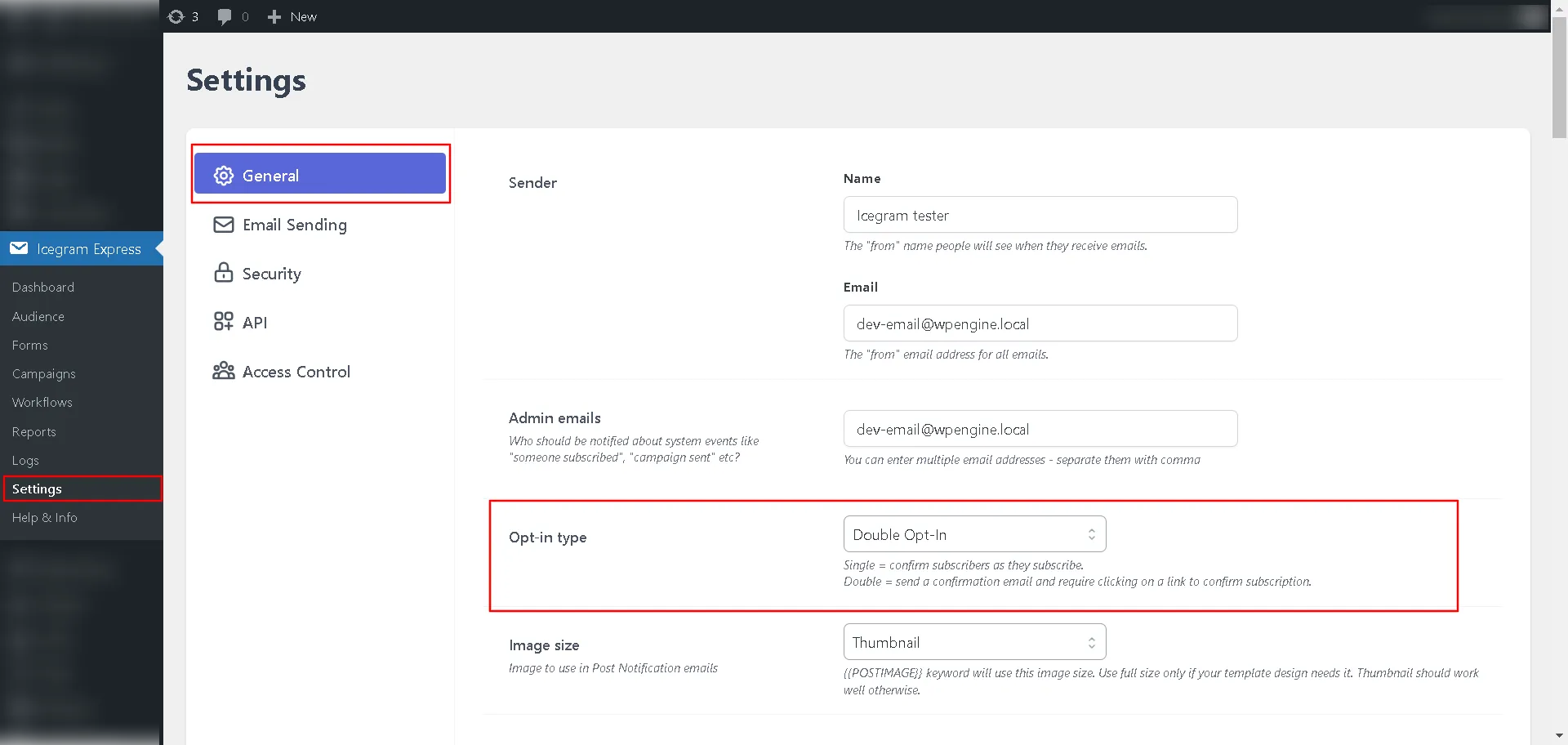
- In your WordPress admin dashboard, navigate to
Icegram Express→Settings→General. - Locate the Opt-in Type setting.
- Select either Single Opt-in or Double Opt-in from the dropdown menu.
- Click Save Settings at the bottom of the page.