

How to Import WordPress Users into an Icegram Express List
MaxImport existing registered WordPress users into Icegram Express subscriber lists with custom role filtering and field mapping.
Icegram Express allows you to import registered WordPress users directly into your subscriber lists. You can filter by user roles, map custom profile fields, and assign contacts to one or more subscription lists.
Steps to Import WordPress Users
-
Navigate to
Icegram Express→Audience→Import Contacts.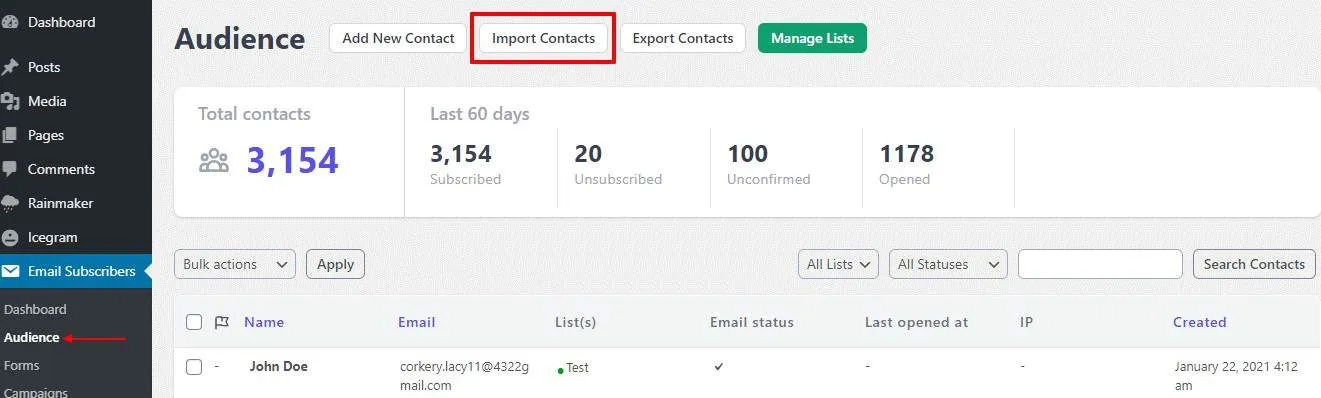
-
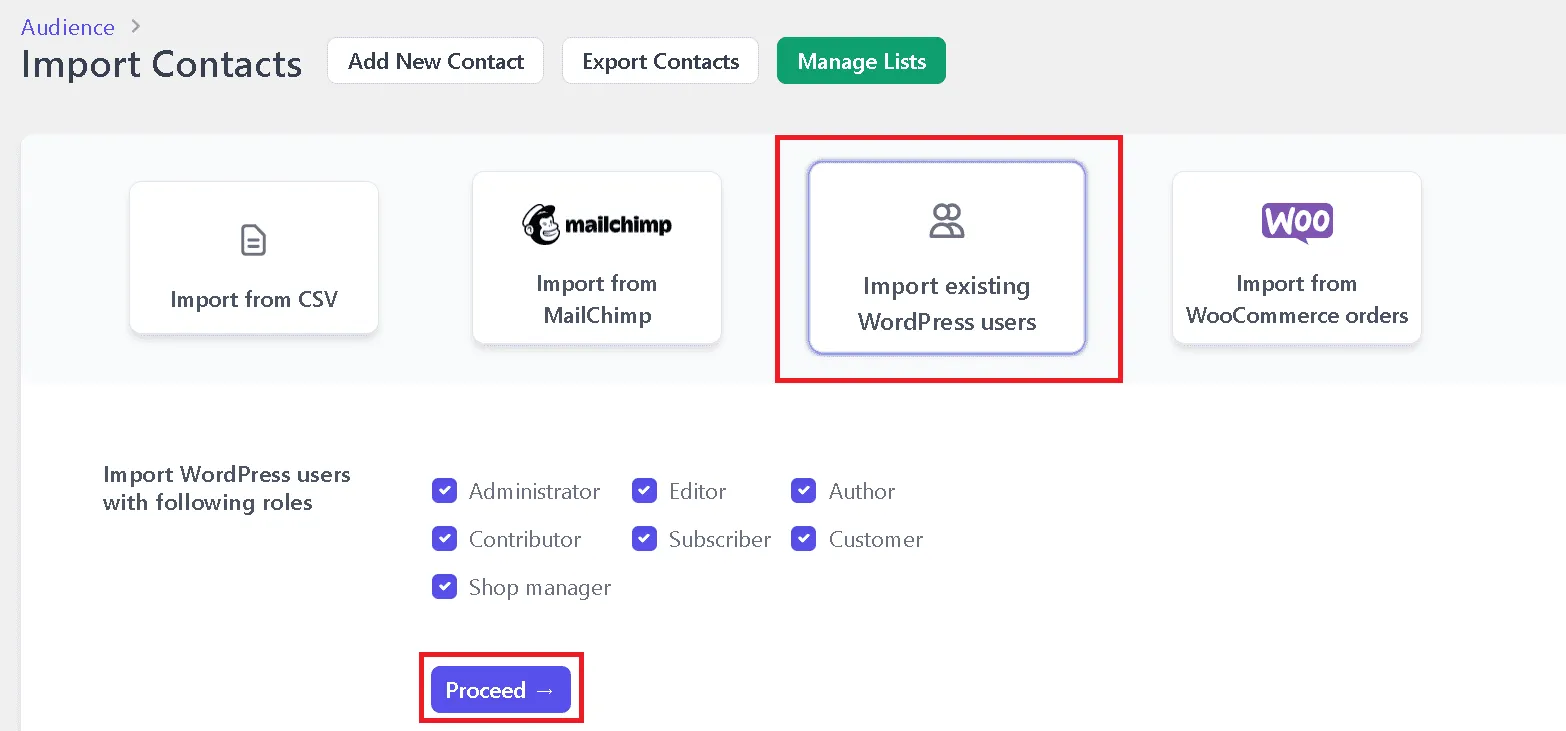
Select the Import Existing WordPress Users option. Choose the user roles you want to import (e.g., Subscriber, Customer, Contributor), then click Proceed.
-
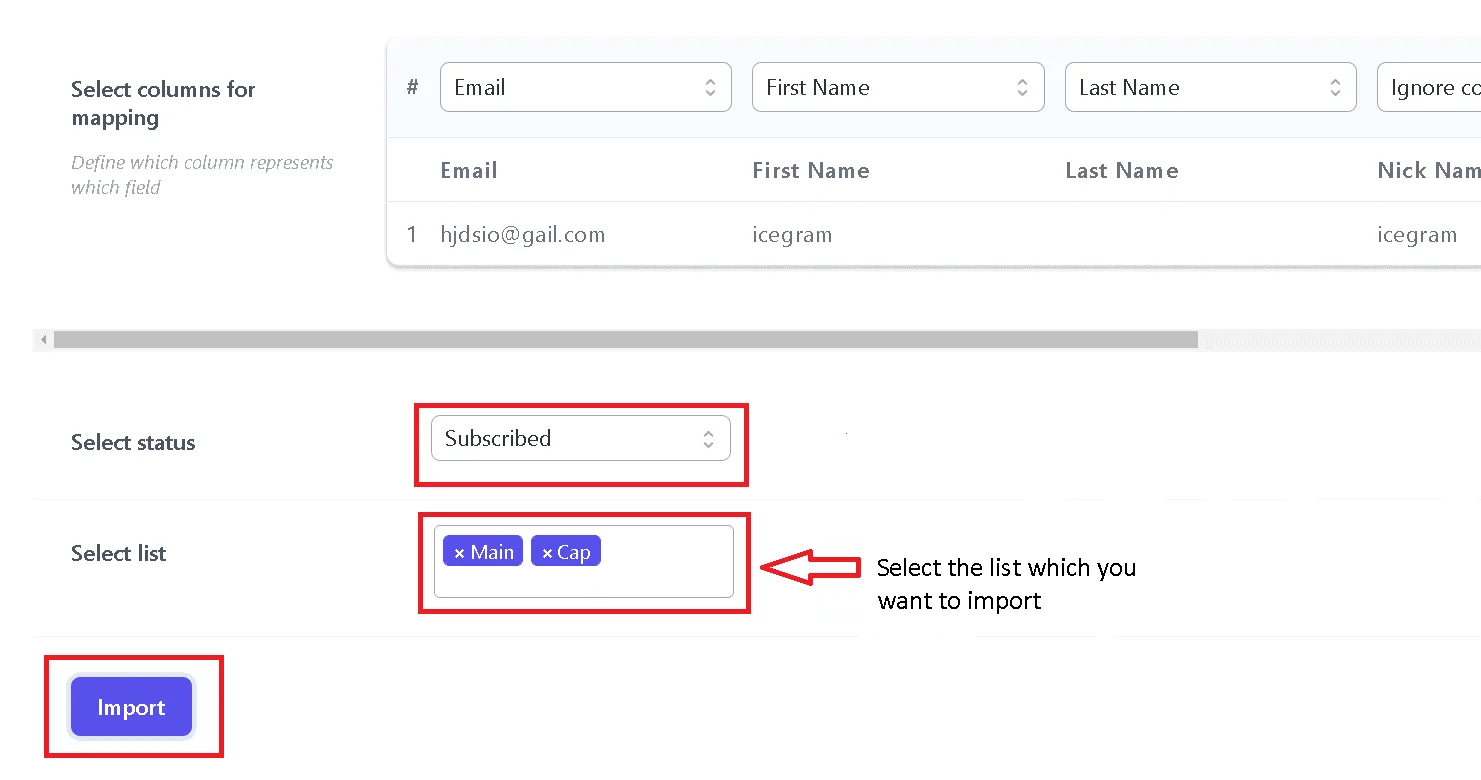
Verify the column mapping. Icegram Express automatically maps standard WordPress user fields (such as email, first name, and last name). Adjust mappings if necessary.
-
Select the default subscription status for imported users (e.g., Subscribed or Unconfirmed), and choose the target email list.
-
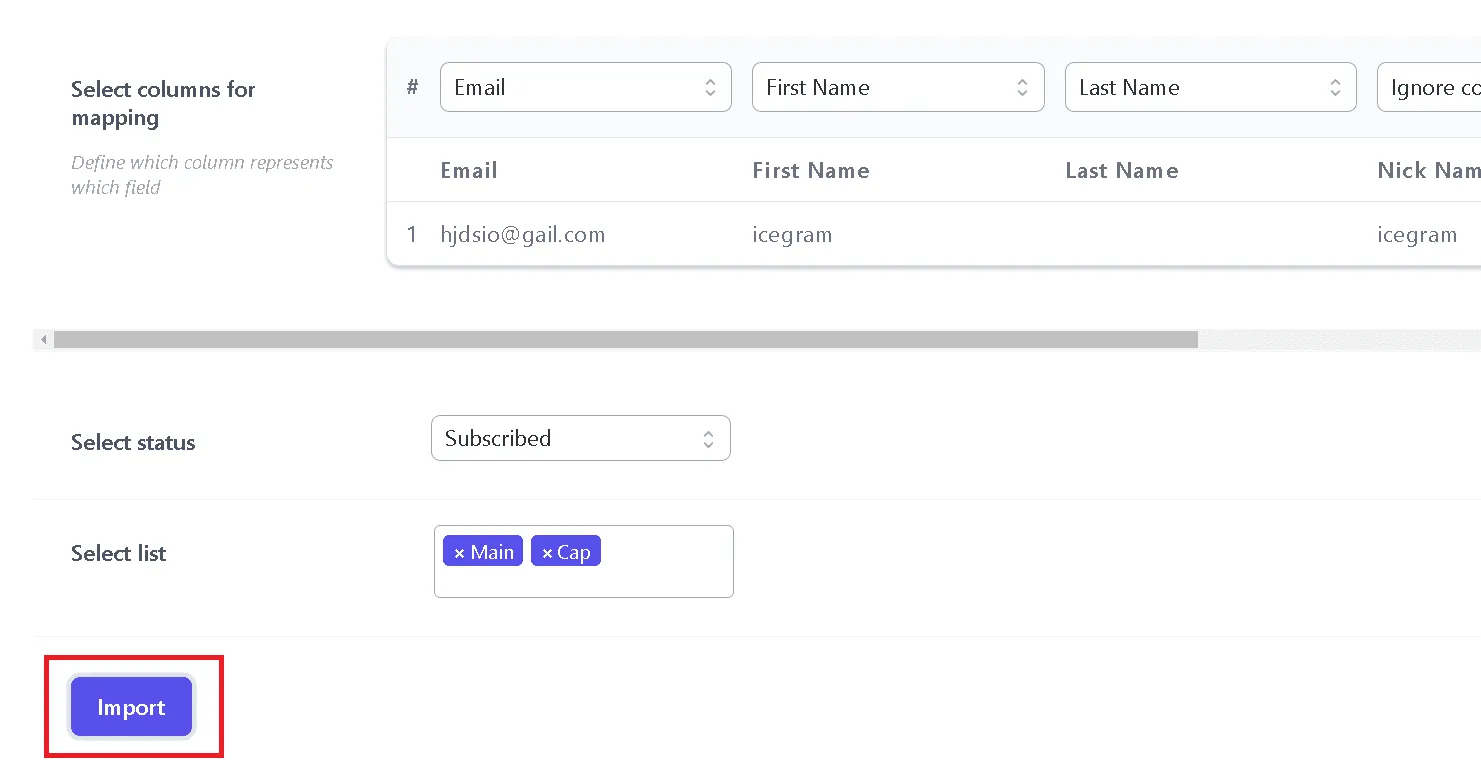
Click Import.
-
Once the import finishes, Icegram Express displays an Import Completed summary showing the total number of contacts imported and details for any skipped or unimported contacts.
