

How to Redirect Users to a New Page After Form Submission
ProAutomatically redirect visitors to a dedicated thank-you page, freebie download, or checkout URL after submitting an Icegram Engage form.
Redirecting users to a custom thank-you page after they submit an opt-in form lets you deliver downloadable lead magnets, offer one-time upsells, or trigger Google Analytics conversion tracking pixels.
Steps to Configure Submission Redirection
-
In your WordPress dashboard, navigate to
Icegram Engage→Campaignsand edit your campaign. -
In the message editor, scroll to the Form settings.
-
Under Action After Submission, select Redirect to URL.
-
Enter the full target URL (e.g.,
https://example.com/thank-you/).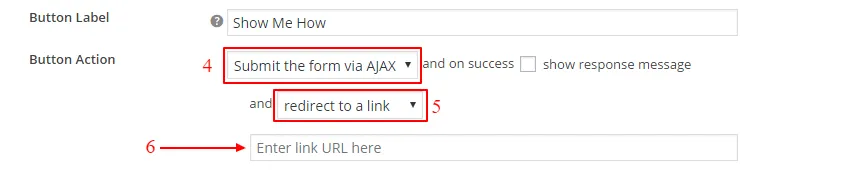
-
Save or publish your campaign.