

How to Set Up a Welcome Email in Icegram Express
Configure and personalize automated welcome emails sent immediately when new contacts join your subscriber list.
A Welcome Email is the crucial first communication sent to new subscribers upon joining your mailing list. It establishes your brand voice, sets expectations, and delivers promised lead magnets.
Steps to Customize Your Welcome Email
-
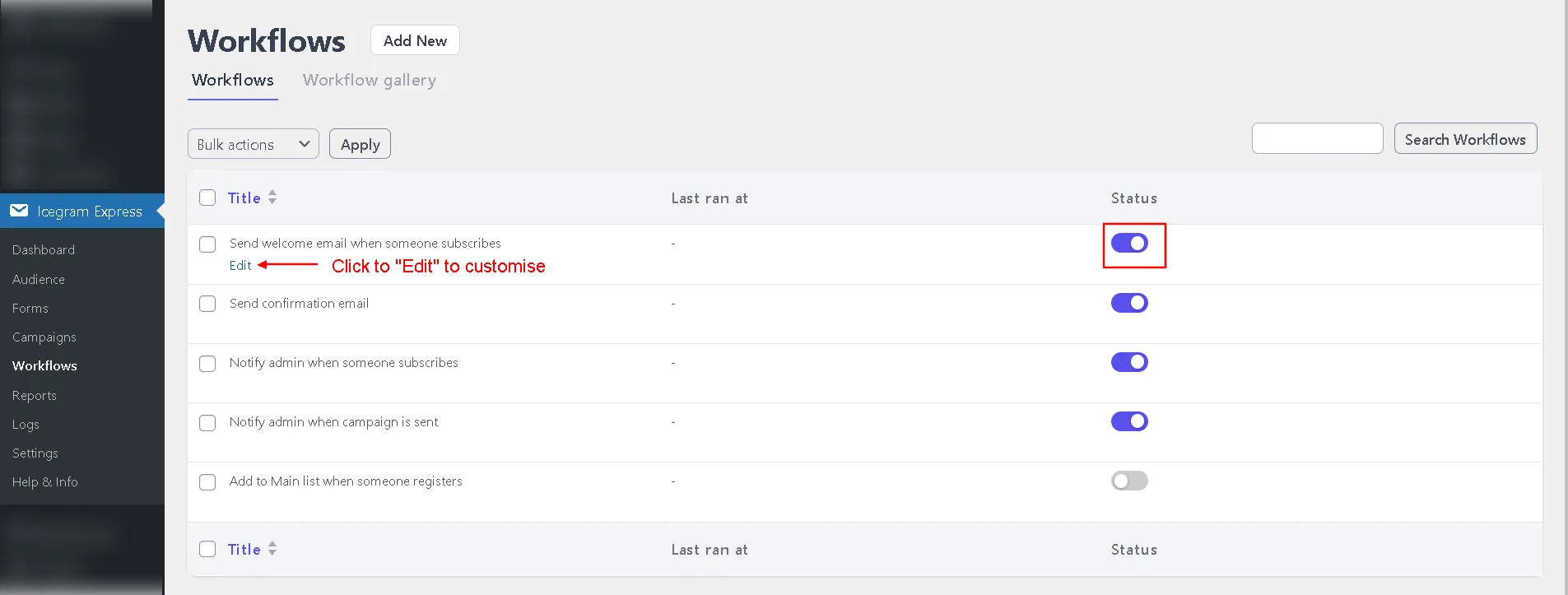
In your WordPress admin, go to Icegram Express > Workflows.
-
Edit the pre-configured workflow titled Send welcome email when someone subscribes.
-
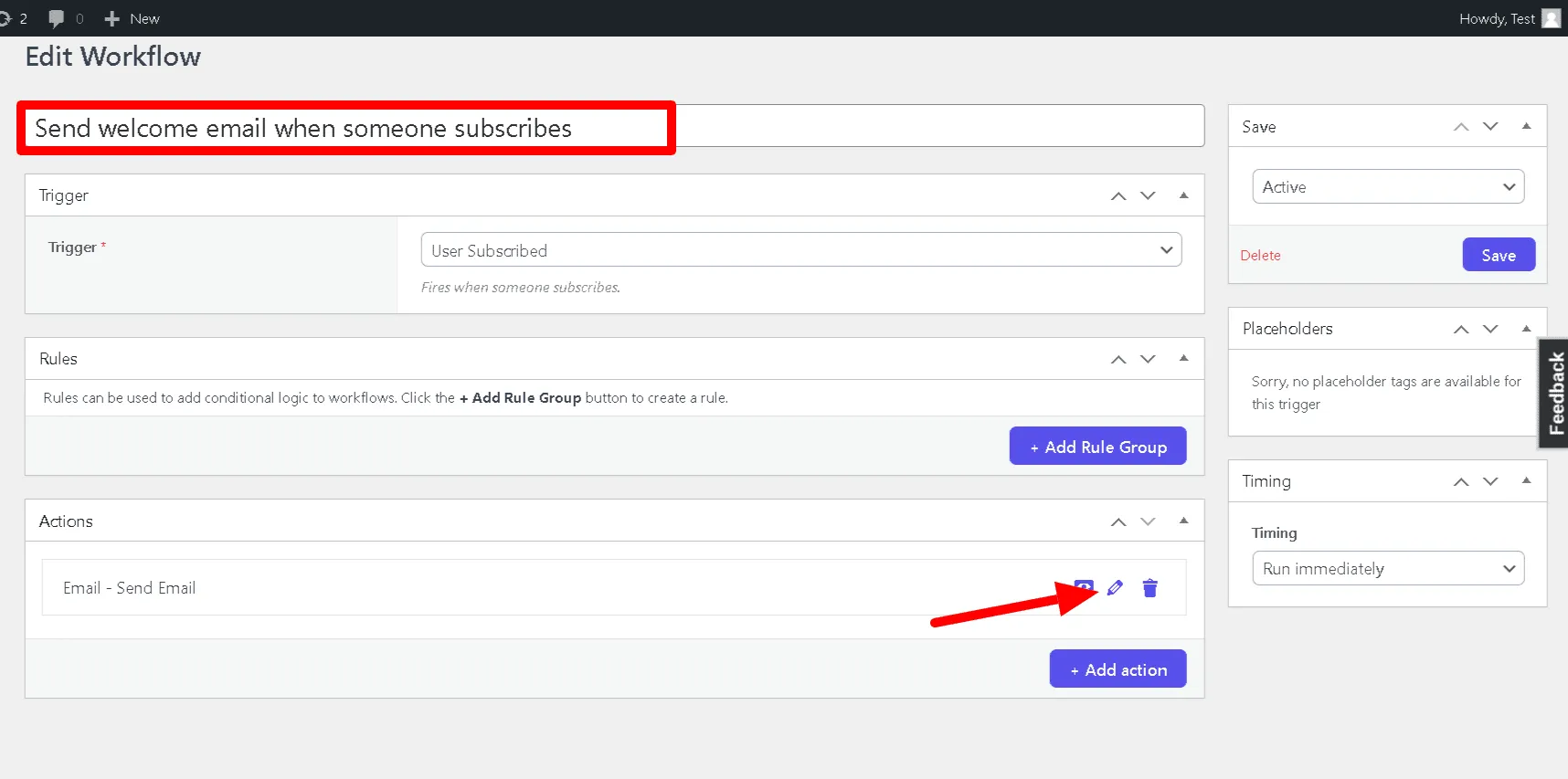
Under the Actions section, expand the Send Email action card.
-
Customize your email subject and body content. You can personalize the email using dynamic merge tags:
{{FIRSTNAME}}- Recipient’s first name{{NAME}}- Full subscriber name{{EMAIL}}- Subscriber’s email address{{LIST}}- Subscribed list name{{SITENAME}}- Website name
-
If offering a free download (lead magnet or PDF), upload the file to your WordPress Media Library and paste the direct file link into your email message.
-
Click Save Settings.