

How to Create a New Email List
Step-by-step guide to creating and organizing subscriber email lists in Icegram Express.
Creating distinct email lists allows you to segment contacts by interest, product category, or subscription source, ensuring each audience receives relevant content.
Steps to Create an Email List
-
In your WordPress admin dashboard, navigate to
Icegram Express→Audience→Manage Lists.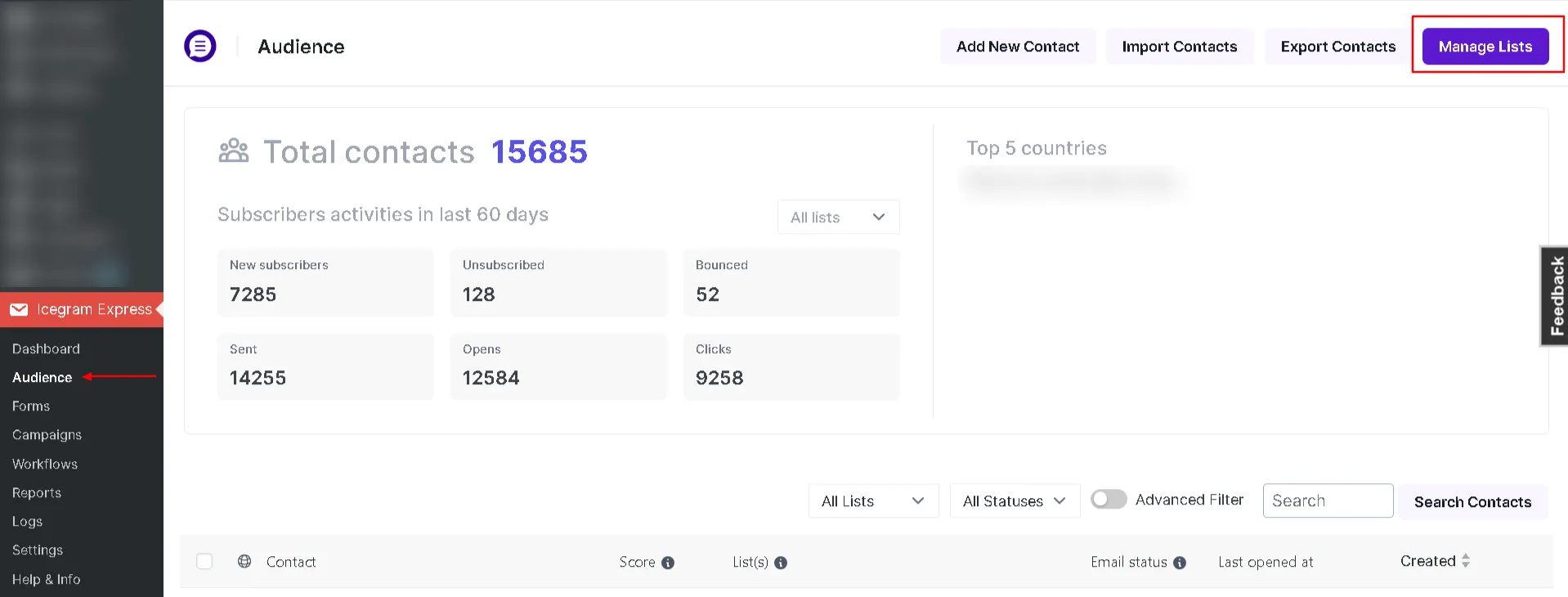
-
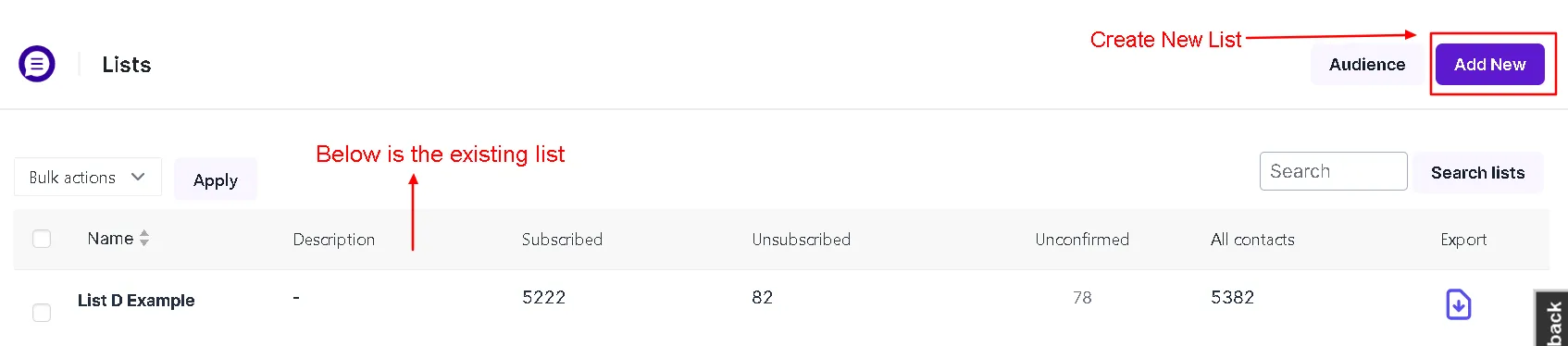
Click the Add New button at the top of the screen.
-
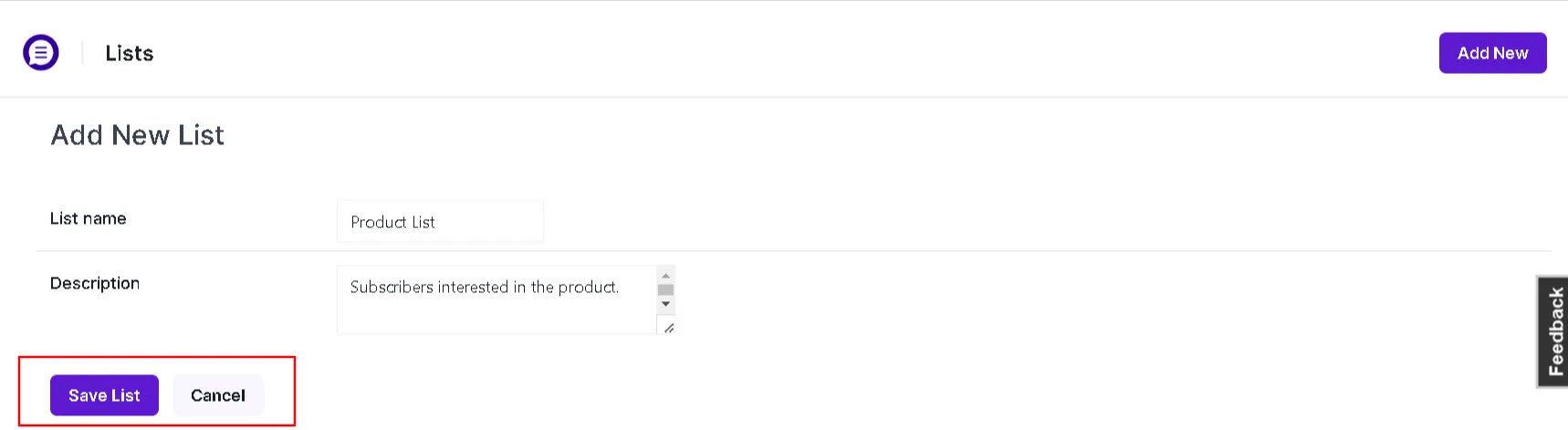
Enter a descriptive name for your list (e.g., Product Updates, Monthly Newsletter, or VIP Members).
-
Click Save List.
Once created, you can link opt-in forms to this list, assign automated workflows, or import existing contacts into it.