Trigger Engage Messages on Button or Link Click
Trigger an Icegram Engage popup or message when a visitor clicks a button, menu item, or text link using shortcodes or click classes.
Icegram Engage allows you to launch campaigns (such as popups, action bars, or messengers) when a visitor clicks on a button, link, or image. There are two ways to achieve this depending on your plan:
- Method 1: Shortcode Wrapper (Free & Pro plans)
- Method 2: JavaScript Trigger (Pro plan)
Method 1: Using the Shortcode Wrapper
You can wrap any HTML link or button inside an Icegram campaign shortcode. When clicked, the campaign opens automatically.
-
Configure your campaign and message in Icegram Engage.
-
In the campaign settings, copy the campaign shortcode. It looks like:
[icegram campaigns="CAMPAIGN_ID"]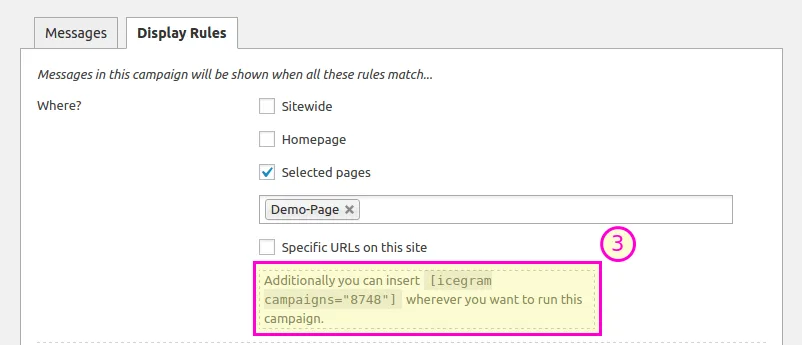
-
On the post or page where you want the link or button, wrap your element in the shortcode:
For a text link:
[icegram campaigns="1234"]<a href="#">Click here for the offer!</a>[/icegram]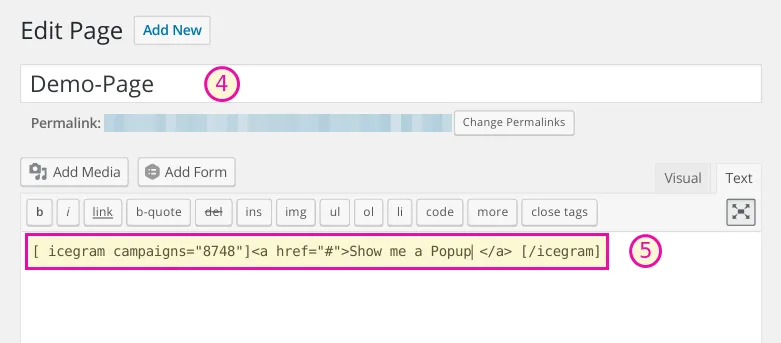
For a button:
[icegram campaigns="1234"]<button type="button">Claim Discount</button>[/icegram]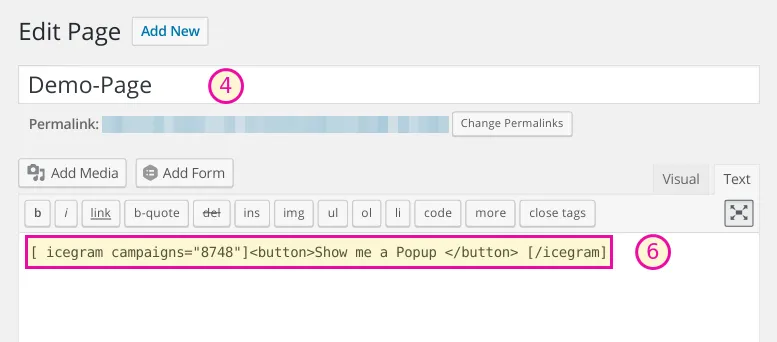
Method 2: Using the JavaScript Trigger Pro
In Icegram Engage Pro, you can trigger any specific message directly using a JavaScript snippet on any button, navigation menu item, or element with an onclick attribute.
-
In your campaign editor, navigate to the message you want to display.
-
Under the Show Trigger dropdown, select Using JavaScript.
-
Icegram Engage will display the custom JavaScript code snippet. It looks like:
window.icegram.get_message_by_id(1234).show();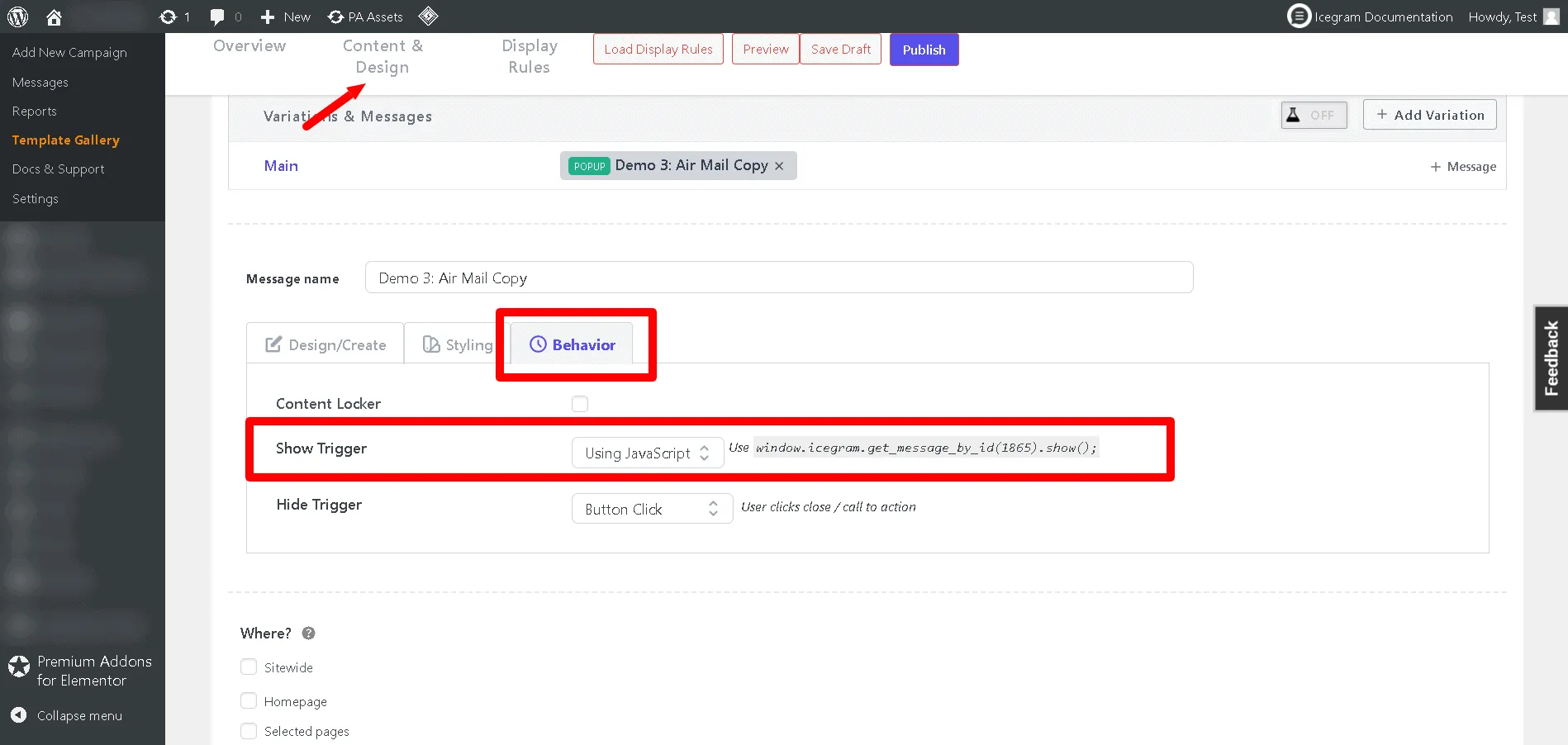
-
Configure any other campaign display rules and save your campaign.
-
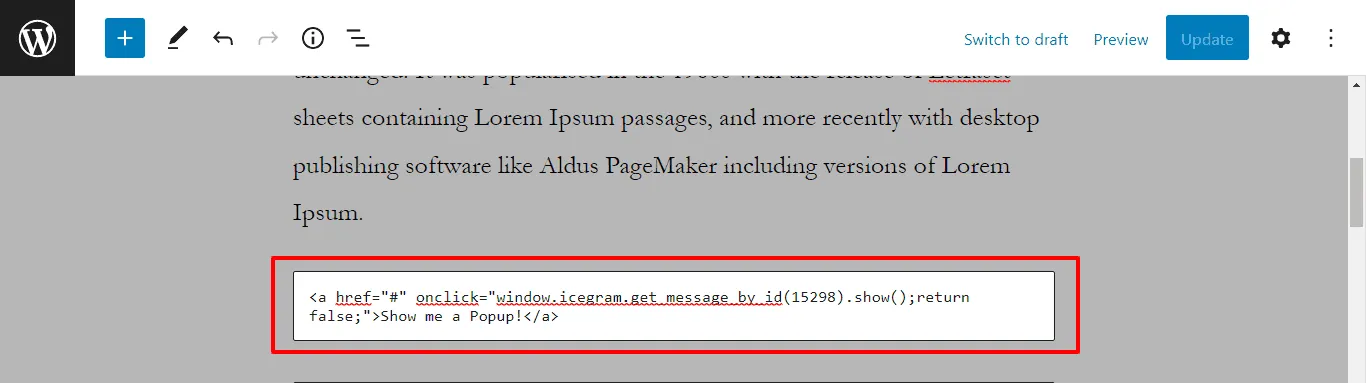
Add the JavaScript snippet to the
onclickhandler of your button or link:Button example:
<button onclick="window.icegram.get_message_by_id(1234).show(); return false;">
  Open Special Offer
</button>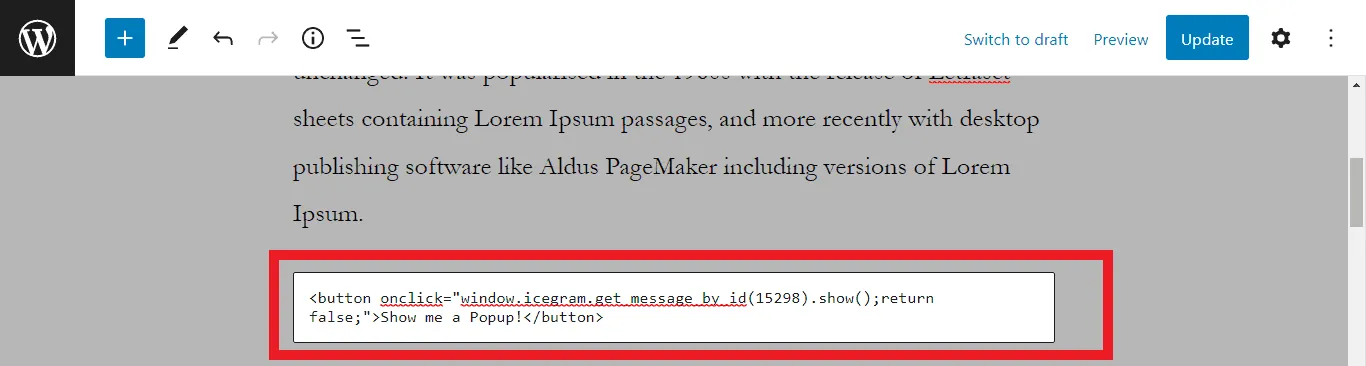
Link example:
<a href="#" onclick="window.icegram.get_message_by_id(1234).show(); return false;">
  Open Special Offer
</a>