

Can I Add Subscribers to Multiple Lists During Import?
MaxLearn how to import contacts into multiple email lists simultaneously or assign them to additional lists after importing.
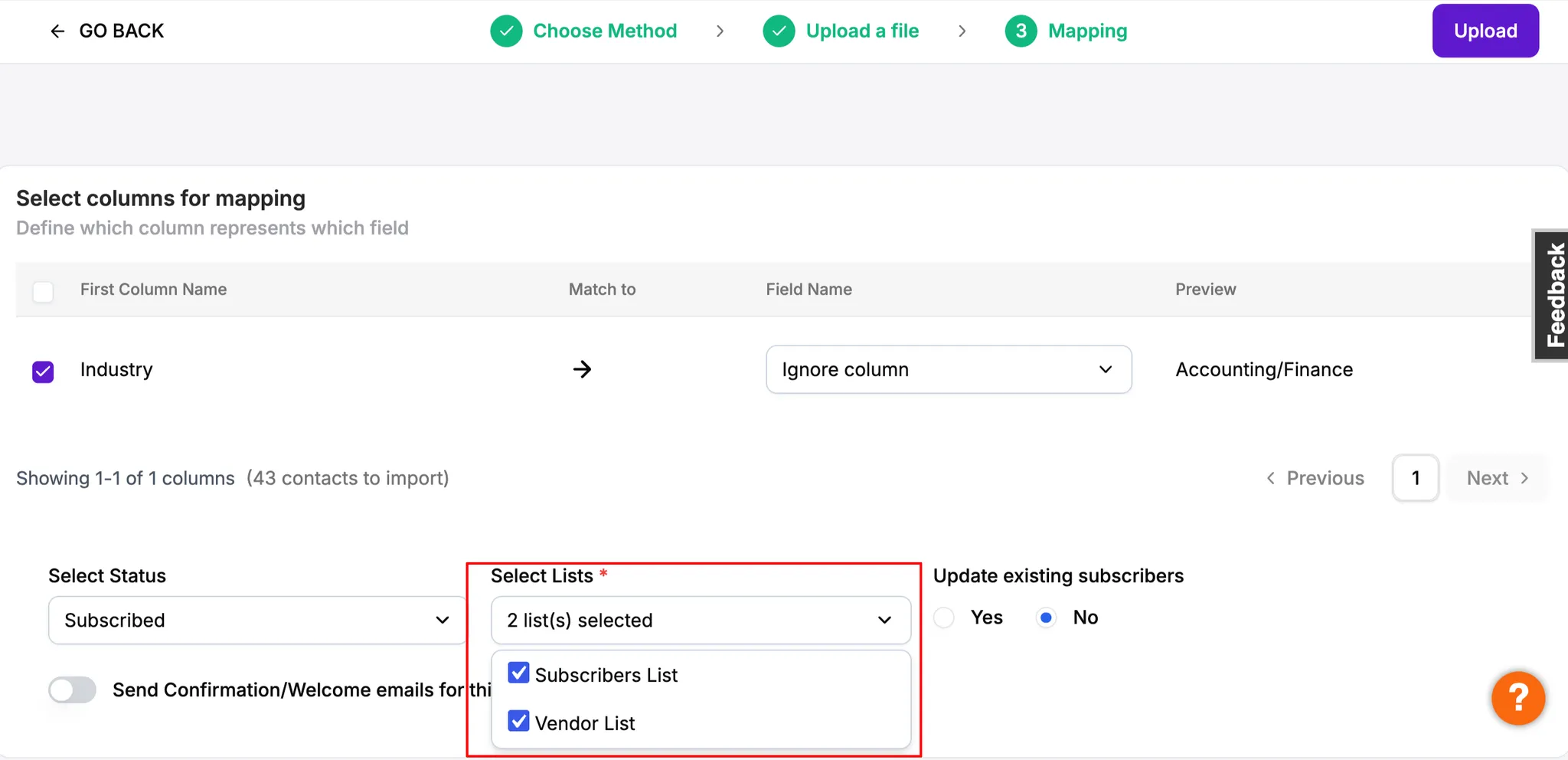
Yes. In Icegram Express Max, administrators can select multiple email lists simultaneously when importing contacts via CSV or other import sources.
How to Import Contacts into Multiple Lists
- In your WordPress dashboard, navigate to
Icegram Express→Audience. - Click Import at the top of the page.
- Select your import method (e.g., CSV).
- In the Select List(s) dropdown, select or hold
Ctrl/Cmd(or check the boxes) to choose all the lists you want to assign these contacts to. - Map your CSV fields and click Import Contacts.