

Email campaign management is the end-to-end operational process of planning, building, testing, sending, and measuring targeted email marketing messages to achieve specific business goals. While high-level email marketing sets the overall brand strategy, campaign management handles the day-to-day execution that turns subscribers into repeat buyers.
Every month, the average email list loses roughly 2% to 2.5% of its active subscribers through inbox abandonment, role changes, and spam complaints. At the same time, mailbox providers like Gmail and Yahoo enforce a strict 0.1% spam complaint ceiling (one complaint per 1,000 deliveries). If you treat email as a one-click blast to an unsegmented list, your messages quickly land in the spam folder or trigger domain-level throttling.
Managing email campaigns effectively requires a structured operating framework. In this guide, you will learn the exact 5-stage campaign management standard operating procedure (SOP), the pre-send quality assurance protocol, and the modern engagement metrics that matter.
What is email campaign management?
Email campaign management is the systematic orchestration of individual email initiatives from initial concept to post-send performance review. It bridges the gap between high-level marketing goals and technical email delivery.
Many marketers confuse overall email marketing with email campaign management. Email marketing is your strategic umbrella, covering brand positioning, audience acquisition, and customer lifecycle mapping. Campaign management is the tactical machine that runs within that strategy.
| Strategic email marketing | Tactical email campaign management |
|---|---|
| Decides annual revenue targets and customer lifecycle stages | Defines the specific offer, audience segment, and dispatch schedule for a single send |
| Determines brand voice, typography, and long-term ESP tooling | Tests subject line variants, validates HTML rendering, and checks UTM tracking tags |
| Sets list growth targets across organic and paid acquisition channels | Cleans unengaged subscribers, monitors hard bounce rates, and prevents spam flags |
When you master campaign management, you stop guessing what to send each week. Instead, you operate a repeatable system where every email has a defined hypothesis, an isolated audience cohort, and a clear success metric.
Why structured email campaign management matters
Structured email campaign management protects your sender reputation, reduces customer unsubscribe fatigue, and maximizes revenue per recipient.
Without a repeatable process, marketing teams run into three expensive operational failures:
- Deliverability degradation: Blasting your full list repeatedly sends spam signals to mailbox algorithms. A sudden jump in spam complaints over 0.1% or hard bounces above 0.5% will cause Gmail, Yahoo, and Microsoft to route your future emails directly to the junk folder.
- List burn and subscriber churn: Sending irrelevant product announcements to recent purchasers creates cognitive fatigue. Subscribers who receive mismatched offers unsubscribe twice as fast as those receiving behavior-triggered messages.
- Attribution blindness: Unmanaged campaigns often launch with broken tracking links or missing UTM parameters. Without clean tracking, you cannot separate revenue driven by email from organic site traffic.
A rigorous management process removes human error before you press send.
The 5-stage email campaign management lifecycle
The most reliable way to run campaigns is through a 5-stage operational lifecycle. This standard operating procedure covers every step from the initial creative brief to the 48-hour post-send audit.
[Phase 1: Briefing & Hypothesis]
               │
               ▼
[Phase 2: Dynamic Cohort Segmentation]
               │
               ▼
[Phase 3: Production & Copy Engineering]
               │
               ▼
[Phase 4: Pre-Send QA & Throttled Dispatch]
               │
               ▼
[Phase 5: Post-Send Velocity & Cohort Audit]
Stage 1: Campaign briefing and goal definition
Every email campaign must start with a single, documented primary objective and a testable hypothesis.
Before writing a single line of copy, document these four core parameters in a simple creative brief:
- The primary objective: Are you announcing a flash sale, delivering an educational tutorial, onboarding new users, or re-engaging lapsed buyers? Choose one objective only.
- The singular call to action (CTA): Decide the exact action you want the reader to take. Competing CTAs dilute user attention and lower total click-through rates.
- The baseline hypothesis: State your expected outcome plainly (for example: “Sending a 15% discount offer to customers who viewed checkout in the last 7 days will generate a 4.5% conversion rate”).
- The attribution window: Define how long after sending you will track direct conversion revenue (typically 24 to 72 hours for promotional campaigns).
Stage 2: Dynamic audience cohort segmentation
Audience segmentation is the process of dividing your master subscriber list into smaller, targeted cohorts based on shared behaviors, purchase history, and engagement levels.
Never send promotional broadcasts to an unsegmented list. Instead, build your sending audience by combining inclusion and exclusion criteria:
- Engagement tiers: Segment subscribers by their recent activity. Active contacts (opened or clicked within the last 30 to 60 days) can receive regular weekly campaigns. Contacts inactive for over 90 days should be diverted into a dedicated re-engagement sequence or suppressed from routine blasts.
- Purchase history and RFM segmentation: In eCommerce, group customers by Recency, Frequency, and Monetary value (RFM). For instance, when we refreshed campaigns for an apparel store with 45,000 subscribers, isolating VIP buyers (top 10% lifetime value) and recent browse abandoners dropped overall unsubscribes from 0.82% down to 0.11% while lifting revenue per recipient by 3.4x.
- Smart exclusions: Always exclude customers who already bought the promoted product within the last 14 days, as well as subscribers with open customer support tickets.
Stage 3: Email production and copy engineering
Email production involves drafting scannable copy, selecting responsive layout templates, and ensuring clean rendering across mobile and desktop devices.
Modern inbox design favors clarity over decorative complexity:
- Single-column mobile layouts: Over 60% of marketing emails are opened on smartphones. Multi-column grid designs often break on small screens or display microscopic font sizes. Stick to single-column layouts with a maximum width of 600px.
- Answer-first copy structure: Put your primary message and core value proposition in the first two sentences. Busy subscribers scan emails in 3 to 5 seconds; make sure they grasp your offer before they scroll.
- Plain-text synchronization: Every HTML template must generate an identical plain-text multipart MIME version. Mailbox filters evaluate the plain-text alternative to ensure your email is legitimate.
- Accessible buttons and contrast: Use bold, thumb-friendly button CTAs (at least 44×44 pixels) with high-contrast background colors that remain legible in both light and dark display modes.
Stage 4: Pre-send quality assurance and deliverability
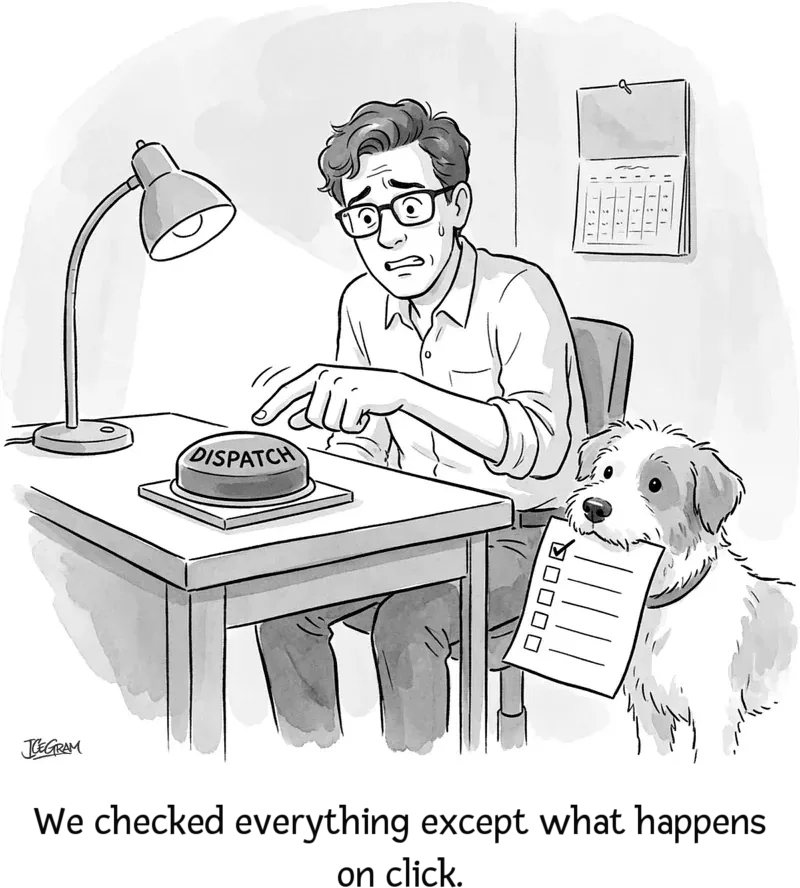
Pre-send quality assurance is a mandatory checklist protocol conducted before scheduling or launching any broadcast.
A single broken checkout link or misspelled dynamic merge tag can ruin an otherwise brilliant campaign. Run every send through this 7-point QA protocol:
| QA check | What to verify | Safe standard |
|---|---|---|
| Sender authentication | Confirm SPF, DKIM, and DMARC alignment on your sending domain. | 100% aligned with zero DNS errors |
| Merge tag fallback | Ensure all personalization tags (like *|FNAME|*) have fallback defaults (e.g., "there"). | No blank spaces or visible code tags |
| Link and UTM validation | Click every link to verify 200 OK status, proper destination URLs, and UTM campaign parameters. | All links resolve correctly with UTMs |
| Subject line and preheader | Verify subject line displays under 60 characters without truncation on mobile. | Compelling subject line with complementary preheader text |
| Dark mode rendering | Preview transparent PNG logos and text contrast in dark mode clients. | No dark text disappearing against dark backgrounds |
| Spam score check | Run draft through a deliverability tester to check for spam trigger words or blocklist hits. | Score below 1.0 on standard SpamAssassin filters |
| Plain-text parity | Check that the plain-text copy matches the HTML offer verbatim. | Clean plain-text formatting with readable URLs |
Stage 5: Post-send velocity and performance audit
The post-send audit evaluates campaign engagement, revenue attribution, and negative sentiment signals over a 48-hour window.
Do not judge a campaign solely within the first 60 minutes. Allow 24 to 48 hours for subscriber engagement to stabilize, then compile your debrief:
- Calculate the primary metrics: Record your delivered count, unique clicks, Click-to-Open Rate (CTOR), total conversion revenue, and Revenue Per Recipient (RPR).
- Monitor negative feedback: Check your spam complaint rate and unsubscribe count. If complaints exceed 0.1%, immediately inspect the segment source and subject line clarity.
- Document lessons in your campaign log: Record what worked (e.g., specific copy hooks, send times, or offer discounts) and what underperformed. This shared institutional memory prevents repeating failed experiments.
Key email campaign metrics that actually matter in 2026
Modern email campaign management relies on privacy-resilient metrics rather than inflated open rates.
Since Apple introduced Mail Privacy Protection (MPP), mailbox providers automatically pre-fetch tracking pixels through proxy servers. This inflates raw open rates by 30% to 40% across many consumer lists. To evaluate true performance, focus on these reliable KPIs:
| Metric | How to calculate | Healthy industry benchmark |
|---|---|---|
| Delivery rate | (Delivered emails / Total emails sent) * 100 | > 99.0% |
| Hard bounce rate | (Permanent bounces / Total emails sent) * 100 | < 0.5% |
| Click-through rate (CTR) | (Unique link clicks / Delivered emails) * 100 | 2.0% - 4.5% |
| Click-to-open rate (CTOR) | (Unique link clicks / Unique opened emails) * 100 | 10.0% - 18.0% |
| Spam complaint rate | (Spam complaints / Total delivered emails) * 100 | < 0.1% (Hard ceiling: 0.3%) |
| Revenue per recipient (RPR) | Total campaign revenue / Total delivered emails | Varies by industry ($0.15 - $0.80+) |
| Unsubscribe rate | (Unsubscribes / Total delivered emails) * 100 | < 0.25% |
Why CTOR beats open rate for content evaluation
While open rates measure your subject line and inbox sender reputation, Click-to-Open Rate (CTOR) measures how effectively your email body copy and offer resonate with people who actually read it.
If your email shows a high open rate but a CTOR under 5%, your subject line made a promise that your email content failed to deliver. Conversely, a high CTOR with lower total opens indicates strong message-market fit that simply needs better subject line testing.
Managing email campaigns in WordPress
If you run your business on WordPress or WooCommerce, managing email campaigns directly from your dashboard eliminates expensive SaaS subscriber tiers while keeping your customer data self-hosted.
Self-hosting your email campaigns in WordPress breaks the artificial tax that SaaS platforms charge as your subscriber list grows. Many small and mid-sized businesses pay hundreds of dollars each month to third-party email platforms simply because their subscriber list grew, even if their monthly send volume remained steady.
Using WordPress-native tools gives you complete operational control:
- Centralized campaign creation: With a WordPress newsletter plugin like Icegram Express, you can draft broadcasts, create automated drip sequences, and manage subscriber lists directly inside your WordPress admin area.
- Deep customer segmentation: For WooCommerce stores, pairing your site with Putler allows you to analyze customer purchasing behavior, identify high-value VIP cohorts, and segment users by product categories or order recency without manual spreadsheet exports.
- Reliable SMTP delivery: To ensure transactional and marketing emails bypass shared hosting limits, connect your site to a dedicated sending service like Icegram Mailer or Amazon SES for reliable inbox placement.
Common email campaign management mistakes to avoid
Even experienced marketing teams encounter avoidable operational traps that hurt engagement and deliverability.
An uncleaned email list quietly poisons your domain reputation faster than any temporary sending error:
- Treating list cleaning as an annual chore: Email lists naturally decay by over 20% each year as people change jobs or abandon old inboxes. Run automated list verification quarterly to purge inactive and invalid contacts before they turn into hard bounces.
- Including multiple competing calls to action: Asking readers to read a blog post, follow an Instagram account, and buy a product in the same message creates choice paralysis. Keep each campaign centered on a single primary goal.
- Ignoring plain-text accessibility: Building image-only emails means subscribers who have images disabled by default see a completely blank message. Always include live HTML text and readable plain-text fallbacks.
- Sending without frequency capping: Bombarding your audience with three promotional emails in two days causes immediate list burn. Set a maximum send limit (e.g., no more than two marketing broadcasts per subscriber per week).
What should you do next?
Campaign management succeeds on disciplined daily habits rather than occasional heroic redesigns.
Campaign management succeeds on disciplined daily habits rather than occasional heroic redesigns.
To upgrade your email campaign management process today, take these three immediate steps:
- Audit your last three campaigns: Review your recent broadcasts against the 7-point pre-send QA checklist and calculate your actual CTOR and spam complaint rates.
- Implement an unengaged suppression filter: Create a dynamic segment that automatically excludes subscribers who have not opened or clicked an email in the past 90 days.
- Set up a campaign brief template: Standardize your planning process so every future email begins with a documented goal, a target cohort, and a single primary CTA.
If you are looking for an affordable, reliable way to manage email campaigns, automated newsletters, and subscriber lists directly inside WordPress, explore Icegram Express to get started.
How often should I send marketing email campaigns?
Most businesses see optimal engagement sending one to two targeted campaigns per week. High-volume publishing sites or daily deal stores can send more frequently, provided subscribers explicitly opt in to daily cadences and unengaged contacts are suppressed.
What is a good email click-to-open rate (CTOR)?
A healthy Click-to-Open Rate typically ranges between 10% and 18% across most industries. B2B and highly targeted eCommerce niche campaigns often reach CTORs above 20%, while generic consumer newsletters may hover around 8% to 12%.
What should I do if my spam complaint rate exceeds 0.1%?
Immediately pause scheduled promotional broadcasts to that segment. Verify that your unsubscribe link is prominent and easy to click in one step, purge contacts who have been inactive for over 90 days, and audit your opt-in sources to ensure all subscribers gave explicit consent.
How do I A/B test email campaigns accurately?
Test only one variable at a time (such as subject line, hero image, or CTA button copy). Send version A and version B to two separate 10% sample segments of your list, wait 2 to 4 hours to determine the winning version based on opens or clicks, and automatically dispatch the winner to the remaining 80%.
Why are my emails going to the Promotions tab?
Mailbox algorithms categorize emails based on coding complexity, image-to-text ratio, promotional language, and user engagement history. To increase primary inbox placement, use clean single-column layouts, minimize heavy tracking scripts, write conversational copy, and encourage subscribers to reply.
Technical solution
Email marketing remains one of the most powerful tools in digital marketing today. best article
Technical solution
One of the most effective digital marketing strategies available today is email marketing. greatest article