

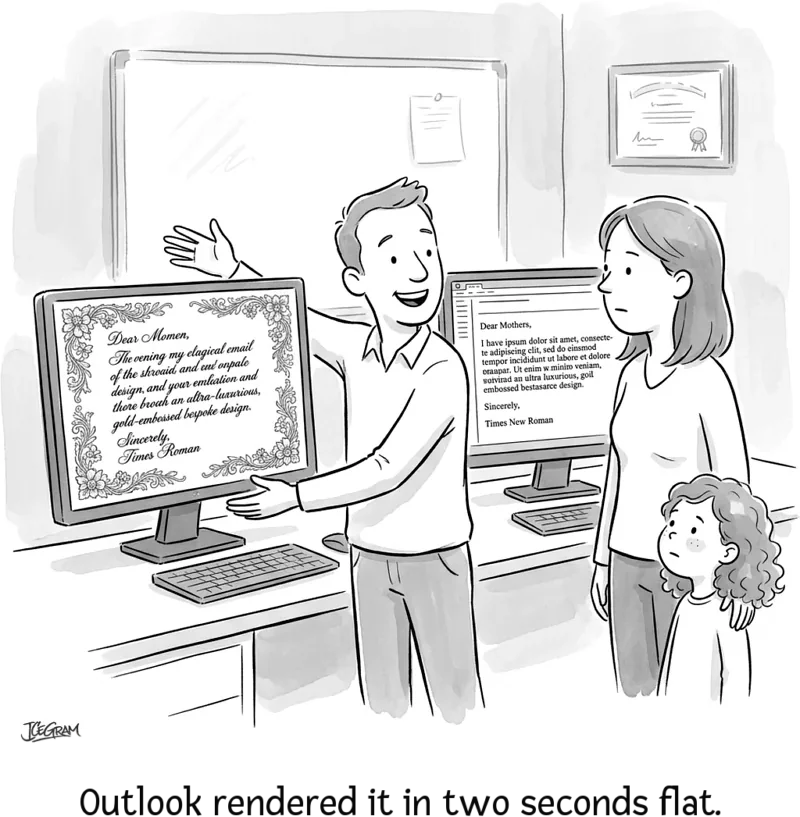
Learning how to choose an email font is a vital skill for every newsletter writer. You can spend hours perfecting copy and selecting a sleek typeface, only to find Outlook stripping your custom font and defaulting to plain Times New Roman after you hit send. On mobile screens, tight spacing makes text microscopic, forcing readers to pinch and zoom.
When typography breaks, engagement drops. Unrendered fonts trigger abrupt fallback substitutions. These default typefaces distort line heights and misalign call-to-action buttons. That visual friction causes subscribers to bounce before finishing your first section.
I learned this the hard way when troubleshooting a client broadcast. The team picked an elegant web font, but Outlook rendered scrambled line heights across thousands of readers. Adding a universal fallback stack solved the problem instantly.
This guide covers the best web-safe fonts and common rendering pitfalls for newsletter creators. You will also learn to set up bulletproof CSS fallback stacks for every client.
Quick guide: best email fonts and sizing at a glance
Choosing an email font requires balancing visual personality with technical reliability. The table below summarizes the top choices and their practical applications.
| Font name | Classification | Best use case | Default client support |
|---|---|---|---|
| Arial | Sans-serif | General newsletters, clean body copy | Universal (Gmail default) |
| Verdana | Sans-serif | Mobile-first emails, high-density copy | Universal |
| Georgia | Serif | Long-form articles, editorial brands | Universal |
| Helvetica | Sans-serif | Modern brand announcements, bold headlines | Apple Mail, universal fallbacks |
| Tahoma | Sans-serif | UI notifications, concise transactional updates | Universal |
| Trebuchet MS | Sans-serif | Creative marketing, friendly subject headers | Universal |
| Times New Roman | Serif | Formal announcements, traditional legal copy | Universal |
| Calibri | Sans-serif | B2B communication, direct sales emails | Microsoft Outlook default |
Why do email fonts render differently across inbox clients?
When typography breaks, engagement drops.
An email client renders typography using the fonts installed on the recipient’s device rather than loading external stylesheets like a regular web browser. If a font is missing on that device, the email application immediately defaults to its built-in system font.
Web browsers handle custom web fonts effortlessly via @font-face or external stylesheets. Email clients, however, are far more restrictive. Desktop Outlook, Apple Mail, and Gmail each treat typography differently:
- Apple Mail (macOS and iOS): Holds over 55% of the global email client market share according to Litmus. It offers broad typography support, rendering Helvetica Neue or Apple’s system font (SF Pro) by default while respecting custom web fonts.
- Gmail: Supports a narrow set of web fonts on desktop webmail, but defaults to Arial. Its mobile apps ignore external font links completely.
- Outlook 365 (Desktop): Uses Microsoft Word as its HTML rendering engine rather than a modern browser engine. It ignores @font-face rules and defaults directly to Calibri or Times New Roman when custom typefaces fail.
Because Outlook remains a dominant desktop email client, fallback stacks are essential for every campaign you send.
What is an email font fallback stack?
An email font fallback stack is an ordered list of font families defined in your CSS that tells the email client which typeface to display if your primary choice is unavailable. The client reads the list from left to right, rendering the first available font installed on the recipient’s operating system.
When building fallback stacks, match the x-height (the height of lowercase letters) between your primary and fallback fonts. If a primary font with a small x-height falls back to a wide, tall font like Verdana, lines will jump and text can overlap surrounding buttons.
Standard fallback combinations to use in your email templates:
- Universal Sans-Serif:
Arial, Helvetica, sans-serif; - Universal Serif:
Georgia, Times New Roman, serif; - Modern System UI:
system-ui, -apple-system, Segoe UI, Roboto, Helvetica, Arial, sans-serif;
A well-structured fallback stack guarantees that even if a recipient’s device rejects your primary font, the layout maintains its proportions and readability.
The 8 best web-safe email fonts for high conversions
The following eight fonts are universally installed across Windows, macOS, iOS, and Android devices, guaranteeing reliable rendering across all platforms.
1. Arial
Arial is the most widely supported sans-serif typeface in digital communication. Originally designed in 1982, its balanced proportions, clean terminals, and neutral design make it effortless to scan on screens of all resolutions. Because Gmail uses Arial as its standard interface font, subscribers are already accustomed to reading it.
- Style: Clean, neutral, modern sans-serif.
- Best for: General newsletter body text, promotional announcements, and transactional updates.
- Recommended fallback:
Arial, Helvetica, sans-serif;
2. Verdana
Designed specifically for digital screens by Matthew Carter, Verdana features wide letterforms, generous counters, and distinct spacing between characters. These wide apertures make Verdana one of the most accessible fonts available, especially for readers with dyslexia or visual impairments.
- Style: Broad, highly legible sans-serif.
- Best for: Mobile-focused campaigns and dense informational copy.
- Recommended fallback:
Verdana, Geneva, sans-serif;
3. Georgia
If your brand demands the sophistication of a serif typeface without sacrificing mobile clarity, Georgia is the gold standard. Designed alongside Verdana for screen legibility, Georgia features sturdy serifs and open proportions that remain sharp even at smaller font sizes on low-resolution displays.
- Style: Elegant, authoritative serif.
- Best for: Editorial newsletters, long-form stories, and thought leadership.
- Recommended fallback:
Georgia, Times New Roman, serif;
4. Helvetica
Helvetica is celebrated for its neo-grotesque design, structural precision, and modern aesthetic. While Windows devices substitute Arial for Helvetica, Apple devices render Helvetica natively with exceptional sharpness.
- Style: Sleek, minimalist sans-serif.
- Best for: High-impact headings, modern consumer brands, and product launches.
- Recommended fallback:
Helvetica, Helvetica Neue, Arial, sans-serif;
5. Tahoma
Tahoma is a close cousin to Verdana but features tighter character spacing and more compact letterforms. This compact structure allows you to fit more text into horizontal spaces without reducing font size, making it ideal for buttons, sidebars, and short transactional notices.
- Style: Compact, technical sans-serif.
- Best for: Order confirmations, receipts, account notifications, and call-to-action buttons.
- Recommended fallback:
Tahoma, Verdana, Arial, sans-serif;
6. Trebuchet MS
Trebuchet MS stands out from other sans-serif typefaces thanks to its distinctive geometric curves, tapered strokes, and open letterforms. It adds warmth and personality to an email without crossing into casual or unprofessional territory.
- Style: Energetic, geometric sans-serif.
- Best for: Creative agency updates, lifestyle brands, and marketing headlines.
- Recommended fallback:
Trebuchet MS, Lucida Grande, Lucida Sans Unicode, sans-serif;
7. Times New Roman
Times New Roman is the traditional choice for print and editorial publishing. While standard sans-serif typefaces are often preferred for quick mobile scans, Times New Roman brings a formal, academic tone to corporate messages.
- Style: Traditional, classic serif.
- Best for: Formal press releases, legal notifications, and corporate updates.
- Recommended fallback:
Times New Roman, Times, Georgia, serif;
8. Calibri
Calibri is the default typeface of Microsoft Office and Outlook. Its rounded stems and soft corners give it a friendly, conversational tone that works well in direct sales outreach.
- Style: Soft, contemporary sans-serif.
- Best for: One-to-one business emails and B2B plain-text sales campaigns.
- Recommended fallback:
Calibri, Candara, Segoe, Segoe UI, Optima, Arial, sans-serif;
Which email fonts should you avoid?
Certain decorative or display typefaces should never be used in marketing emails. These fonts degrade readability, look unprofessional, and introduce accessibility hurdles for subscribers.
- Comic Sans MS: While designed for casual speech bubbles, Comic Sans undermines credibility in professional communication. Its irregular strokes create unnecessary visual noise.
- Papyrus: The rough edges and erratic letter widths of Papyrus make extended body copy nearly impossible to decipher on mobile displays.
- Curlz MT: Overly ornate display fonts like Curlz distract from your call to action and fail basic accessibility standards.
- Trajan: Trajan consists solely of uppercase Roman letters with narrow kerning. Using it in email copy creates an aggressive tone and frustrates screen readers.
Email typography rules: sizing, spacing, and hierarchy
Selecting the right font family is only half the battle. You must also configure proper sizing, line spacing, and contrast to ensure comfortable reading on mobile screens.
1. Maintain a 3-tier typographic hierarchy
Create visual order by establishing clear font sizes for each element:
- Headings (H1 and H2): 20px to 26px. Keep titles bold and concise so skimmers immediately understand your topic.
- Body Copy: 14px to 16px. Never use body text smaller than 14px; anything smaller forces mobile readers to pinch and zoom.
- Call-to-Action Buttons: 16px bold. Ensure buttons have adequate padding (at least 44px tall) for effortless tapping on mobile touchscreens.
2. Set generous line spacing and color contrast
Set your line-height between 1.4 and 1.6 (140% to 160% of your font size). Tight line spacing crowds your sentences together, while excessive spacing disconnects paragraphs. A 16px body font paired with a 24px line height provides optimal readability.
For WCAG accessibility compliance, maintain a minimum contrast ratio of 4.5:1 between body text and the email background. Use dark slate (#222222) or charcoal (#333333) instead of pure black on white to reduce eye strain, and avoid light gray text on light backgrounds.
3. Limit font combinations to two families
Stick to a maximum of two font families per email: one for your headings and one for your body text. For example, pairing a Georgia heading with an Arial body provides crisp visual contrast while maintaining clean rendering across all devices.
How to set email fonts in Icegram Express
Icegram Express provides built-in typography controls to style your newsletters without writing complex CSS from scratch.
When drafting in the Classic Editor, you can select any standard web-safe font directly from the toolbar font-family dropdown. For advanced custom styling, the editor includes a Custom CSS layer that injects a solid fallback stack (system-ui, -apple-system, Segoe UI, Roboto, Helvetica, Arial, sans-serif) across your campaign template.
If you are using the Drag & Drop builder, you can customize typography settings directly per block, ensuring headings, body paragraphs, and button labels remain consistent across the entire newsletter.
Where to start with your email typography
Improving your email typography does not require an overhaul of your marketing strategy. Start with these three practical steps on your next broadcast:
- Audit your current primary font: Verify that your main body font is a recognized web-safe family (such as Arial, Verdana, or Georgia).
- Add fallback stacks to your templates: Ensure every custom font declaration ends with a generic family (sans-serif or serif).
- Review mobile rendering: Send a test email to your phone and verify that body copy measures at least 14px with comfortable line spacing.
Pairing clean typography with a disciplined mobile responsive email layout is one of the simplest ways to improve email click-through rates. If you want to compare different header styles, running an A/B test on your email templates will provide clear data on what resonates best with your subscribers.
FAQ
What is the best overall font for email marketing?
Arial and Verdana are the most reliable fonts for email marketing. Arial offers clean simplicity and universal rendering, while Verdana provides wide letter spacing that excels on mobile screens and improves accessibility.
What is the ideal font size for email body text?
The ideal font size for email body text is 14px to 16px on desktop and a minimum of 16px on mobile devices. Body text below 14px creates eye strain and reduces click-through rates.
Can I use Google Fonts or custom web fonts in email?
Yes, but with limitations. Apple Mail supports custom web fonts, but desktop Outlook and Gmail mobile apps will ignore them and display fallback fonts instead. Always include a universal fallback stack when referencing web fonts.
Why does Outlook change my email font to Times New Roman?
Desktop Outlook uses Microsoft Word’s rendering engine, which does not support modern web fonts. If your CSS lacks a clear web-safe fallback, Outlook automatically defaults to its built-in fallback, which is often Times New Roman or Calibri.