


Gaining visitor’s attention is easy but converting them is not everyone’s cup of tea.
To make this ordeal simpler we’ve reviewed two fantastic conversion optimization plugins- Icegram Engage and Popup Maker.
Note: Both these plugins have free as well as premium features. But for simplicity sake, we’ve concentrated more on what the free versions offer. And the features are mind boggling.
Quick installation
Both Icegram Engage and Popup Maker are available for free on the WordPress repository. You can easily search, install & activate them.
Unlike other competitors like Sumo Me and OptinMonster, these plugins don’t force you to sign-up for using any of it’s functionality. Making them crowd favourites.
How many types Of optins do these plugins provide?
Today the types of optin used to gain attention is a crucial thing. And Icegram Engage spoils you with loads of choices.
Icegram Engage
Icegram Engage provides 4 optin types in the free version
- Popups
- Action Bars (header/footer bars)
- Messenger (slide-ins)
- Toast notifications
Icegram Engage also provides 8 more optin types in it’s paid plans:
- Tabs
- Overlays
- Interstitials
- Ribbons
- Sticky
- Badges
- Inlines
- Sidebars
These optins are very different from each other and fit almost every niche out there.
You can also preview how your optins will look on your website before making it live.
Popup Maker
Popup Maker on the other hand concentrates more on Popups. Popup Maker says that you can also create sidebars, slide-outs (messenger) but you need to play with code for it.
You can have a live preview of your popup when you tweak changes to it.
Here’s how these plugins help in growing your subscriber list
The main purpose website owner use an optin are to grow their email list. The two main components of any a subscriber optin is the email field and the CTA. However, only one of the two plugins compared allows you to insert a subscriber form in the free version.
Icegram Engage allows you.
In Icegram Engage, you can embed any HTML form to your optins from any contact form plugin for your email marketing work. That too, in the free version.
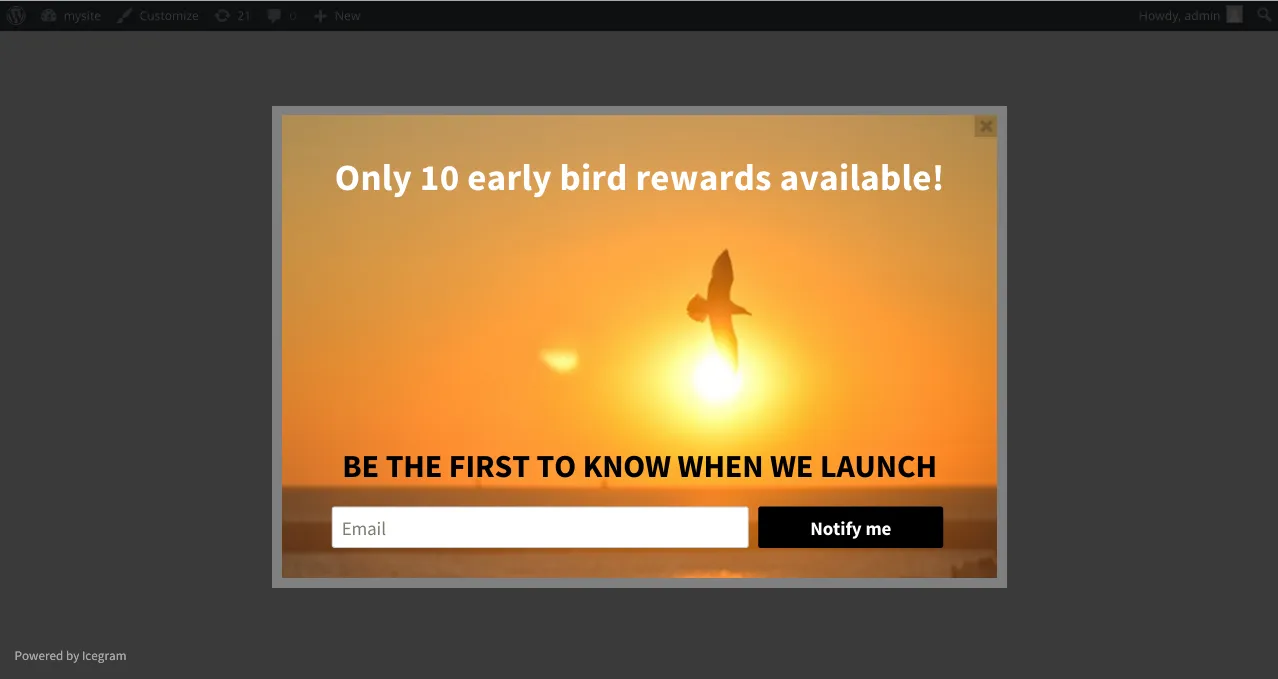
Popup Maker doesn’t.
But in Popup Maker, there is no such provision in the free version. You need to purchase their extensions to add a subscription form from any contact form service in popups.
You can add different types of form to the popup as per your requirements. Popup Maker is generally “Bring your own Form”.

Some beautiful themes for your website
Themes are the backbone of optins. Themes give optins the actual character that make them appear pleasant and grab eyeballs instantly.
Icegram Engage
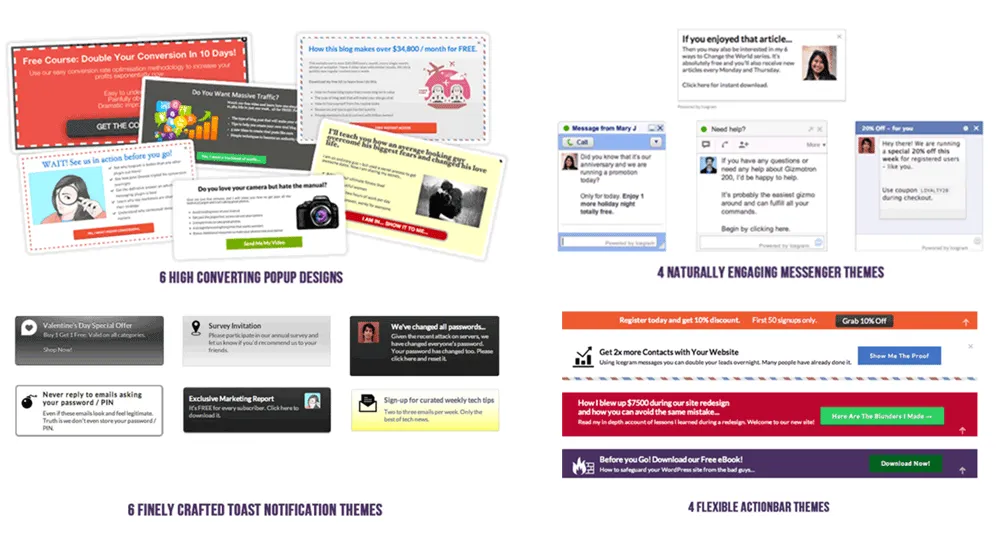
Icegram Engage provides 20 high converting themes in the free version. These themes have excellent designs which can be easily customised to fit the colour scheme of your website.
Icegram Engage also has premium theme packs that further increase the number of themes to a whopping 90+.
Popup Maker
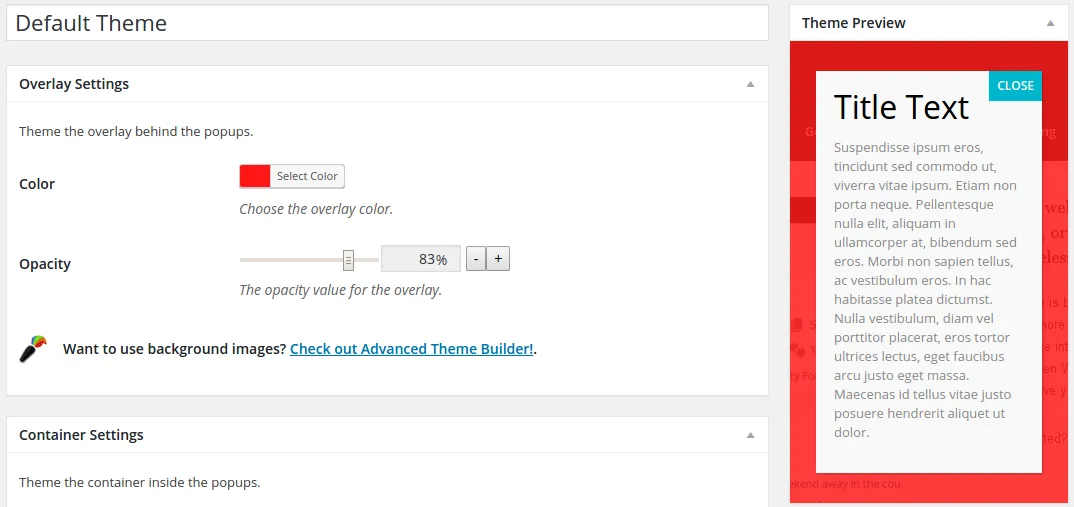
Popup Maker provides 6 simple themes in the free version.
You can customise each one of them for colour, fonts, contrast, styles, etc. In this way, you can create many theme combinations.
How many optins can you show in the free version?
With Icegram Engage and Popup Maker, you can create and display unlimited optins / popups on website
Simplicity of the editing panel
Both Icegram Engage and Popup Maker come with a simple and easy-to-use editing panel. You can add images to your optin as well as change optin size. You can also add your own custom CSS code for your optins.
In Popup Maker you need to buy their addon to enable the background image feature.
Tool to create powerful headlines
If themes grab attention, powerful headlines convert visitors.
In Icegram Engage you can add your own headlines or generate strong headlines from the in-built headline generator.
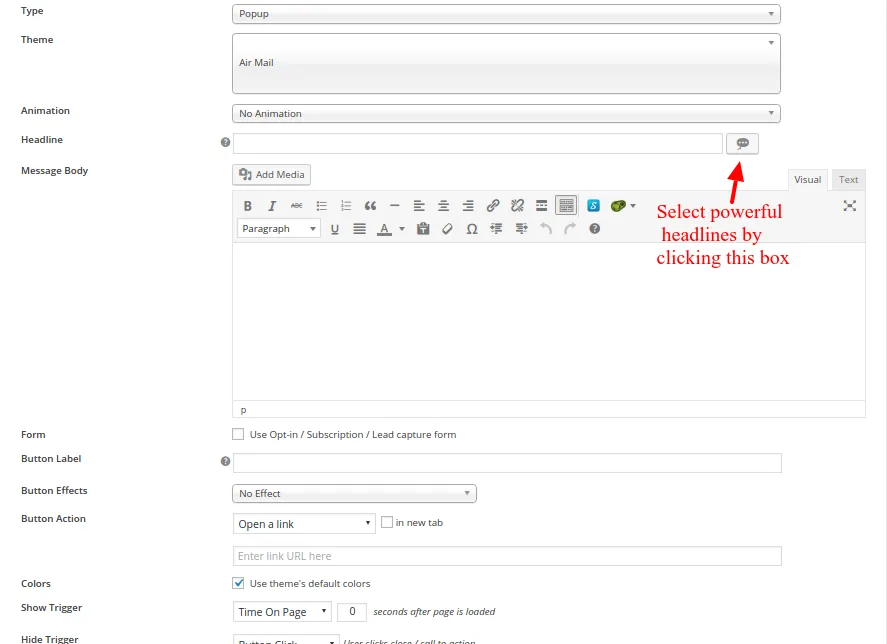
In Popup Maker, you need to create your own headlines. There is no headline generator.
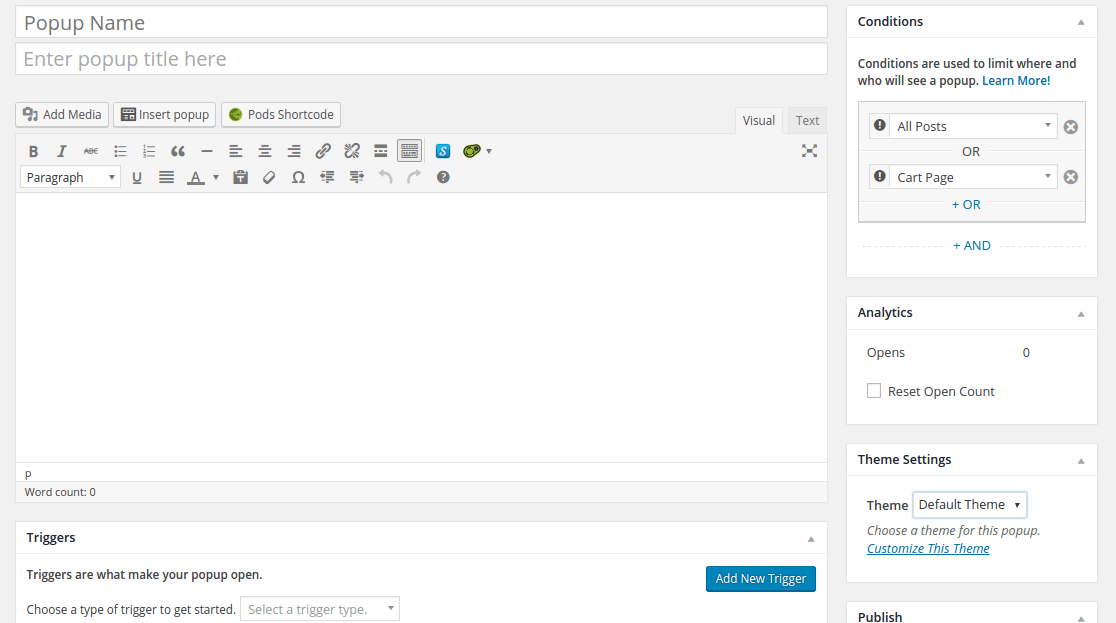
Show optins based on expert targeting rules
Visitors are smart. The old techniques of showing optins right when the visitor lands on the website just doesn’t work. You need to be smarter than them so as to make them convert.
Use powerful targeting rules to trigger optins at the right place and right time.
Icegram Engage
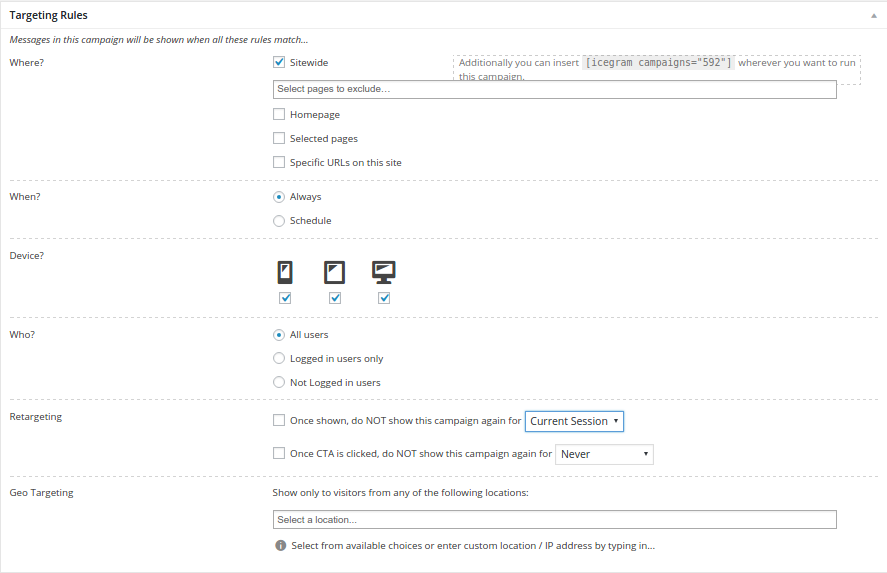
Icegram Engage has awesome targeting rules that cover almost every case. The targeting rules are well organized and simple to understand.
The rules that are available in Icegram Engage are listed below:
- When to show optin
- Whom to show optin
- Show on mobile phones and more…
Icegram Engage also has exit intent trigger for all its 12 optin types. It’s available in the paid plan. Check out Icegram Engage’s pricing.
Popup Maker
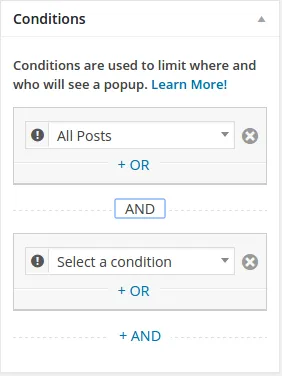
Popup Maker provides limited targeting rules in the free version such as targeting optins on different pages.
Other rules such as showing on mobile devices, exit intent popup and others are available as a paid addon.
More essential features
Analytics
If you can measure what messages people are looking and clicking at, you can implement an overall strategy to improve your conversion rates. That’s the reason analytics are of prime importance.
Icegram Engage
Icegram Engage provides conversion and impression analytics as well as click through rate as to check which of the optin is converting better than others.
Along with these metrics, you can also see color graphs representing your campaign performance. Analytics is available in Icegram Engage’s paid plan.

Popup Maker
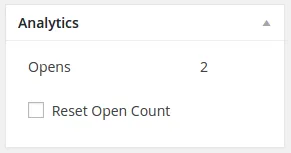
Popup Maker provides only open counts of popups in their analytics. Their conversion and impression analytics is available as a paid feature.
Animations
Animations act as a supporting feature to the optins. A little bit style to display the optins makes it more attractive.
Icegram Engage
Icegram Engage has option to add beautiful animation effects to it’s optins.
Entry animations, exit animations as well as CTA button animations makes your optin very engaging. It’s available in the paid plan.
Popup Maker
Popup Maker provides animation effects in the free version.
Free features at a glance:
| Features | Icegram Engage | Popup Maker |
|---|---|---|
| Popups | Yes | Yes |
| Header/Footer Bars | Yes | No |
| Messenger (Slide-outs) | Yes | Yes (with coding) |
| Toast Notifications | Yes | No |
| Subscription Form/ CTA Button | Yes | Yes (Paid) |
| Themes | 20 | 6 |
| Number of Optins to display on site | Unlimited | Unlimited |
| Add images | Yes | Yes |
| Add background image | Yes | Yes (Paid) |
| Headline Generator | Yes | No |
| Preview | Yes | Yes |
| Targeting Rules | Yes | Yes |
| Analytics | Yes (Paid) | Yes (Paid) |
| Animations | Yes (Paid) | Yes (Free and Paid) |
Other popup plugins worth a look
Icegram Engage and Popup Maker aren’t the only options. These popup plugins are also worth considering, depending on what you need.
Popup Box
Using the WordPress Popup Box plugin, you can make completely customizable, engaging popups. It is really simple to create fully customized popups or you can use one of the lovely pre-made templates they suggest.
By getting this plugin, you will be able to create an infinite number of popups. This pop-up generator is expertly built to deliver the finest user experience while guaranteeing a notable rise in your website’s conversion rate.
This user-friendly plugin will appeal to more customers and without any knowledge of coding or marketing, you may turn visitors into paying customers. It is mobile-friendly as well, thus perfectly and smoothly fits on all types of mobile devices and tablets. What is more ideal than this?
Optinly
Optinly is a plugin that helps you create a pop-up for your WordPress site. It can be used to collect emails, build a newsletter list, or generate leads.
Optinly is an easy-to-use plugin that has many features. You can create popups with different shapes and sizes. It also has an A/B testing feature that lets you split test the pop-up and see which one performs better.
Ninja Popups
Ninja Popups is a plugin that allows you to create pop-up boxes on your WordPress website.
This plugin is best for anyone who wants to increase their conversion rates and also for those who want to make their website more interactive.
The pop-up box can be triggered by a countdown timer or by an in-page trigger.
The countdown timer will be the first option that the individual will see. The pop-up box can also be triggered with a link to the pop-up box in a different location on the website. These are perfect for those who want higher conversion rates or to make their website more interactive.
Bloom
Bloom Popups plugin is one of the best WordPress popup plugins. It is a premium plugin with a free version also available.
The Bloom Popups plugin has many features that make it stand out from the rest of the WordPress popup plugins. One such feature is Geo-targeting, which enables you to target specific countries or states where your website visitors come from. Another great feature is Bloom’s custom redirects, which allow you to redirect your visitors to any page on your website after they click on a pop-up or exit a pop-up.
Brave
Getbrave.io is an AI-powered pop-up plugin that lets you create and customize your pop-up forms. You can use these popups to collect email addresses, build a mailing list, or generate sales leads.
Popups are a great way to get people’s attention and convert them into customers. But not all popups are created equal. Getbrave’s AI-powered popup plugin makes it easy for you to create custom forms that match your website’s design and collect the data you need from your visitors.
Conclusion
Icegram Engage
If you are looking beyond popups, need subscription forms, CTA and powerful targeting rules that too for free, go with Icegram Engage.
Icegram Engage also has more powerful features in it’s paid plans.
Popup Maker
If you looking for just popups to show visitors without asking for subscriptions, go with Popup Maker.
For all other important features like forms, CTA, targeting rules, you need to purchase their individual add-ons or the core bundle.
Your Decision
We have been as unbiased as possible. It comes down to you to decide which one is your favourite and why.
FAQ
Is Icegram Engage GDPR-compliant?
Yes. It allows you to add consent checkboxes, privacy disclaimers, and customize messages to comply with data privacy laws like GDPR and CCPA. However, legal compliance also depends on how you use the data.
Can I create popups for different user behaviors (like exit intent or scroll)?
Yes. Icegram Engage supports advanced targeting such as scroll depth, time delay, exit intent, and even device-specific popups, especially in premium versions.
Can I design popups without coding skills?
Yes. Icegram Engage provides pre-built templates and an intuitive interface that lets you customize text, colors, and layout without writing any code.
Is Icegram Engage suitable for eCommerce websites using WooCommerce?
Absolutely. You can use it to show cart abandonment popups, discount offers, product announcements, and more, tailored to WooCommerce visitors’ behavior.
Josiah P
I’m not seeing that it’s compatible with the new version of wordpress, updates coming soon?
Andrea Juliao
Are you referring to Icegram? If yes, the can you point us specific working that is not compatible?
If you are referring to Popup Maker so contact their developer.
Hope this helps you.