

How to Check the Spam Score of Your Email Content
MaxTest your email content against Postmark's SpamAssassin engine in Icegram Express Max to fix issues before sending to ensure high deliverability and...
Evaluating your email content’s spam score before sending ensures that your layout, links, and copywriting comply with major inbox filtering rules.
How the Spam Score Works
- Lower is Better: A score of 5.0 or lower passes standard inbox filters. A negative score (e.g.,
-1.2) indicates excellent deliverability. - Scores Above 5.0: Higher probability of being redirected to recipient spam folders.
Steps to Check Your Spam Score
-
In your WordPress admin, go to Icegram Express > Templates (or edit an active Campaign).
-
Open the email template you wish to evaluate.
-
In the builder header or Publish tab, locate Get Spam Score.
-
Click Check.
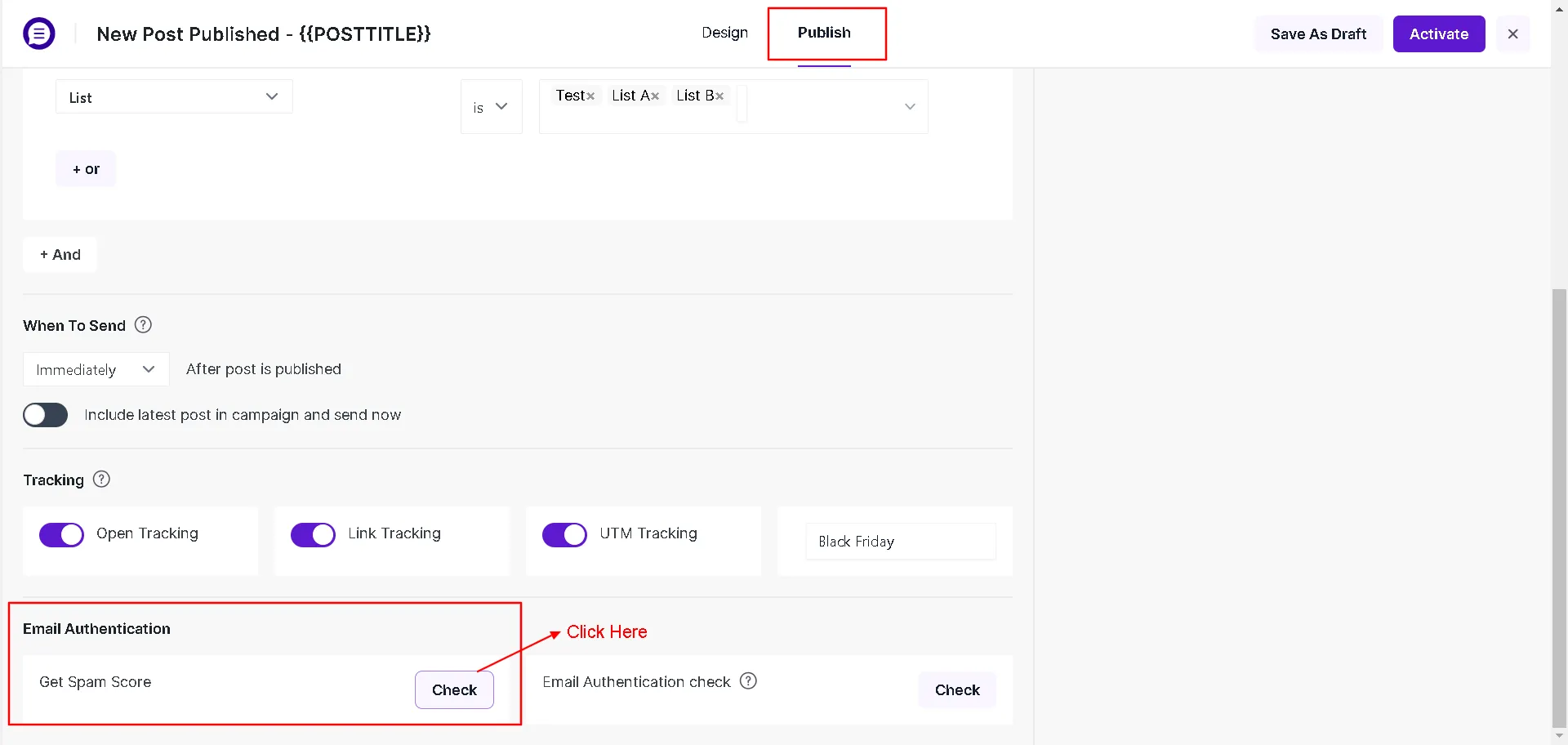
Get Spam Score check button in email template builder -
The engine returns an overall numerical rating and a breakdown of specific warnings.
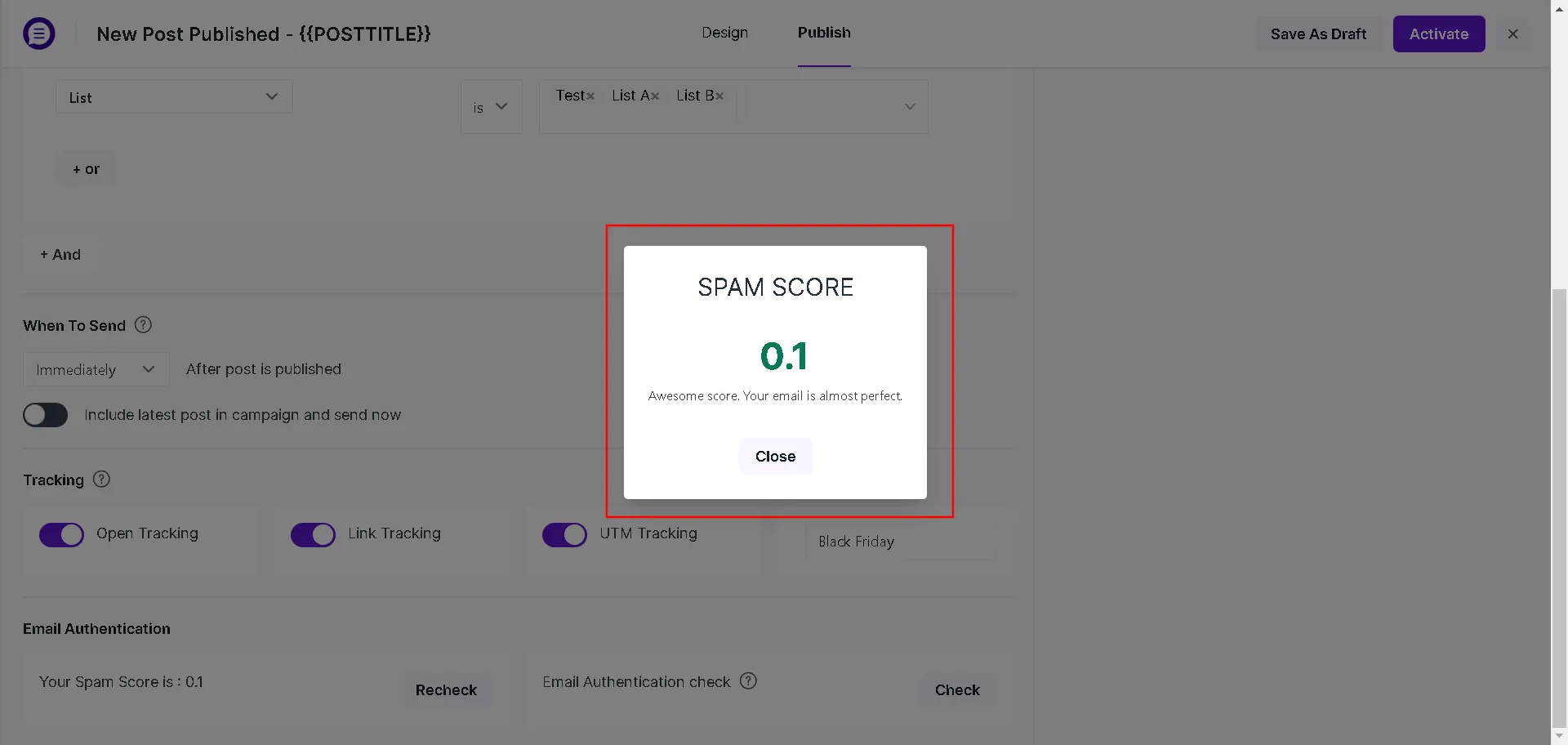
Spam score calculation and diagnostic result modal
Actionable Tips to Lower Your Spam Score
- Improve Text-to-Image Ratio: Avoid sending single giant images. Balance visuals with several paragraphs of readable HTML text.
- Remove Aggressive Trigger Words: Replace urgent words (e.g., “BUY NOW”, “RISK-FREE”, “100% FREE”) with conversational copy.
- Fix Broken Links: Verify all hyperlinked URLs use valid
https://prefixes and lead to live landing pages. - Ensure Unsubscribe Link Is Present: Every marketing email must include the mandatory
{{UNSUBSCRIBE-LINK}}tag in the footer.