

Check Sent Emails and Delivery Reports in Icegram Express
Review sent campaign logs, verify transmission status, and preview delivered email messages in Icegram Express to ensure high deliverability and...
Icegram Express maintains detailed delivery reports and sending logs for every broadcast, newsletter, and automated post notification.
How to Access Campaign Delivery Reports
- In your WordPress admin, navigate to Icegram Express > Reports.
- Locate the campaign you want to inspect from the summary list.
- Click View to open the detailed report.
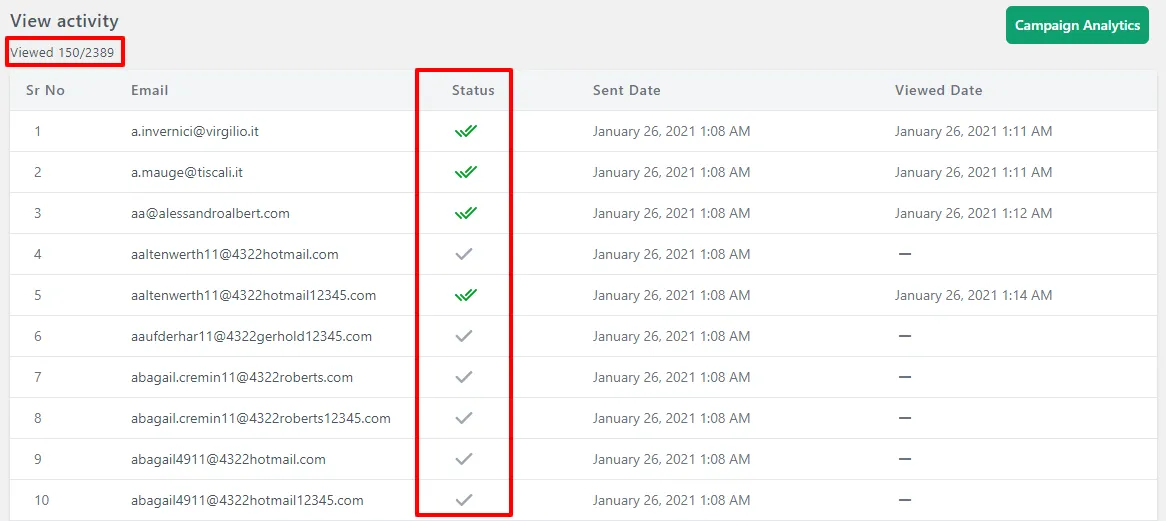
Key Metrics in the Delivery Report
- Queue & Delivery Status: Shows whether emails are currently queued, sending, or finished.
- Recipient Total: Total number of contacts targeted in the campaign.
- Open Rate & Unique Opens: Identifies how many contacts opened the email, with individual contact timestamps.
- Click-Through Rate: Displays specific link clicks and user interactions.